Hussar Robot Chassis Manual
Smart Restaurant Solutions 23
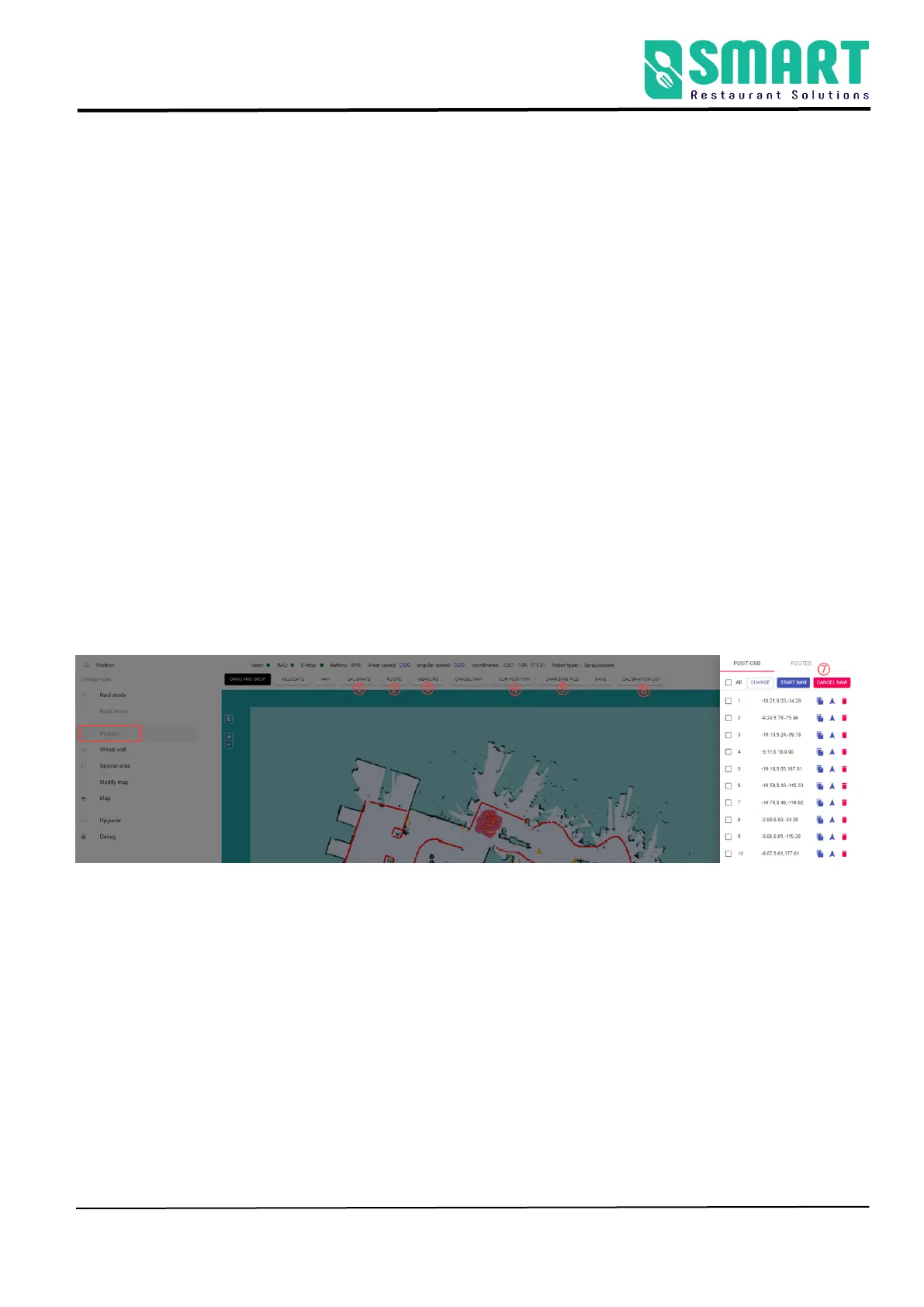
The Step 3 [ Position ]
(Note: If you directly use the disinfection application that comes with the
robot, please start punctuation with Arabic numerals 1, such as 1, 2, 3, 4,
5............ No upper limit;The name of the point should be confirmed
according to the business logic of the application)
The function of calibration location: provide reachable target
points for business layer applications
Note: The calibrated position must be at least 50 cm away from
surrounding obstacles and virtual walls; the machine must be turned on
within 2m of the charging pile for subsequent use.
①Calibrate: you can drag on the map to get the coordinates of the
specified location for calibration
②Route: click on the map to plan a fixed route to let the machine navigate
③Measure: Click any two points on the map to get the length of the
driving route
④Cur position: The current position of the robot can be obtained for



 To Next Page