Hussar Robot Chassis Manual
Smart Restaurant Solutions 37
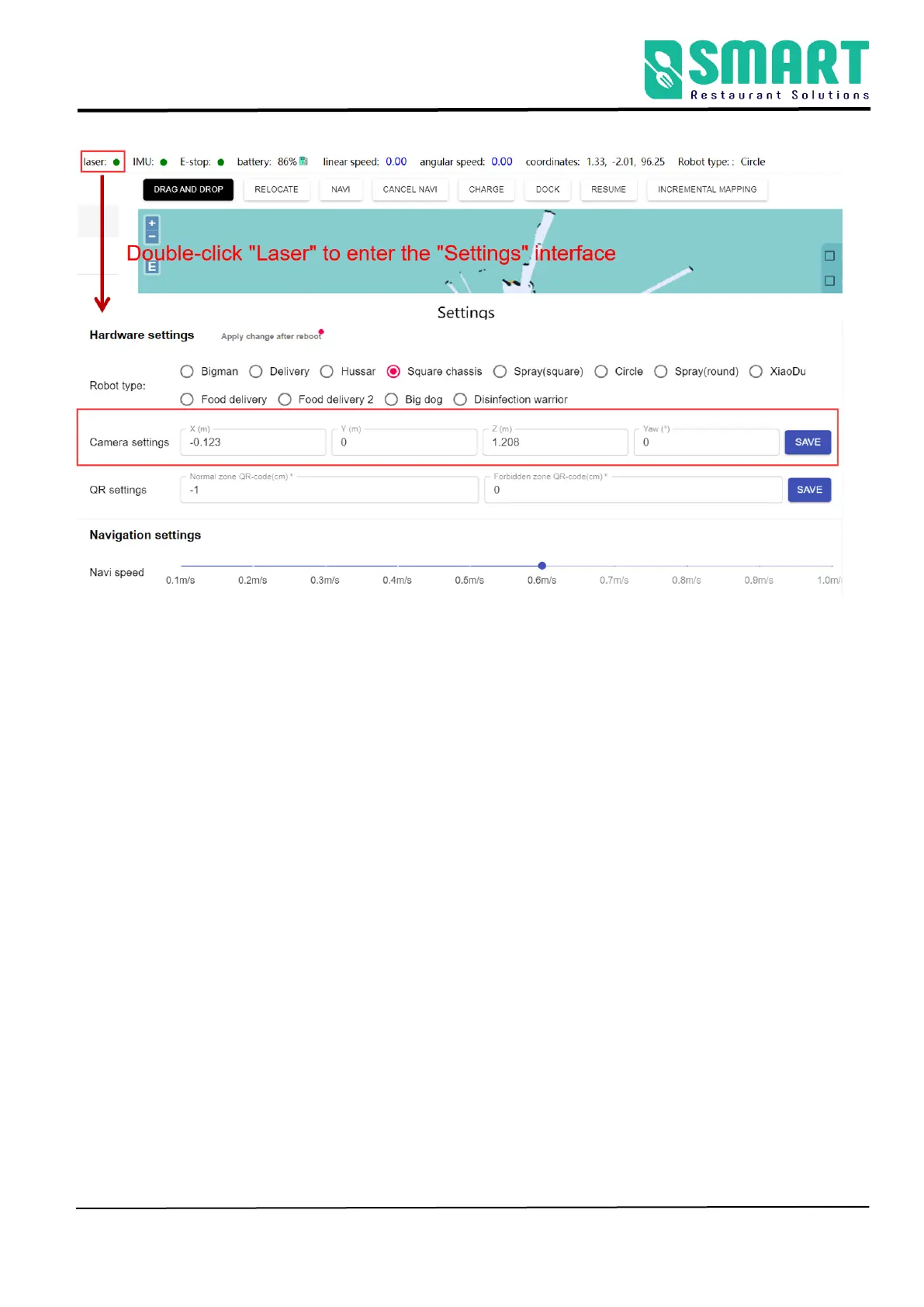
As shown in the figure above, double-click the "laser" position to enter the
"Configuration Management" , please follow the setting method below to
set.
① The type of robot should choose square chassis;
②Camera settings (Remember to click "Save" after revisement)
X : Front and back distance from the center of two wheels (front or back)
Y : Horizontal distance from the center of two wheels (left or right)
Z : Distance from camera to ground
For example:



 To Next Page