Information regarding WMA files
R
To display the title, artist and album
name, you need to add the
corresponding metadata to the WMA
file before burning.
R
The file extension for WMA files must
be "wma" and must be separated from
the file name by a period. If any other
file extension is used, this will not be
recognized by the equipment.
i
A number of factors influence whether
or not a WMA file can be played,
including:
R
Sampling rate
R
Bit rate
R
Encoding process
R
Software used for the creation of the
WMA files
R
Burn software
R
Other settings (e.g. copy protection,
Digital Rights Management, advanced
audio format settings).
To create WMA files, use only current
standard software, a sampling rate of
44.1 kHz and bit rates between 160 and
320 kbit/s. Do not use other settings such
as lossless coding, surround sound, DRM,
copy protection etc.
Do not use compilations that contain WMA
files with other settings as this may
render the CD unplayable even if only
some files on the CD do not fulfil the
required standards.
Loading the CD changer/Ejecting CDs
Loading the CD changer
The integrated CD changer can load up to
six CDs. You can decide, in which slot the
CDs are loaded and later you can play the
CDs by pressing one of the number buttons.
Loading single CD
X
Press the Load button.
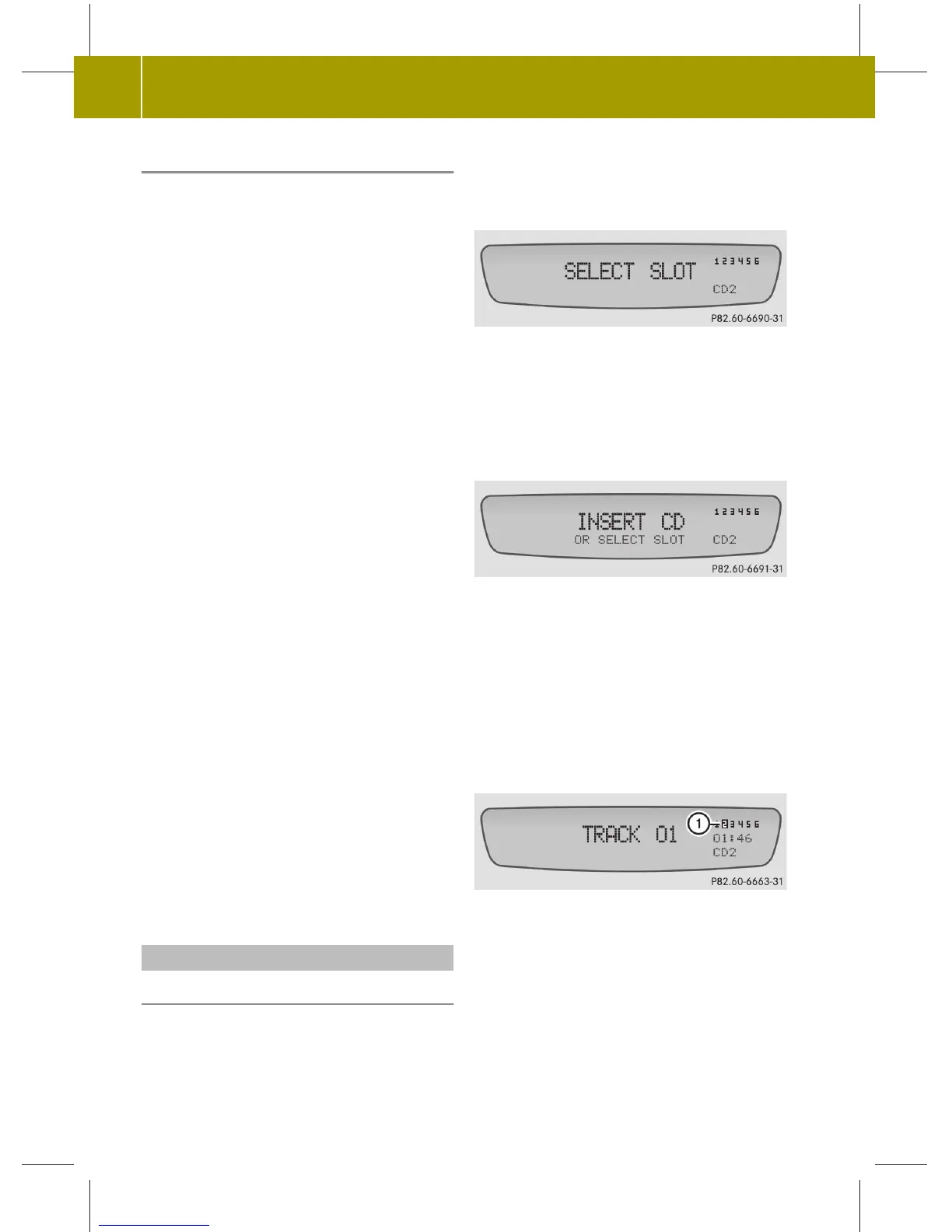
SELECT SLOT appears in the display.
While the CD changer prepares loading, CD
MOVING appears for a moment in the
display.
X
Press one of the 1 - 6 buttons to select a
slot.
INSERT CD appears in the display.
i
If you do not select a slot, the CD will
be loaded automatically in slot 1.
X
Insert a CD into the CD slot with the
printed side facing upwards.
The radio switches to CD mode.
The inserted CD is played.
The CD display appears and the loaded
slot appear inverse.
1
Slot 2 inverted
or
X
Press one of the 1 - 6 buttons to select a
slot.
The display shows the CD MOVING message
momentarily and then the message
INSERT CD.
16
>> Audio.
audio_ZA; 1; 6, de-DE
sabbaeu, Version: 2.11.4
2008-11-10T16:21:39+01:00 - Seite 16



 To Next Page