Removing the SwitchLinc from a Scene:
1. Transmit the “clear” sequence:
2. Using an PLC Controller, send the primary address of the SwitchLinc plus an
ON or OFF
or
press either the ON or OFF button on the SwitchLinc.
3. Send the following command sequence:
4. Transmit the scene address (house and unit code) that is to be removed.
The light(s) will blink (if they are still on) indicating that the scene has been removed.
Other Options
Disable PLC transmissions
The SwitchLinc’s ability to transmit may be disabled if the feature is not needed, inter-
feres with other home automation tasks, or just to cut down on the amount of PLC traf-
fic on the lines. It can be re-enabled later if necessary. Please note that the electronics
that connect the SwitchLinc’s transmitter circuitry to the AC line are still in place and,
like all transmitters, will absorb some of the signal from other transmitters. For more
information, please see page 10, “How Powerline Signals Travel Around a Home and
How to Improve Reliability”.
1. Transmit the “clear” sequence:
2. Activate all the switches for which you want to disable by sending the primary
Housecode, Unit Code, and ON.
3. Send the following command sequence to disable the transmitter:
The light(s) will blink indicating that SwitchLinc’s transmitter is now disabled.
Enable PLC transmissions (default is enabled)
1. Transmit the “clear” sequence:
2. Activate all the switches for which you want to disable by send-
ing the primary Housecode, Unit Code, and ON.
3. Send the following command sequence to enable the transmitter:
The light(s) will blink indicating that SwitchLinc’s transmitter is now enabled.
Factory Reset
If the SwitchLinc begins to operate strangely, the factory reset procedure can be used to
clear the EEPROM's memory and restore it factory default settings. Doing this proce-
dure will clear the unit of all scene addresses and fade-on rates.
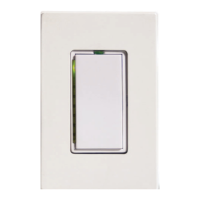
1. Gently pull out the Status LED/ Set Button on the SwitchLinc until a click is heard.
This completely removes the power from the SwitchLinc.
2. Wait five seconds, push in and hold in the Status LED/ Set Button.
3. Release the Status LED/ Set Button after five seconds.
4. WAIT approximately 25 seconds until the Status LED/ Set Button illuminates before
using the switch. During this time, the Status LED/ Set Button will remain off and
the load controlled by the SwitchLinc will be off. When the reset procedure is com-
plete, the load will come on to 100% and the SwitchLinc is ready for initial program-
ming or use.
9
O16 P16 M16 N16
O16 N16 M16 P16 M16
M16 N16 P16 O16 P16
O16 M16 N16 P16 P16
O16 N16 M16 P16 M16
O16 N16 M16 P16 M16
Tip:
Be careful not to
“fat-finger” the
buttons as you
send these
sequences.


 To Next Page
 Loading...