The programmable remote RC control may not be perfectly
compatible with some remote controls available on the market.
Please note that this is not a product defect.
Programming must be carried out for each individual key, carefully
following the instructions below:
The remote control has 4 programmable buttons for controlling
the TV: TV Power, Vol +, Vol-, TV/AV.
Long press the SET button for 10 seconds, the red LED will be
from low light to brighter light, release the SET button.
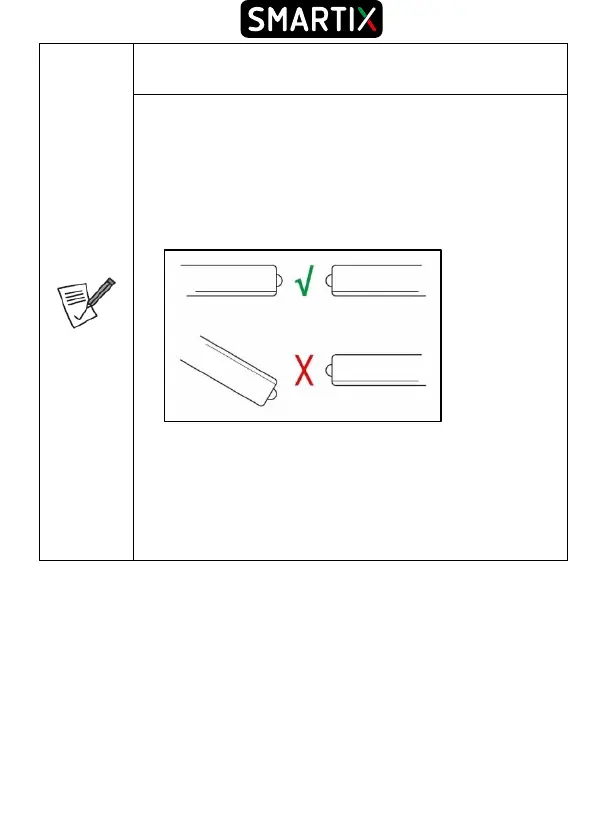
Place the learning and the original remote control from the TV
opposite to each other at a distance of 2-3 cm and pay attention
on IR aligmement.
Press and release the learning remote control button you want
to program, the red LED will light blinking.
[TV RC] Press the button of the original remote control, the LED
should blink 2 times and light constantly, release the button.
When learning is completed, press the SET button, the LED
will turn off.
Repeat this for the other buttons.
The battery charge should be as high as possible.
1.5 Wiring and Setup
Battery Installation
Remove the cover from the back of the remote control and insert 2 AAA batteries (not
included) into the compartment, making sure that the polarities match those indicated.
The remote control must be used pointing it at the IR receiver located on the front panel
of the device no more than 4 meters away. The remote control has an opening angle of
about 60 °.
Sunlight or a strongly lit room, or even the presence of obstacles between the remote
control and the IR sensor of the device, can interfere with the correct operation of the



 To Next Page