MOTO PURCHASE
Manual EFTPOS processing using manual card entry or MOTO functionality can be enabled for merchants
who process telephone or mail order sales. MOTO should only be used in situations where cardholder
authorisation is given for the transaction and the physical card is not present to be used at the terminal.
1. Operator selects 1.PURCHASE and types in PURCHASE amount
2. Press ENTER and terminal prompts user to PRESENT INSERT or SWIPE CARD
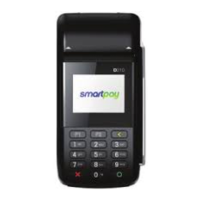
On PINpad:
3. Operator should press ENTER
4. Operator types in 16-digit card number - press ENTER
5. Operator types in card expiry date [mm/yy] - press ENTER
6. Operator is prompted to enter card CSC - select YES or NO and follow screen prompts
7. Operator selects appropriate MOTO TYPE option
8. Operator selects CRD account type
9. EFTPOS terminal displays ACCEPTED or DECLINED result
10. EFTPOS receipt will be oered (depending on receipt print/prompt settings) - you should always print
a copy of MOTO receipts
11. EFTPOS terminal returns to idle screen ready for next transaction
REFUND
Merchants are enabled for refund transactions and provided a Merchant Refund Card by their merchant
bank. Merchants should contact their bank to request this service and the card.
1. Operator selects 4.REFUND types in REFUND amount
2. Press ENTER and terminal prompts for MERCHANT REFUND CARD
On PINpad:
3. Operator swipes MERCHANT REFUND CARD and enters REFUND PIN
4. EFTPOS terminal will display refund amount and prompt customer to PRESENT INSERT or SWIPE CARD
5. Operator presents EFTPOS terminal to customer
6. Customer taps, inserts or swipes card
a. Insert or swipe - customer follows screen prompts to select account and enter PIN
b. Tap - customer follows screen prompts if required
7. EFTPOS terminal displays ACCEPTED or DECLINED result
8. EFTPOS Receipt will be oered (depending on receipt print/prompt settings)
9. EFTPOS terminal returns to idle screen ready for next transaction
MOTO REFUND
MOTO Refunds can be performed in the same way as MOTO purchase. Merchant should select Refund
transaction type and use their Merchant Refund Card. The amount being refunded should be credited
back to the card used for the original purchase. Merchants should contact their bank to request this
service and the card.
On PINpad:
On PINpad:


 To Next Page