5
2. With the UPS turned off and unplugged, connect the computer, monitor, and
any equipment into the battery power supplied outlets. DO NOT plug a laser
printer, copier, space heater, vacuum, paper shredder or other large
electrical device into the battery power supplied outlets. The power
demands of these devices will overload and possibly damage the unit.
3. Plug the UPS into a 2 pole, 3 wire grounded receptacle (wall outlet). Make
sure the wall branch outlet is protected by a fuse or circuit breaker and does
not service equipment with large electrical demands (e.g. air conditioner,
refrigerator, copier, etc.) Avoid using extension cords.
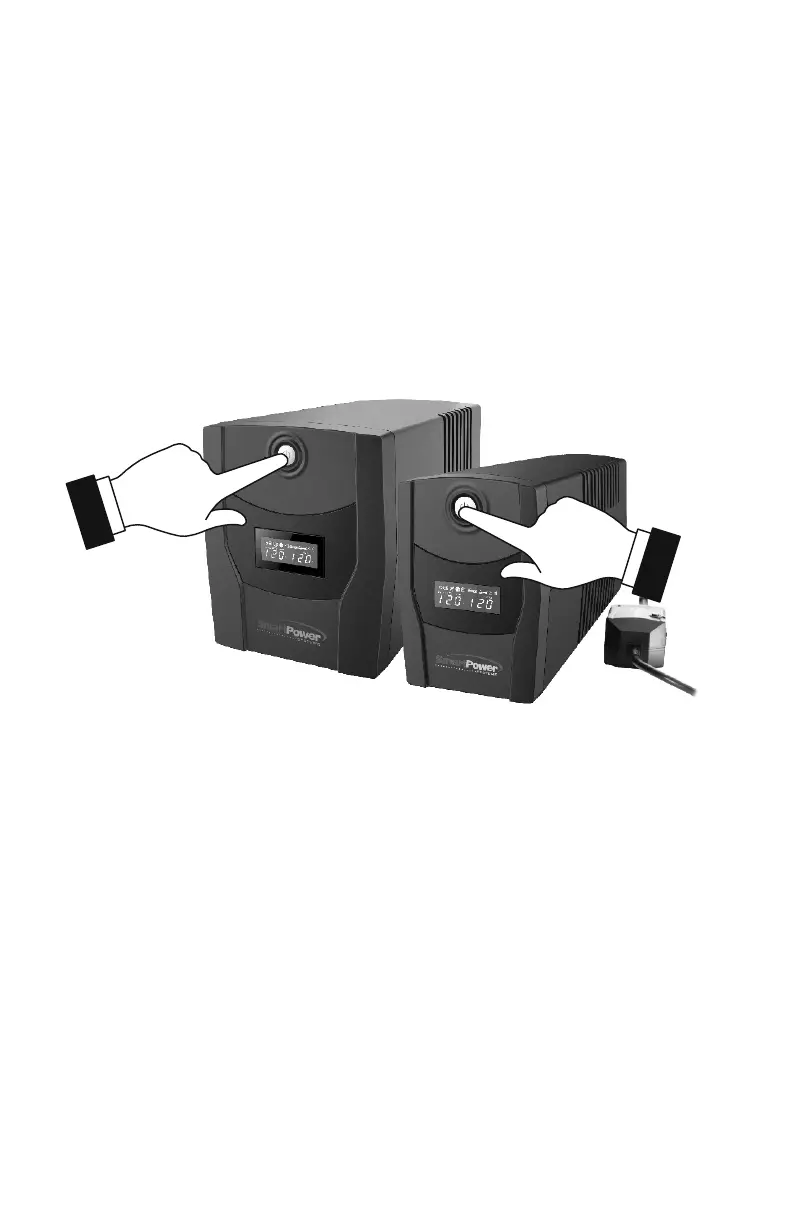
4. Depress the power switch to turn the UPS on. The power on indicator light will
illuminate and the UPS will "beep".
5. If an overload is detected, an audible alarm will sound and the UPS will emit
one long beep. To correct this, turn the UPS off and unplug at least one piece of
equipment from the battery power supplied outlets. Wait 10 seconds. Make sure
the circuit breaker is depressed and then turn the UPS on.
6. To maintain optimal battery charge, leave the UPS plugged into an AC outlet at
all times.
7. To store your UPS for an extended period, cover it and store with the battery
fully charged. Recharge the battery every three months to ensure battery life.


 To Next Page