EasyManua.ls Logo

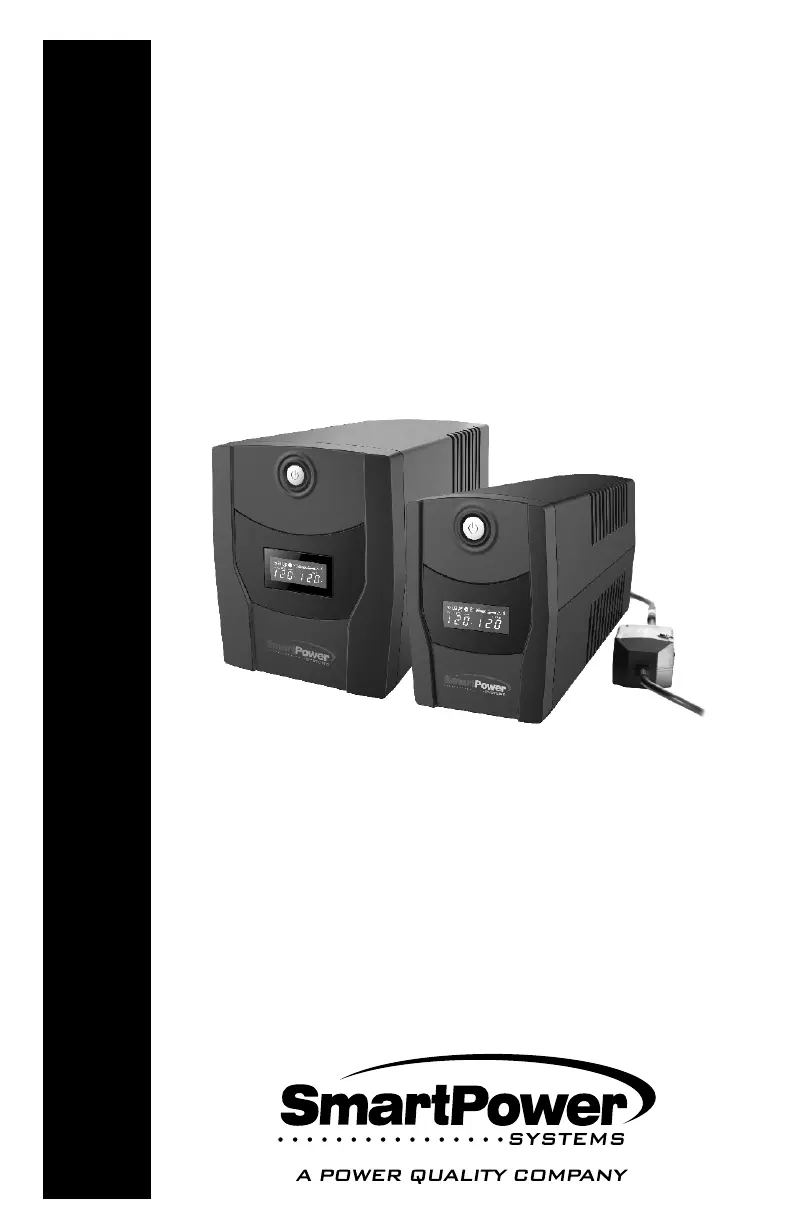
SmartPower SBP Plus Series - User Manual

SmartPower SBP Plus Series
15 pages
Print Icon
To Next Page IconTo Next Page
Loading...
USER'S GUIDE
Uninterruptible
Power Supply
SBP Plus Series
(Venus Plus)
Models:
SBP PLUS UPS Series
SBP450U Plus-T, SBP650U Plus-T,
SBP800U Plus-T, SBP1000U Plus-T,
SBP1500U Plus-T
450-1500

Questions and Answers

Summary

Important Safety Instructions

Safety Cautions

Provides critical safety warnings and precautions for operating and maintaining the UPS unit.

System Description

Front Panel Overview

Details the components and indicators on the front of the UPS, including the LCD display and power switch.

Back Panel Overview

Outlines the ports and connectors located on the rear of the UPS unit.

Installation and Operation

Unpacking and Overview

Instructions for unpacking the UPS and a brief summary of its features.

Power Requirements

Guidance on matching equipment power needs to the UPS capacity.

Hardware Installation Guide

Step-by-step instructions for physically installing and connecting the UPS unit.

Connecting Equipment and Powering On

Steps for connecting devices, plugging into the wall, and turning on the UPS.

Operational Procedures and Storage

Guidance on handling overloads, battery maintenance, and long-term storage.

Computer Connection

Modem;Phone Line Connection

Instructions for connecting modem/phone lines for protection.

UPS TBF Models Indicators

Explanation of indicator lights for UPS TBF models and troubleshooting tips.

Replacing the Battery

Battery Replacement Safety

Critical safety precautions and warnings related to battery replacement.

Battery Replacement Procedure

Detailed steps for safely replacing the battery in the UPS unit.

Smart Power Master Software

Software Overview

Introduction to the Smart Power Master software and its user-friendly interface.

Agent and Client Functions

Description of the Agent and Client modules and their respective functionalities.

Troubleshooting

Common UPS Issues and Solutions

Table detailing common UPS symptoms, their possible causes, and solutions.

Smart Power Master Inactivity

Troubleshooting steps for when the Smart Power Master software is not active.

Specifications

Model Specifications

Detailed technical specifications for each UPS model.

Interface and Communication

Information on the UPS display, alarms, and communication ports.

Physical and Environmental Specs

Details on the UPS dimensions, weight, operating environment, and noise level.

Regulation and Safety Certifications

Information on energy saving, safety, and regulatory compliance.

Definitions for Illuminated LCD Indicators

LCD Indication Symbols

Explanation of symbols and indicators displayed on the UPS LCD screen.

Line and Battery Modes

Descriptions of the UPS operating modes, including Line and Battery modes.

Load Capacity and Mute Function

Information on load capacity reporting and how to mute/unmute alarm sounds.

Limited Product Warranty

Warranty Terms

Details the warranty period and coverage for the UPS product.

Connected Equipment Protection Policy

Policy outlining protection for connected equipment damaged by UPS failure.

Return Material Authorization (RMA)

Procedure for obtaining an RMA number for unit returns.

FCC Compliance Statement

FCC Compliance Rules

Statement detailing compliance with FCC rules and conditions for operation.

Canadian Compliance

Statement regarding Canadian compliance with ICES-3 (B)/NMB-3(B) standards.

SmartPower SBP Plus Series Specifications

General IconGeneral
Waveform (Batt. Mode)Simulated Sine Wave
TopologyLine-Interactive
Capacity1000VA/600W, 1500VA/900W
Input Frequency50/60Hz ± 5Hz
Battery TypeSealed Lead-Acid (SLA)
Protectionoverload protection
Communication InterfaceUSB
Backup Time5-30 minutes (depending on load)
Operating Temperature0-40°C
Storage Temperature-15-45°C
Humidity0-95% Relative Humidity (Non-Condensing)
DimensionsVaries by model
WeightVaries by model

Related product manuals