EasyManua.ls Logo

SMC Networks HECR Series - User Manual

SMC Networks HECR Series
24 pages
Print Icon
To Next Page IconTo Next Page
Loading...
RoHS
(UL Standards)
Mountable in a 19-inch rack
Saves space by mounting multiple equipment
together in a rack.
±
0.01 °C to 0.03 °C
Temperature stability
10 °C to 60 °C
Set temperature range
Cooling capacity
Good space utilisation
Space saving design with reduced height
HECR008 (800 W)
HECR010 (1 kW)
176
mm
267
mm
Energy saving design
200 W
400 W
(HECR004/006)
1
(HECR008/010)
2
1: 200 W load 2: 500 W load
(HECR004/006)
1
(HECR008/010)
2
Low-noise design
55 dB
54 dB
HECR004 (400 W)
HECR006 (510 W)
HECR002 (200 W)
200
W
, 400
W
,
510
W
,
800
W
, 1
kW
Power consumption Noise level
New
New
New
New
New
New
Air-cooled
New
New
CAT.EUS40-61C-UK
Series HECR
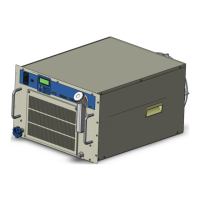
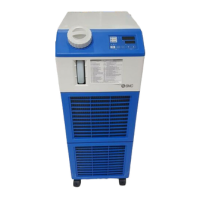
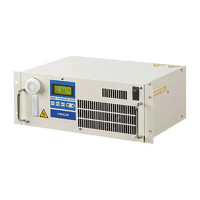
Peltier-Type Chiller
Thermo-con/
Rack Mount Type

Other manuals for SMC Networks HECR Series

Questions and Answers

  • N
    nancy97Aug 5, 2025
    Why communication cannot be made with SMC Networks Industrial Equipment?
    • J
      Jennifer ThomasAug 5, 2025
      Communication issues with SMC Networks Industrial Equipment can stem from several causes. Ensure you're using the correct cable: a straight cable for RS-485 or a cross cable for RS-232C. Verify that the unit number, baud rate, parity bit, data length, and stop bit settings are consistent between the host and the thermo-con. Also, confirm that your program is correctly written, paying attention to the control code, command code, and checksum. Use the appropriate communication method (RS-485 or RS-232C) as per the thermo-con's specifications. External noise can interfere with communication, so use a shielded wire for the cable and ground the shield. Lastly, reflected waves can cause issues; setting a terminating resistance may resolve this.
  • L
    Lisa FosterAug 12, 2025
    What to do if temperature cannot be set on SMC Networks Industrial Equipment?
    • J
      Julie NelsonAug 12, 2025
      If you're having trouble setting the temperature on your SMC Networks Industrial Equipment, ensure that you are inputting four digits for the desired temperature. Since 0.1 deg.C is the minimum indication unit, input 0 in the hundredths place. Also, verify that the temperature you are trying to set is within the allowable range of 10.0 to 60.0 deg.C.
  • S
    sweeneydavidAug 19, 2025
    What to do if the thermo-con does not give a correct answer for SMC Networks Industrial Equipment?
    • F
      Frank KleinSep 12, 2025
      If your SMC Networks Industrial Equipment's thermo-con isn't providing the correct response, it might be because the host is sending communication data successively. To resolve this, ensure that when sending communication data, you wait until you receive an answer from the thermo-con before sending the next set of data.
  • A
    Angelica MoodyAug 27, 2025
    What to do if communication cannot be continued with SMC Networks Industrial Equipment?
    • K
      Kimberly RiosAug 27, 2025
      If you're experiencing interrupted communication with your SMC Networks Industrial Equipment, the connecting cable might be the issue. Check the connecting cable to ensure it hasn't come loose or isn't broken.

Summary

Construction and Principles

Principle of Peltier Device (Thermo-module)

Explains the fundamental working principle of the Peltier device used in the thermo-con.

Model Selection Guide

Product Specifications

Technical Specifications Summary

Comprehensive technical data for the thermo-con rack mount type.

Cooling Capacity Performance

Cooling Capacity Charts (HECR002-HECR006)

Graphs showing cooling capacity for HECR002, HECR004, and HECR006 models.

Heating Capacity Performance

Heating Capacity Charts (HECR002-HECR006)

Graphs showing heating capacity for HECR002, HECR004, and HECR006 models.

Pump Capacity Performance

Pump Capacity Charts (HECR002-HECR006)

Graphs illustrating pump discharge pressure versus flow rate for HECR002-HECR006.

Operation Display Panel and Alarms

Alarm Codes and Descriptions

List and explanation of all possible alarm codes and their causes.

Specific Product Precautions - Part 1

Circulating Fluid Precautions

Important warnings and advice regarding the use of circulating fluids.

Specific Product Precautions - Part 2

Safety Instructions and Legal Notices

General Safety Instructions

Essential safety notes for operating SMC products.

SMC Networks HECR Series Specifications

General IconGeneral
BrandSMC Networks
ModelHECR Series
CategoryChiller
LanguageEnglish

Related product manuals