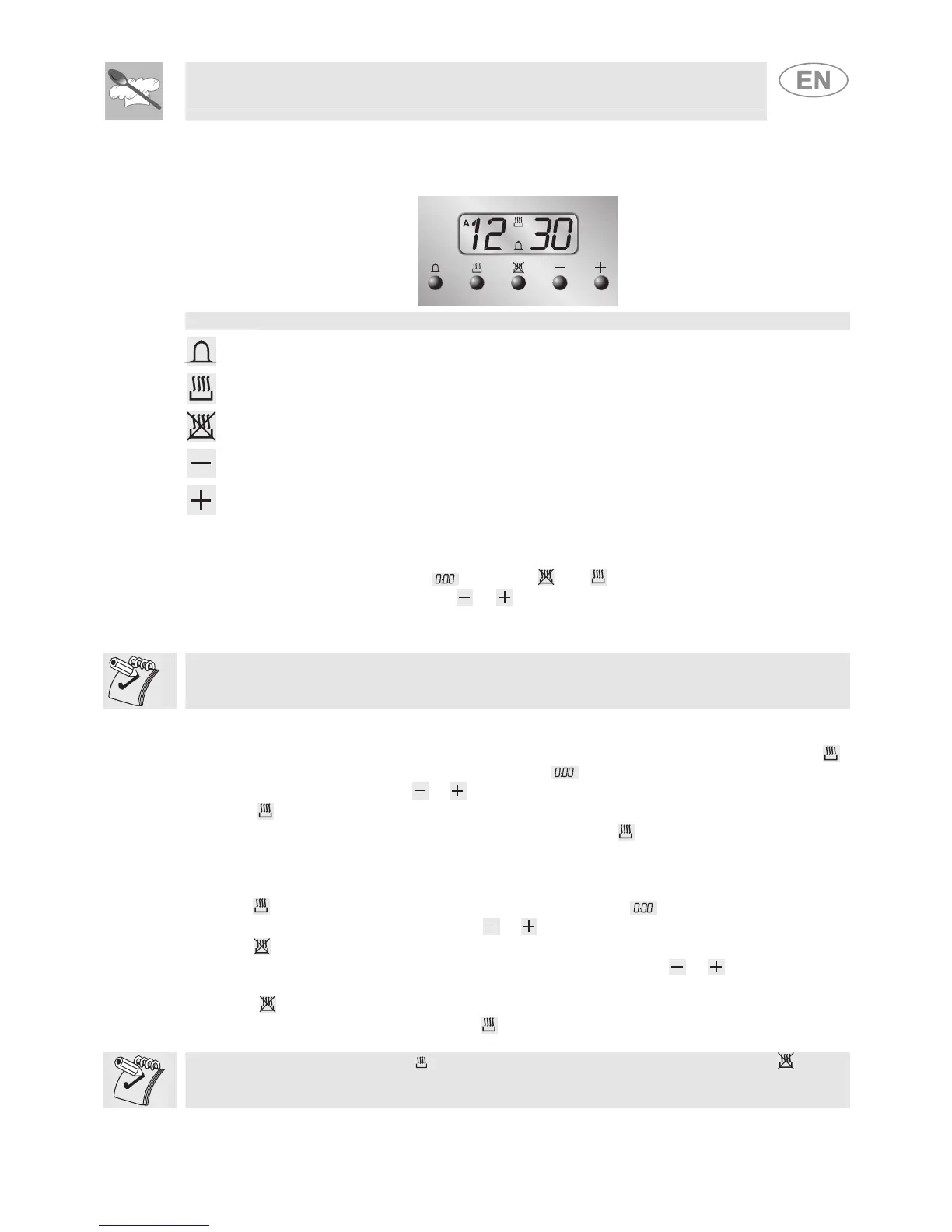
RELEVANT FUNCTION)
LIST OF FUNCTIONS
TIMER BUTTON
COOKING DURATION BUTTON
END OF COOKING BUTTON
VALUE DECREASE BUTTON
VALUE INCREASE BUTTON
8.1 Setting the time
When the oven is used for the first time, or after an interruption in the electricity supply, the display
flashes at regular intervals, showing
. Press the and buttons together, and at the same
time press the value adjustment buttons
or : this will increase or decrease the setting by one
minute for each pressure.
Press one of the two value modification buttons until the current time appears.
Before each programmer setting, activate the desired function and temperature.
8.2 Semi-automatic cooking
This function only switches the oven off automatically at the end of the cooking time. Press the
button and the display will light up showing the figures
; keep it pressed, and at the same time
use the value modification buttons
or to set the cooking duration.
When the
button is released, the count of the programmed cooking duration will start and the
display will show the current time together with the symbols A and
.
8.3 Automatic cooking
This function switches the oven on and off in fully automatic mode.
Press the
button and the display will light up showing the figures ; keep it pressed, and at the
same time use the value modification buttons
or to set the cooking duration.
Press the
button and the display will show the sum of the current time plus the cooking duration:
keep it pressed, and at the same time use the value modification buttons
or to adjust the end
of cooking time.
When the
button is released, the programmed count will start and the display will show the
current time together with the symbols A and
.
After making the setting, press the button to view the remaining cooking time; press the button
to view the cooking end time. The logic prevents the setting of incompatible values (e.g. the timer will
not accept a cooking end time with a duration which is too long for its value).


 To Next Page