91
GB
Display
stand-by mode
To limit your oven's consumption of energy when it is not in
use, you may put it in STAND-BY MODE.
To do so, perform the following procedure:
Your oven must be in time display mode.
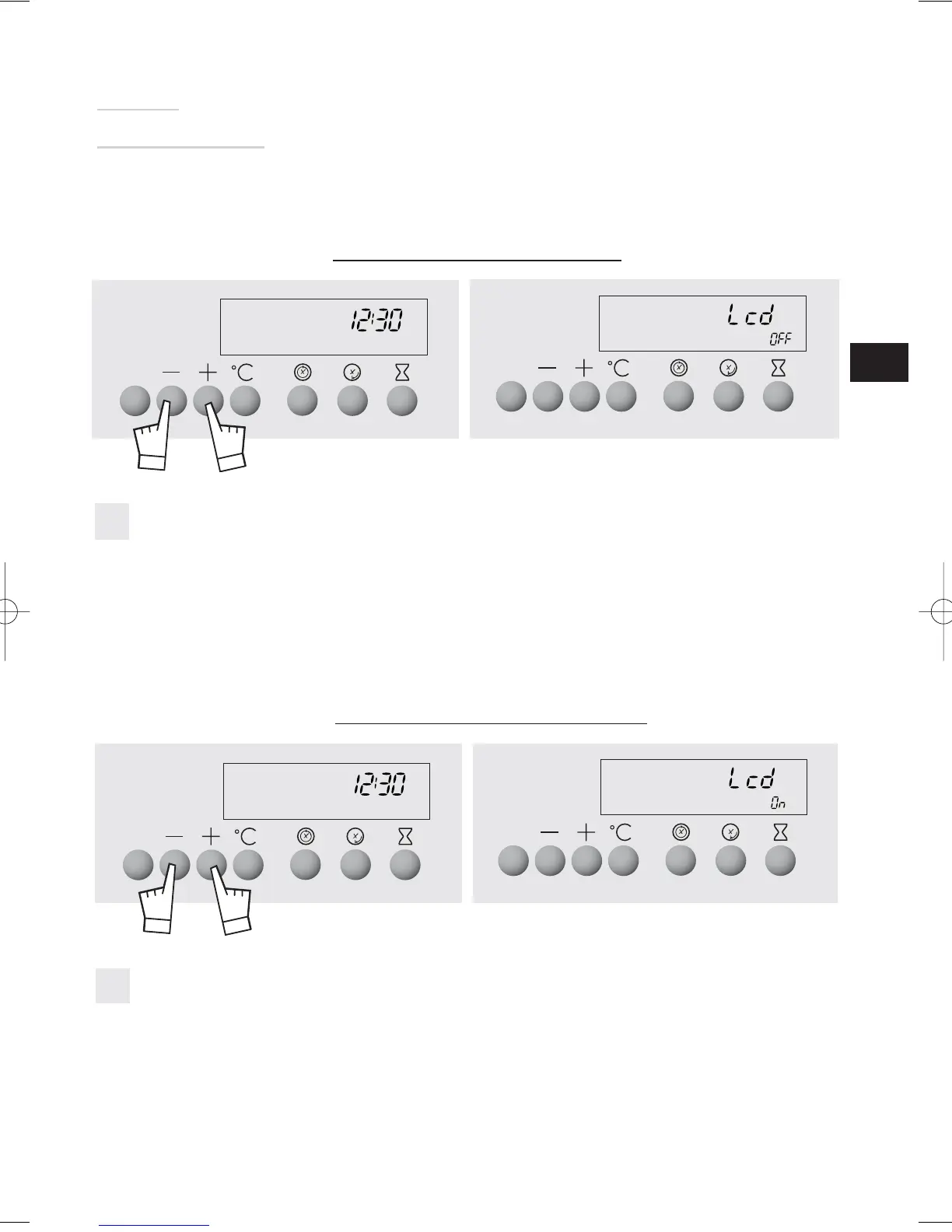
Press the + and - buttons at the same time for 5 seconds.
Your display indicates "LCD OFF"
Release the buttons.
30 seconds later, your display will turn off.
Your oven is now in stand-by mode, it will automatically turn off after 30 seconds in time
display mode.
1
1
Press the + or - buttons at the same time for 5 seconds.
Your display indicates "LCD ON".
Release the buttons.
You are out of STAND-BY MODE, your display will remain on constantly.
ACTIVATION OF STAND-BY MODE:
DEACTIVATION OF STAND-BY MODE:



 To Next Page