96
Timer
Your oven is equipped with an electronic timer that is
independent of the oven functions, making it possible to
measure times.
This function is independent of the oven. It cannot
be used to automatically stop a cooking programme.
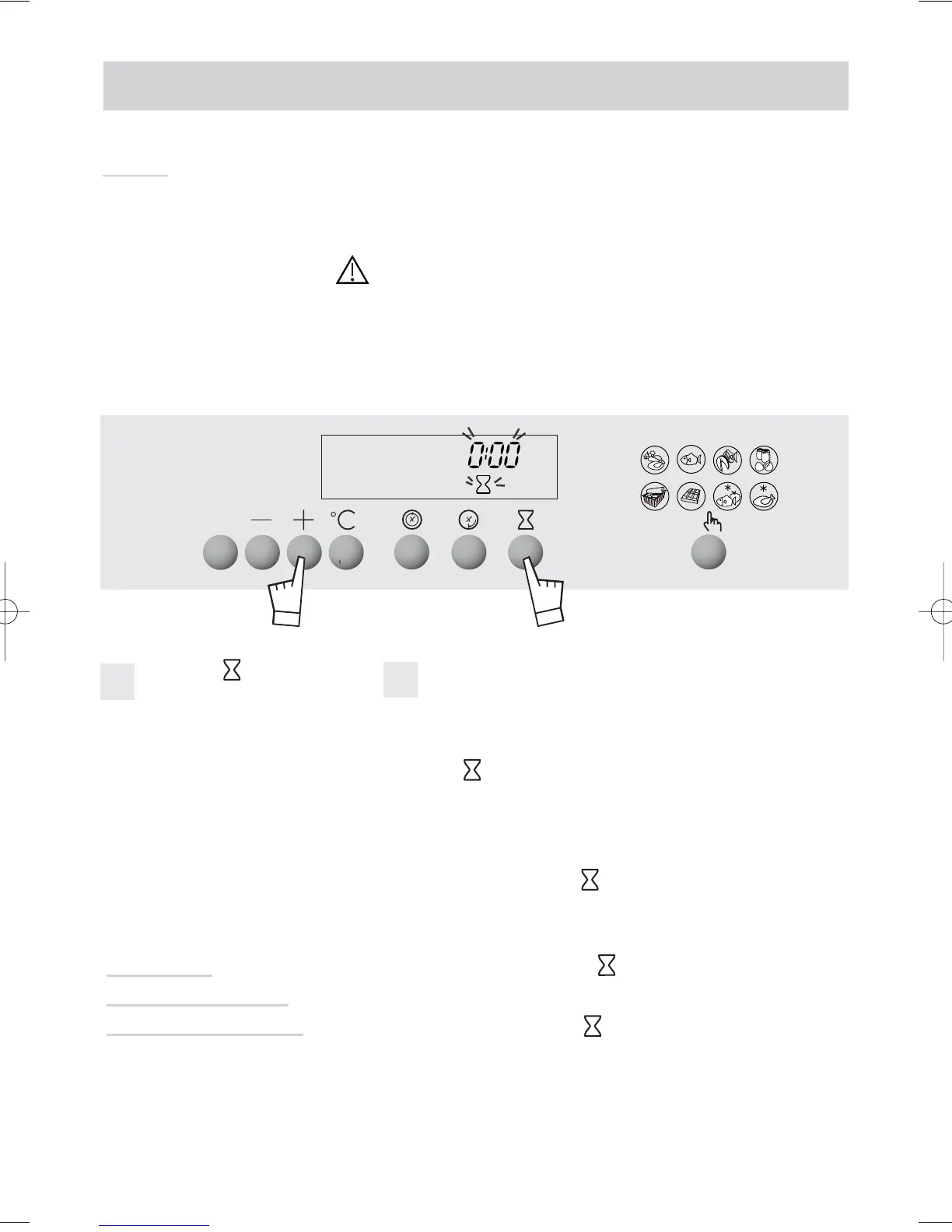
Press the button.
0m00s and the timer sym-
bol flashes.
Set the desired length of time (max. 59 min 50 seconds)
by pressing the + or - buttons.
After a few seconds, the timer starts working.
When the cooking time is finished, the timer beeps.
The symbol flashes.
This function can however be used while the oven is
working. In this case, the timer display has priority over
the clock display.
Stop beeping by pressing or START/STOP.
Once the timer starts working, you can change the
remaining time by pressing then the + or - buttons.
To cancel the timer, press then set time at 0m00s.
Changing
or cancelling the
timer programme
1
2
How do you use the timer?



 To Next Page