2
3
1
93
1
2
3
It is only possible to adjust the cooking temperature in
the position.
Press the °C button.
The °C symbol flashes.
Adjust the temperatu-
re by pressing the +
or - buttons.
Save your choice by
pressing the °C button.
If your choice is not validated using the °C button, the temperature is automatically saved
after a few seconds.
Changing
cooking
temperature
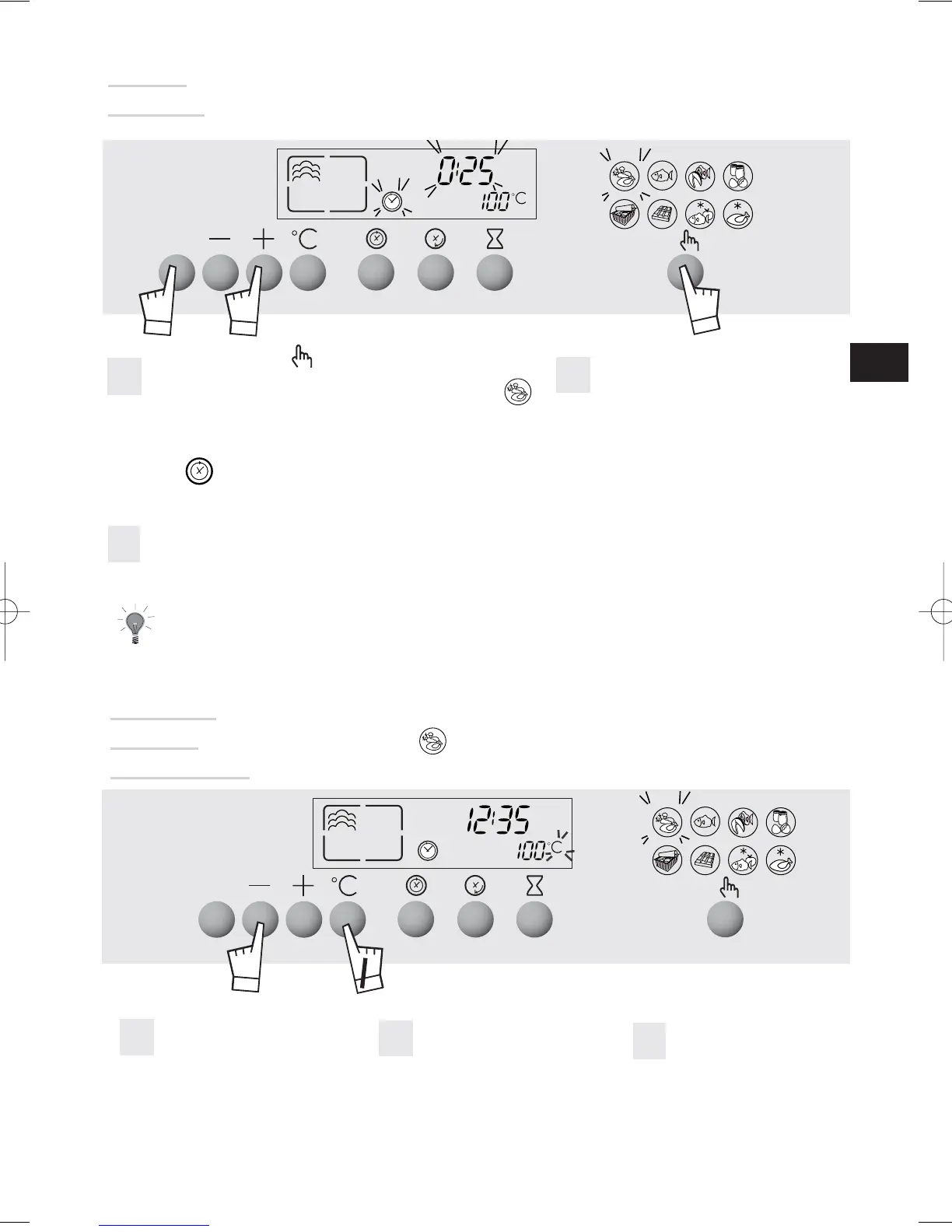
Press the button and scroll down to select
cooking function, for example the function
The preset temperature 100°C is displayed and
25 minutes cooking time is suggested.
The symbol flashes.
Press START/STOP to begin cooking; the preset time and symbols are fixed, the
cooking indicator comes up.
When the oven reaches the set temperature, 100°C is fixed and the oven beeps.
1
2
3
To avoid compromising the cooking results, do not open the appliance door
during cooking.
Set the desired length of time
(minimum is 5 minutes and
maximum is 60 minutes) by
pressing the + and - touch
controls.
GB
Steam
cooking



 To Next Page