< 09 >
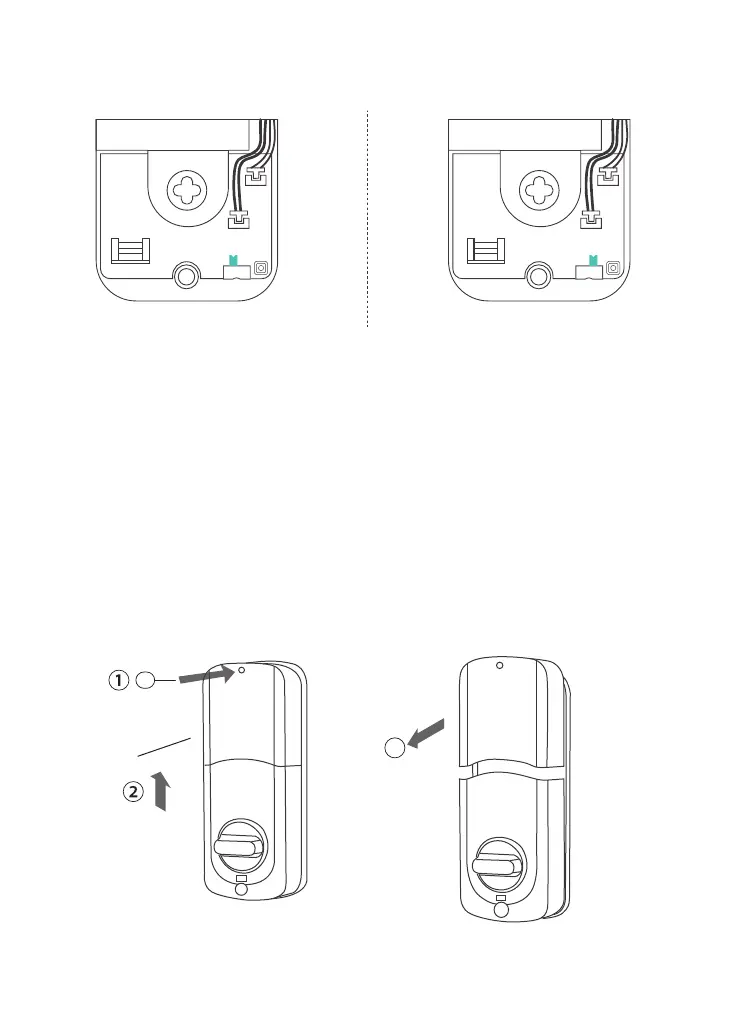
7)Install Receiver Module
Remove the battery cover (Press the spring button with the sharp
object and push the cover up first then push it up)
6)Adjust the Toggle Button of the Cover
To install the lock for left side
handling, ensure the toggle
button on the back cover
assembly is set to "L".
To install the lock for right side
handling, ensure the toggle
button on the back cover
assembly is set to "R".
L R
L R
3
Needle
Battery Cover


 To Next Page