11
Getting Started
Charging Battery
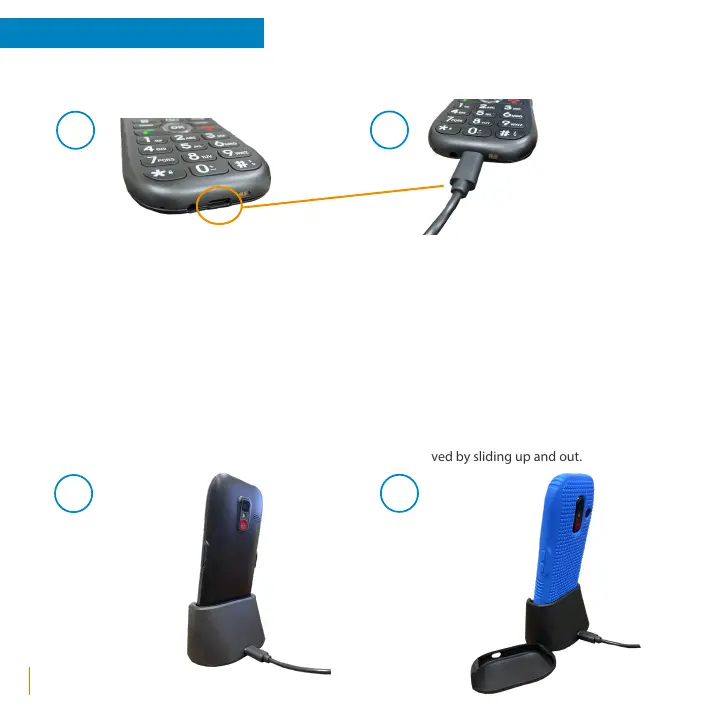
1. The USB-C charging port can be found on the bottom of the ez4G near the headphone jack.
2. Use the Snapfōn® USB-C charger by aligning and inserting it into the charging port. The charger can be
used with a Snapfōn® USB wall charging plug, computer or vehicle USB port, or compatible USB port.
A.
B.
Optional Charging Cradle
1. The ez4G can also be charged using the ez4G Charging Cradle. The USB-C charger plugs in to the USB-C
port located on the back side of the Charging Cradle then the ez4G simply sits in the Charging Cradle
while charging.
2. Optional Charging Cradle insert. This insert is to be used when you have no Tu Case on your ez4G.
If you have a Tu Case on your ez4G this insert is easily removed by sliding up and out.
A.
B.



 To Next Page