37
Applications and Features
Settings
Within the menu you'll find Settings. Here you can view and customize all of
the following device settings:
Sound: Adjust Media Volume, Alarm Volume, and Ring Volume� Enable or
disable Also Vibrate for calls�
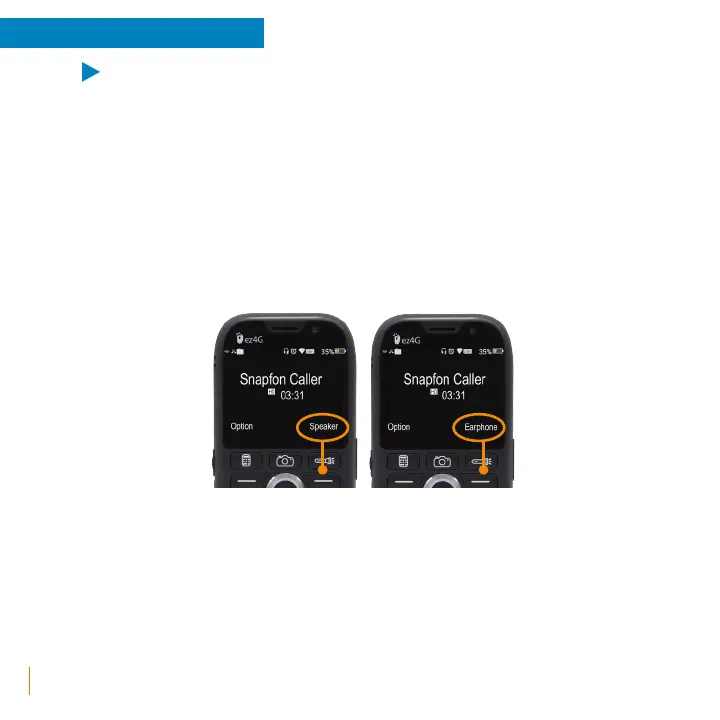
• Speakerphone Default: This option allows you to enable or disable
speakerphone as the default upon calling or answering. With this
enabled or disabled, still easily switch between speakerphone mode or
earpiece mode using the right select key during your connected call.
• Do Not Disturb Preferences: This mode can silence notifications, alerts,
phone calls, and text messages when Do Not Disturb Mode is activated.
Activate this mode by holding down the low volume control button
while on the home screen, to turn mode off simply increase the volume.
º Priority only allows: Settings for when Do Not Disturb is in Priority
only mode. Enable or Disable reminders, and Events. Messages
can be set to From anyone, From contacts only, From starred
contacts only, or None. Calls can be set to From anyone, From
contacts only, From starred contacts only, or None. Repeat callers



 To Next Page