EasyManua.ls Logo

Snapper SXDST82 - User Manual

Snapper SXDST82
144 pages
Print Icon
To Next Page IconTo Next Page
Loading...
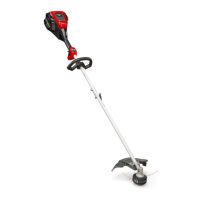
82V Cordless String Trimmer
Read all safety rules and instructions carefully before operating this tool.
Owner’s Manual
TOLL-FREE HELPLINE: 1-800-317-7833
www.snapper.com
1696771 (SXDST82)
Not for Reproduction

Questions and Answers

  • P
    Pamela GreerAug 5, 2025
    What to do if my Snapper SXDST82 stops while cutting?
    • E
      Eric OchoaAug 5, 2025
      If your Snapper Trimmer stops while cutting, several factors could be the cause. The guard might not be mounted, leading to motor overload; in this case, remove the battery pack and mount the guard. Using heavy cutting line can also cause this issue; ensure you're using only nylon cutting line 0.08" diameter or less. Grass缠绕 around the motor shaft or trimmer head can also cause it; stop the trimmer, remove the battery, and clear the grass. If the motor is overloaded, remove the trimmer head from the grass to allow it to recover. The battery pack or trimmer might be too hot; allow them to cool. Ensure the battery pack is properly connected, and if it's depleted, charge it.
  • D
    desireewebsterAug 10, 2025
    How to fix a Snapper SXDST82 Trimmer that fails to start?
    • N
      nelsonchristopherAug 10, 2025
      If your Snapper Trimmer isn't starting, make sure the battery pack is correctly attached. If it is, remove the battery and check the contact, then reinstall it. The battery pack might be depleted, so try charging it. Ensure you're pressing the lock-off lever and trigger simultaneously. Also, you should first press the power button, and the power indicator will trigger later.
  • A
    April YoungAug 15, 2025
    How to improve cutting performance of Snapper Trimmer when the line is not cutting well?
    • R
      Roger WeberAug 16, 2025
      If the line on your Snapper Trimmer isn't cutting well, the line-cutting blade on the edge of the guard may have become dull. Sharpen the blade with a file or replace it with a new one.
  • O
    Olivia RossAug 20, 2025
    Why won't the line advance on my Snapper Trimmer?
    • T
      Troy BrownAug 20, 2025
      If the line on your Snapper Trimmer isn't advancing, it could be due to several reasons. The lines might be welded together; try lubricating them with silicone spray. There might not be enough line on the spool, so install more line. If the lines are worn too short, pull both lines while pressing the button. Alternatively, the lines might be tangled on the spool; remove them and rewind them.
  • J
    Jennifer RobertsAug 25, 2025
    What to do if the line keeps breaking on my Snapper Trimmer?
    • J
      Jennifer ThompsonAug 26, 2025
      If the line on your Snapper Trimmer keeps breaking, it might be due to incorrect usage. Only trim with the tip of the line, and avoid stones, walls, and other hard objects. Feed the line regularly to maintain a full cutting width.
  • C
    Cindy WilcoxAug 30, 2025
    Why is grass wrapping around the trimmer head of my Snapper SXDST82?
    • A
      Audrey DiazAug 30, 2025
      Grass wrapping around the trimmer head and motor housing of your Snapper Trimmer is likely due to cutting tall grass at ground level. To prevent this, cut tall grass from the top down, removing no more than 8 inches in each pass.

Summary

Product Specifications

82 V Lithium-Ion String Trimmer Specifications

Specifications for the 82V Lithium-ion string trimmer, including cutting width and speed.

Important Safety Instructions

General Safety Guidelines

Safety rules for using the string trimmer, including PPE and environment.

Battery and Handling Safety

Safety precautions for battery use, disposal, and handling to prevent hazards.

Symbols

Explanation of Symbols

Explanation of symbols used on the product and in the manual for clarity.

Know Your String Trimmer

String Trimmer Components

Detailed descriptions of the string trimmer's parts and controls for easy identification.

Assembly

Unpacking and Packing List

Instructions for unpacking the trimmer and checking included parts.

Attaching the Guard

Step-by-step guide to install the trimmer guard for safety.

Attaching the Auxiliary Handle

Guide for attaching the auxiliary handle for better control.

Connecting Shafts

Instructions for joining the upper and lower shafts of the trimmer.

Operation

Battery Installation and Removal

Procedures for inserting and removing the battery pack from the trimmer.

Starting and Stopping the Trimmer

Steps to start and stop the string trimmer using its controls.

Operating the Trimmer

Tips for safe and effective operation of the string trimmer.

Advancing the Cutting Line

How to advance the trimmer line using the bump feed mechanism.

Replacing the String Head

Instructions for replacing the trimmer's string head.

Spool Replacement

Steps for replacing the spool in the trimmer head.

Cutting Tips

Best practices and advice for efficient and safe trimming.

Battery & Charger Maintenance

Charging Procedure and Battery Status

How to charge the battery and interpret LED status indicators.

Charger Mounting

Instructions for securely mounting the battery charger on a wall.

Maintenance

General Maintenance and Storage

Routine checks, cleaning, and proper storage of the trimmer.

Environmentally Safe Battery Disposal

Battery Disposal Guidelines

Guidelines for safe and responsible disposal of lithium-ion batteries.

Troubleshooting

String Trimmer Troubleshooting

Solutions for common problems encountered with the string trimmer.

Limited Warranty

Warranty Period and Coverage

Details on warranty duration and what is covered for consumer/commercial use.

About Your Warranty

Explains warranty exclusions, limitations, and terms.

Exploded View

Exploded View Diagram

Diagram showing all parts of the string trimmer disassembled.

Parts List

Parts List

A comprehensive list of all parts with item numbers and descriptions.

Snapper SXDST82 Specifications

General IconGeneral
BrandSnapper
ModelSXDST82
CategoryTrimmer
LanguageEnglish

Related product manuals