EasyManua.ls Logo

Snapper ST48 - User Manual

Snapper ST48
98 pages
Print Icon
To Next Page IconTo Next Page
Loading...
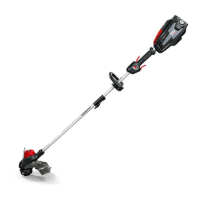
48V Cordless String Trimmer
Read all safety rules and instructions carefully before operating this tool.
Owners Manual
TOLL-FREE HELPLINE: 1-800-317-7833
www.snapper.com
1696956 & 80075680 / ST48
1687970 / ST48K

Questions and Answers

  • M
    Mary ThomasAug 4, 2025
    How to start a Snapper ST48 Trimmer when it won't start?
    • M
      Michelle JohnsonAug 4, 2025
      If your Snapper Trimmer fails to start when the trigger lock is depressed, ensure the battery pack is correctly attached. If it is, try removing the battery and reinstalling it to ensure proper electrical contact. The battery may also be depleted and require charging. Finally, make sure you are pressing the lock-out button and trigger simultaneously; press down the lock-out button and hold it, then depress the trigger to turn on the string trimmer.
  • B
    bentleykimAug 10, 2025
    What to do if the line keeps breaking on my Snapper ST48?
    • T
      Tiffany HoodAug 10, 2025
      If the line on your Snapper Trimmer keeps breaking, make sure you are only trimming with the tip of the line and avoiding contact with stones, walls, and other hard objects. Regularly feed the line to maintain the full cutting width.
  • T
    Tyler OneillAug 15, 2025
    Why won't the line advance on my Snapper ST48?
    • Z
      Zachary ConwayAug 15, 2025
      If the lines on your Snapper Trimmer won't advance, the lines may be welded to themselves, in which case you should lubricate them with silicone spray and respool the head. It's also possible that there isn't enough line on the spool, so install more line. If the lines are worn too short, manually advance the line by pressing the bump knob. Alternatively, the lines may be tangled on the spool; remove the lines and rewind them.
  • A
    Anthony PetersAug 27, 2025
    How to prevent grass from wrapping around the trimmer head of my Snapper ST48 Trimmer?
    • M
      Mary GomezAug 28, 2025
      To prevent grass from wrapping around the trimmer head and motor housing of your Snapper Trimmer, cut tall grass from the top down, removing no more than 8 inches in each pass.
  • T
    Thomas VillarrealNov 20, 2025
    Why does my Snapper Trimmer stop while cutting?
    • X
      xbrownNov 20, 2025
      If your Snapper trimmer stops while cutting, several factors could be at play. Check if the guard is mounted, as its absence can cause the trimmer line to be too long, overloading the motor. Ensure you're using a nylon cutting line with a diameter of 0.080" or less. Grass binding the motor shaft or trimmer head can also cause this issue; if this occurs, stop the trimmer, remove the battery, and clear the grass. Overloaded motor may also cause the trimmer to stop; remove the trimmer head from the grass. The motor will recover to work as soon as the load is removed. When cutting, move the trimmer head in and out of the grass to be cut and remove no more than 8 inches of length in a single cut. Additionally, the battery pack or trimmer might be overheating, so allow them to cool. Ensure the b...

Summary

Specifications

48 V 13 String Trimmer Specifications

Technical specifications including type, motor, cutting width, line diameter, speed, feed type, and weight.

Important Safety Instructions

General Operating Safety

Essential safety rules for safe operation, handling, and maintenance.

Personal Protective Equipment (PPE)

Requirements for safety glasses, footwear, and protective clothing.

Battery Handling and Storage Safety

Precautions for battery handling, charging, and storage to prevent hazards.

Proposition 65 Chemical Warning

Warning about chemical exposure from dust during construction activities.

Symbols

Operational and Alert Symbols

Explanations of symbols related to operation, warnings, and safety alerts.

Signal Word Symbols

Meanings of DANGER, WARNING, and CAUTION signal words indicating risk levels.

Know Your String Trimmer

Rear Handle Description

Ergonomic handle with overmold for improved comfort and grip.

Safety Lock-Out Trigger Function

The safety lock-out trigger prevents accidental starting of the trimmer.

High;Low Speed Button Operation

Sets the speed to low for runtime or high for quicker cutting.

Trigger Operation

Activates the string trimmer when pulled.

Auxiliary Handle Function

Provides added control and ease of operation for the trimmer.

Coupler Function

Connects and locks the two shafts together securely.

Edge Guide Purpose

Allows trimming around flower beds without damaging plants.

Cut-Off Blade Function

Trims the cutting line to maintain the proper cutting length.

Guard Protection

The guard protects the operator from flying debris during use.

Assembly

Unpacking and Contents Check

Instructions for unboxing, inspecting for damage, and verifying all parts are included.

Attach Edge Guide

Step-by-step instructions for attaching the edge guide to the trimmer head.

Attach Guard

Detailed steps for securely mounting the guard onto the trimmer head.

Shaft Assembly

Instructions for connecting the upper and lower shafts using the coupler device.

Attach Auxiliary Handle

Instructions for attaching and adjusting the auxiliary handle on the shaft.

Adjust Cutting Swath

How to adjust the cutting width from 11 inches to 13 inches.

Operation

General Operation Warnings

Critical warnings about carelessness, unauthorized accessories, and misuse.

Battery Installation and Removal

Steps for correctly installing and removing the battery pack from the trimmer.

Starting and Stopping the Trimmer

Procedure for starting the trimmer using the speed switch and trigger.

Operating the Trimmer Safely

Tips for holding and operating the trimmer to ensure user safety.

Line Advancement Mechanism

Explanation of the bump feed line advancement feature.

Spool and Line Replacement

Detailed steps for replacing the spool and winding new cutting line.

Bump Knob Replacement

Instructions for replacing the bump knob on the trimmer head.

Cutting Tips

Guidance on optimal cutting techniques, direction, and avoiding damage.

Maintenance

General Maintenance and Storage

Guidelines for cleaning the tool, proper storage, and battery charging.

Environmentally Safe Battery Disposal

Battery Disposal Procedures and Warnings

Instructions and warnings for safe disposal of lithium-ion batteries to protect the environment.

Troubleshooting

Troubleshooting: Trimmer Fails to Start

Solutions for common causes of the trimmer not starting.

Troubleshooting: Trimmer Stops During Cutting

Solutions for when the trimmer stops unexpectedly while in use.

Troubleshooting: Line Advancement Issues

Solutions for problems with the cutting line not advancing correctly.

Troubleshooting: Line Breakage and Wrapping

Solutions for line breaking or wrapping around the trimmer head.

Troubleshooting: Cutting Performance Issues

Solutions for when the cutting line is not cutting effectively.

Limited Warranty

Warranty Coverage and Exclusions

Details on what the warranty covers, limitations, and common exclusions.

Warranty Service and Registration

Information on how to obtain warranty service and register the product.

Exploded View

Parts List

Handle Assembly Parts

Part number and description for the handle assembly.

Guard Assembly Parts

Part number and description for the guard assembly.

Trimmer Head Assembly Parts

Part number and description for the trimmer head assembly.

Snapper ST48 Specifications

General IconGeneral
BrandSnapper
ModelST48
CategoryTrimmer
LanguageEnglish

Related product manuals