EN - 10
Installation
Installation option - installing base
stand for desktop
To mount the telephone base on the base
stand
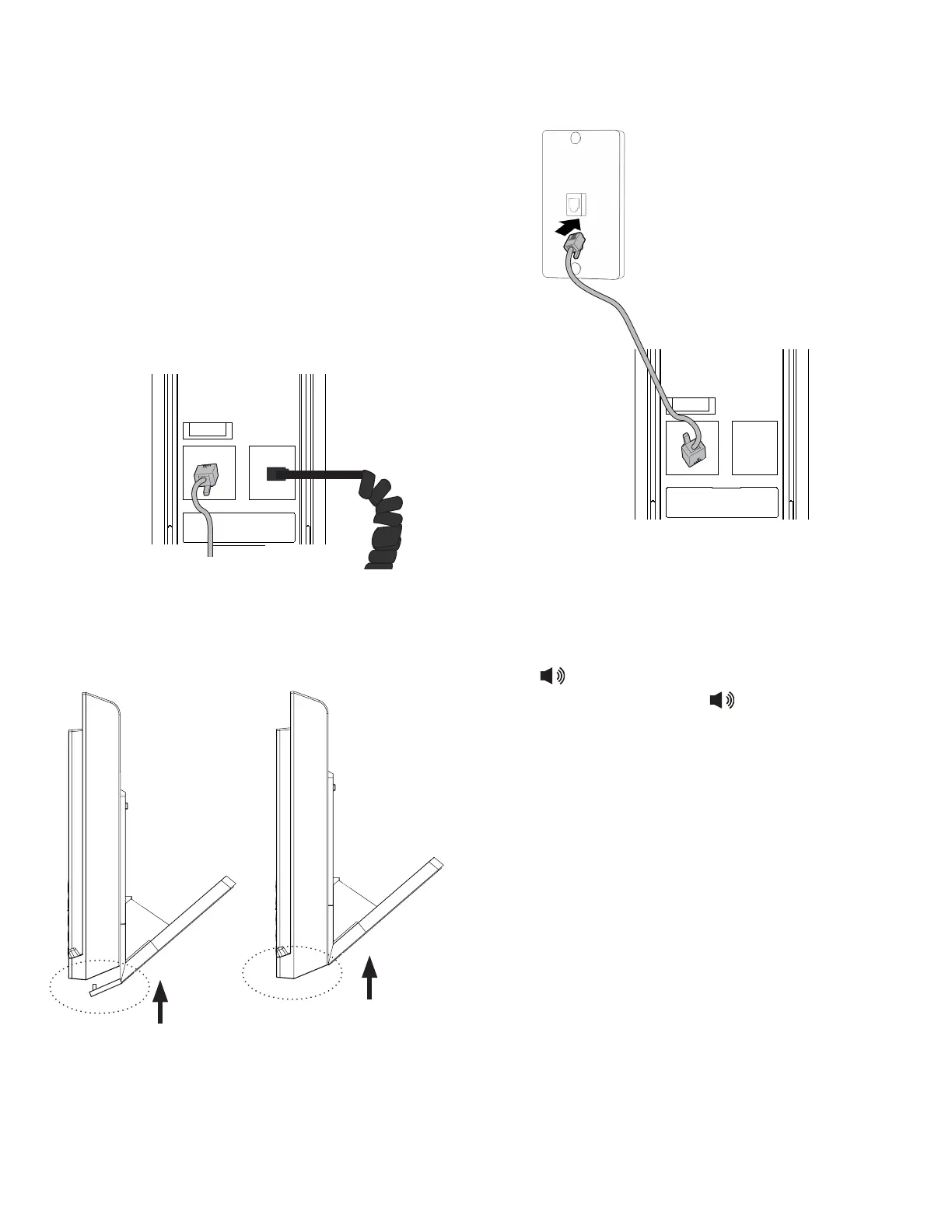
1. Turn the telephone base over with the
bottom side facing up. Connect the coiled
handset cord to the telephone base, and
then connect the long Ethernet cable as
shown below.
2. Align the grooves of the base stand with the
telephone base. Slide the base stand up to
secure it.
3. Plug the other end of the Ethernet cable to
the Ethernet wall jack.
4. Place the handset on the telephone base
cradle.
To test your installation
Press on the telephone base. Listen for a
dial tone, and then press again to hang up.
To unmount the base stand
Simply slide the base stand down, and lift it
from the telephone base.
To LAN
To PHONE
To LAN
To PHONE



 To Next Page