EN - 13
English
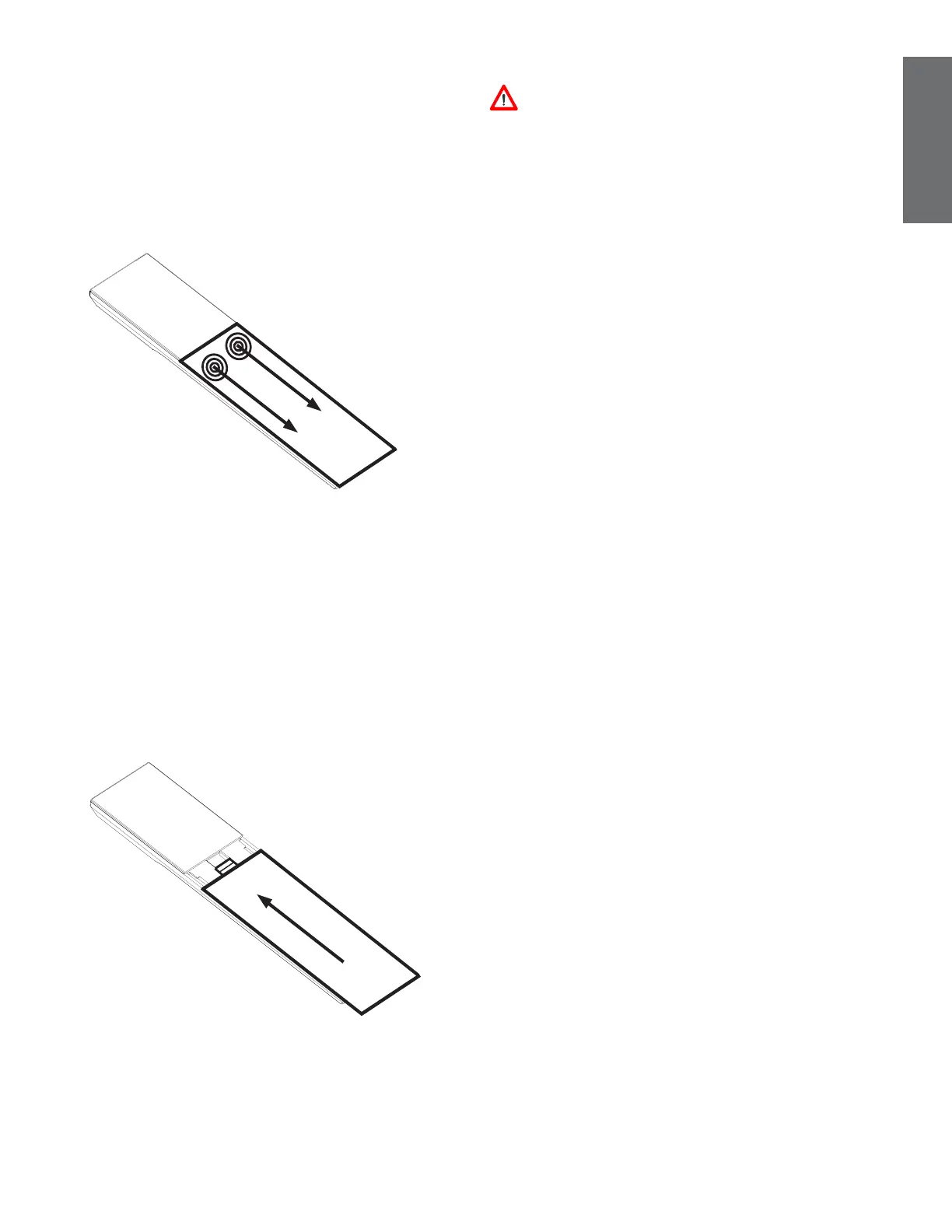
Replacing coiled handset cord
To replace the coild handset cord:
1. Hold the handset upside down.
2. Press both thumbs down on the edge of the
handset back cover near the back of the
earpiece, and slide the back cover upwards.
3. Lift the back cover off the handset.
4. Unplug the coild handset cord from the
handset cord jack.
5. Plug another coild handset cord to the
handset cord jack.
6. Align all the tabs on the handset cover
against the corresponding grooves on the
handset, then slide the handset cover closed.
Installation Notes
Caution! Please be careful of sharp edges
of base stand that can cause harm during the
installation process.
Avoid placing the phone too close to:
• Communication devices such as television sets,
DVD players, or other cordless telephones
• Excessive heat sources
• Noise sources such as a window with
traffic outside, motors, microwave ovens,
refrigerators, or fluorescent lighting
• Excessive dust sources such as a workshop or
garage
• Excessive moisture
• Extremely low temperature
• Mechanical vibration or shock such as on top
of a washing machine or work bench



 To Next Page