13. Photo/video
10
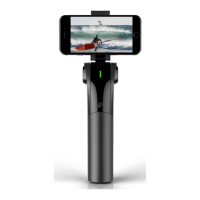
[1] “Follow modes” can be assigned to the customizable key, and you can
switch “pan follow” and “omni-directional follow” by the key.
[2] The above indicator on the handle panel shows the mode you
are lming in. The green light shows the ATOM is in omni-direction
follow mode, and the gimbal will follow the arm’s movement
moving up and down or left and right. The blue light shows the
ATOM is in pan follow mode and the gimbal will only follow your
arm’s movement moving left and right, and the tilt is locked.
14. Follow modes
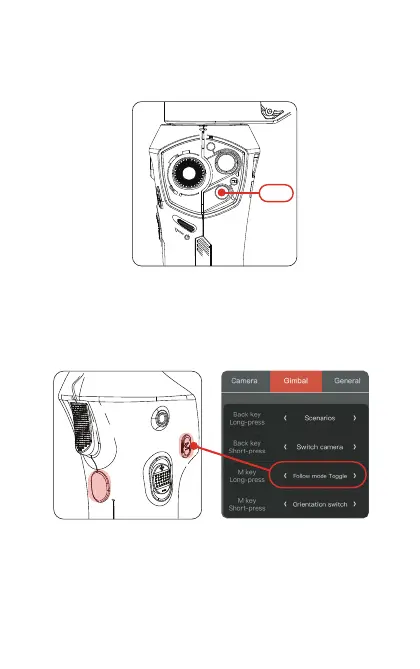
Press the Shutter/video button to start or stop video recording or
shutter when the ATOM is connected with the phone by
Bluetooth.
Press
APP button custom interfaceCustomizable key


 To Next Page