14
COMMAND BARCODES (CONTINUED)
Import ant ! Make sure t he CHS is not connect ed t o a host comput er or device
bef ore scanning a command barcode!
Beep Set t ings
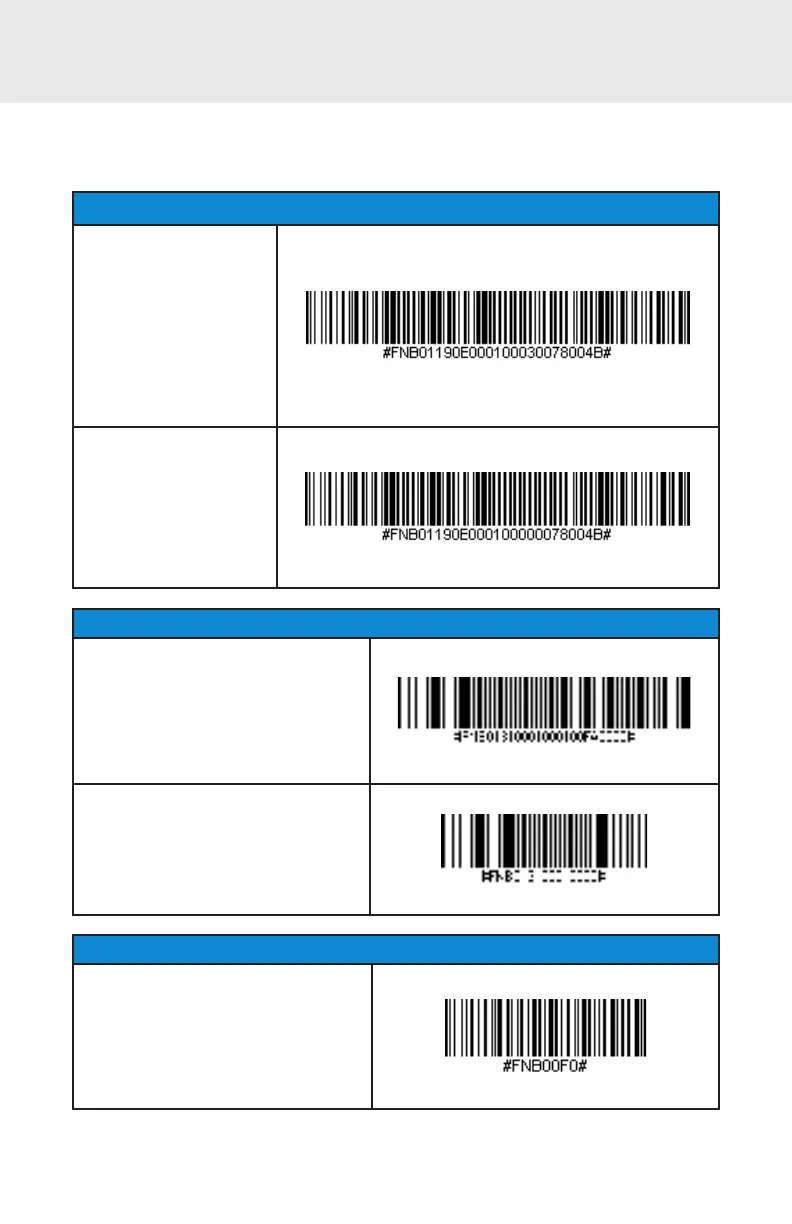
Beep after CHS
Decodes Data ON
(default )
Enables CHS t o beep
t o indicat e successf ul
scans.
Beep after CHS
Decodes Data OFF
Disables CHS f rom
beeping t o indicat e
successful scans.
Vibrat e Set t ings
Vibrate “ ON” (def ault )
Enables CHS t o vibrat e t o indicat e
successful scans.
Vibrate “ OFF”
Disables CHS f rom vibrat ing t o
indicat e successf ul scans.
Fact ory Def ault
Factory Reset
Revert all set t ings t o fact ory
def ault s. The CHS will power off
af t er scanning t his barcode.















 To Next Page