13
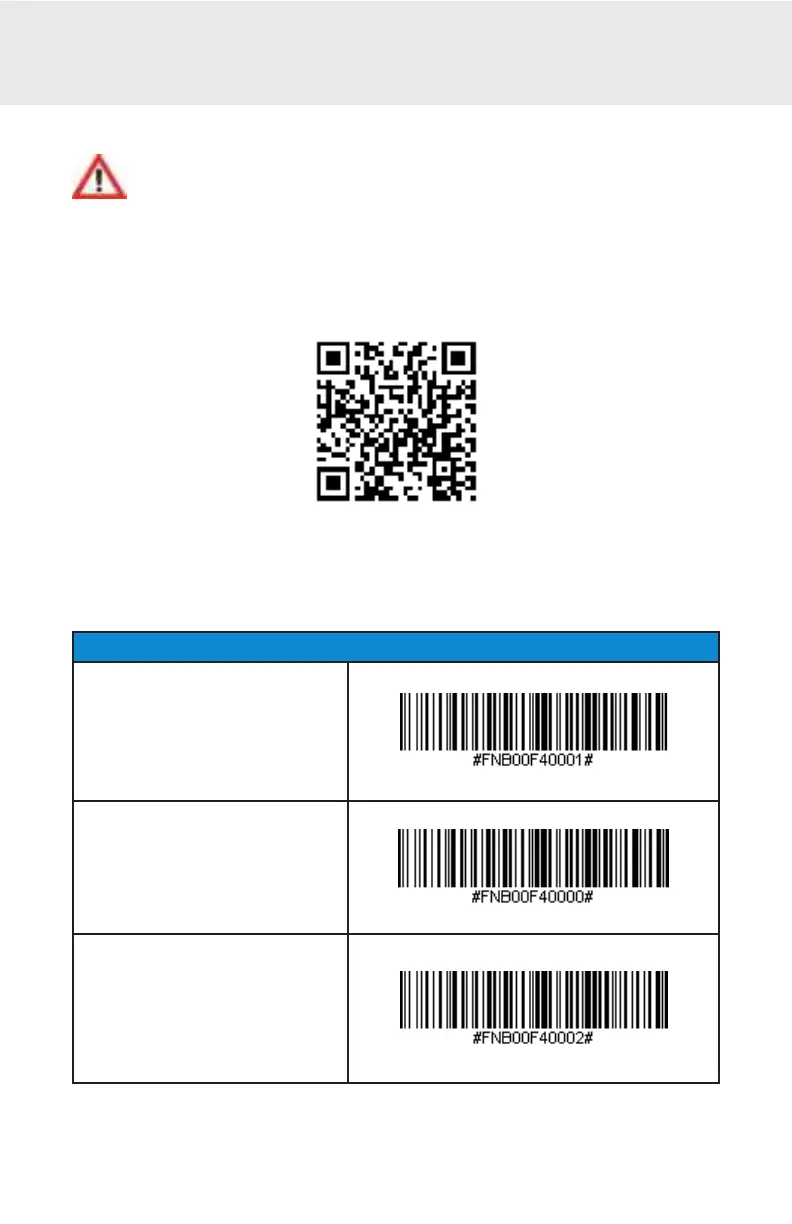
Scan command barcode(s) to quickly congure the CHS.
Make sure t he CHS is not connect ed t o a device bef ore scanning a
command barcode! See page 12 f or unpairing inst ruct ions.
For a compl et e set of command barcodes, downl oad t he Command Barcodes
Sheet : ht t p:/ / www.socket mobile.com/ support / downloads
The web link is also provided in t he bel ow QR Code. To open t he web page,
scan t his QR Code using a QR Code Reader App in your device.
Import ant ! Make sure t he CHS is not connect ed t o a host comput er or device
bef ore scanning a command barcode!
Bluet oot h Connect ion Modes
HID-Keyboard (def ault )
Congures the CHS to Human
Int erface Device (HID) mode as
a Keyboard class device.
SPP Mode
Changes t he CHS t o Serial Port
Prole (SPP) mode.
iOS Mode
Changes t he CHS t o iOS mode.
COMMAND BARCODES















 To Next Page