PRO DU C T INF ORMATIO N
P RO D U CT INF ORM ATIO N
*Also used f or keyboard Pop-up feat ure (Basic Mode only)
*Also used t o display t he on-screen keyboard in Basic Mode (iOS only).
Socket Mobile’s barcodes scanners can be wiped cl ean wit h a clot h dampened
wit h isopropyl alcohol or wat er. Or, t he barcode scanners can be wiped clean
wit h a Sani-Clot h.
Warning: DO NOT IMMERSE IN WATER (scanner’s mechanics could be damaged)
DO NOT USE BLEACH FOR CLEANING (scanner’s mat erial propert y may be af-
fect ed)
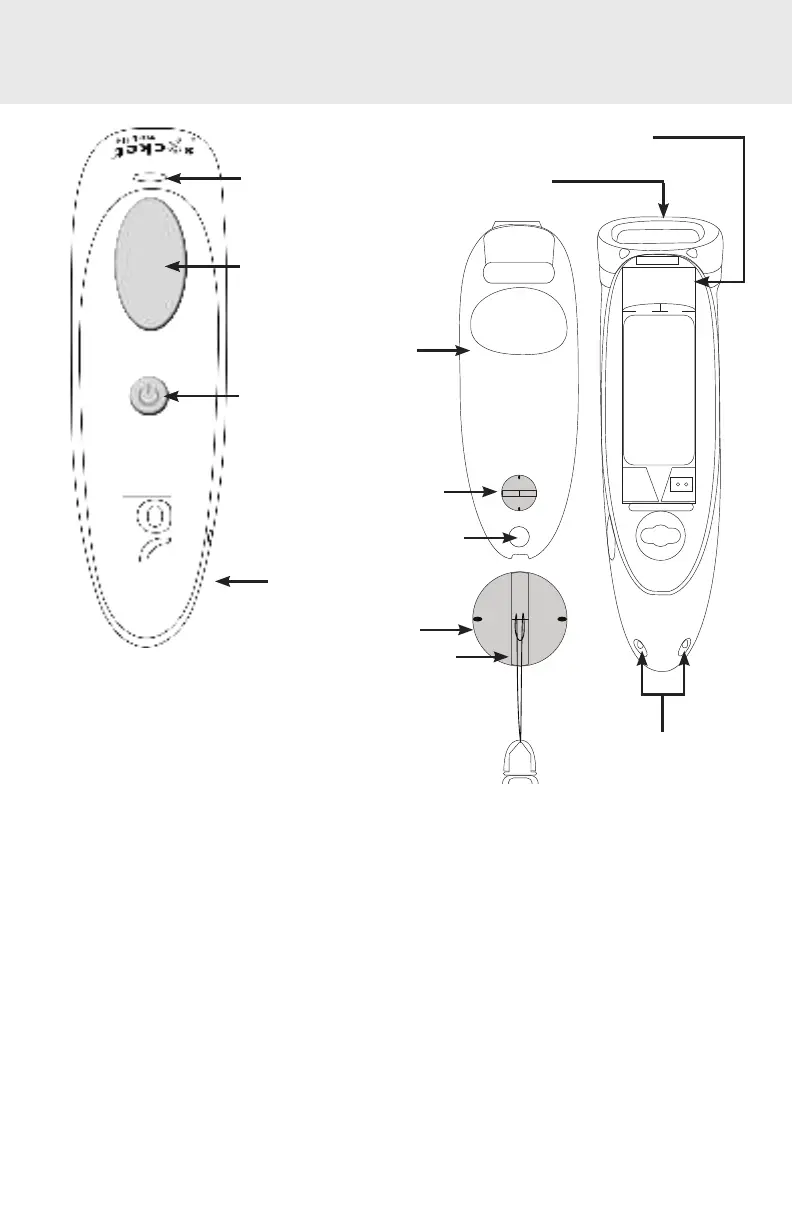
Blue/ Green/ Red
LED
Trigger but t on
Power but t on*
DC-in connect or
Twist -lock
(horizont al/ unl ocked)
St and at t achment
Bat t ery door
Twist -lock
(vert ical / locked)
Lanyard
Scanner head
Product label
Charging pins
3















 To Next Page