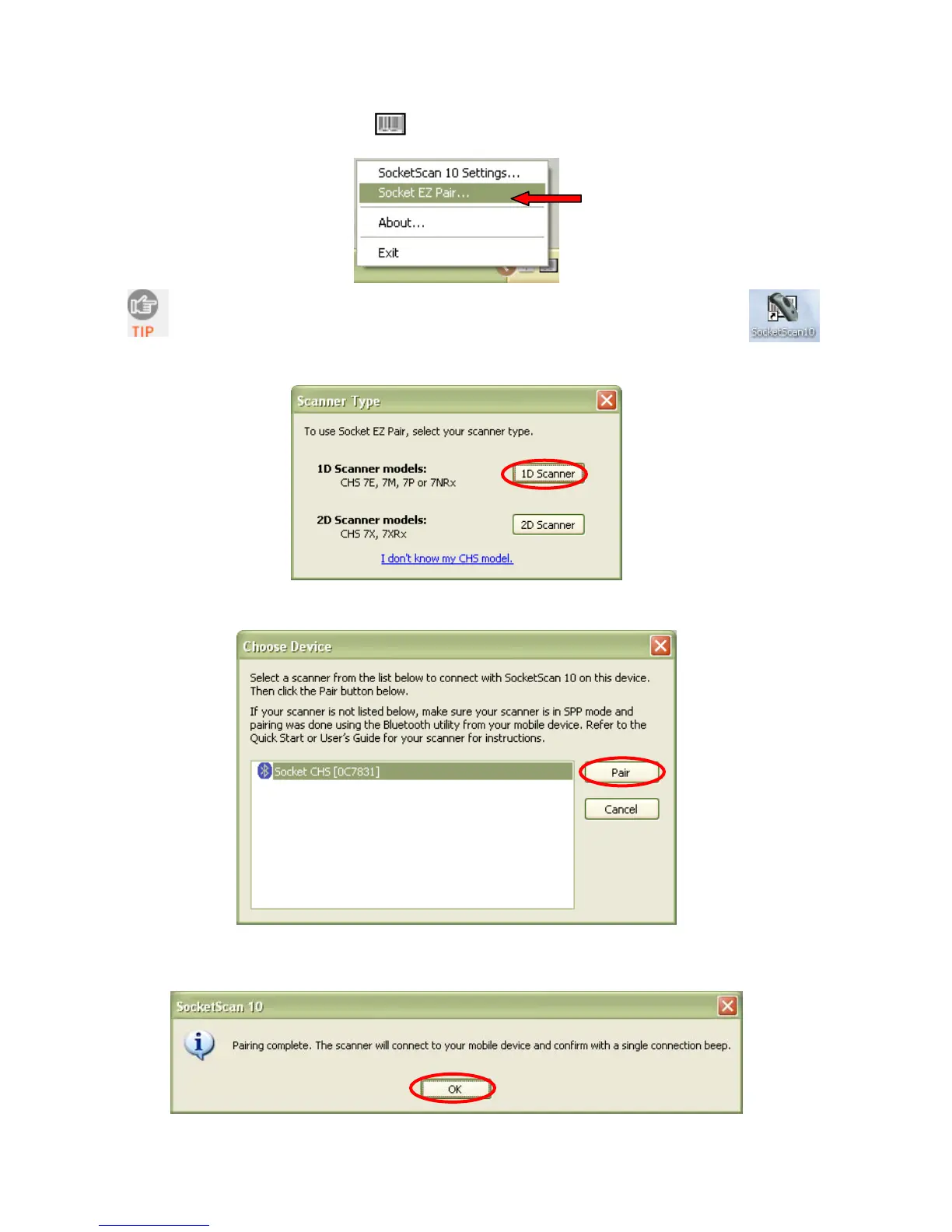
6. Click on the SocketScan 10 icon
in the task tray. In the pop-up menu, click
Socket EZ Pair.
If the icon does not appear, open SocketScan 10 by clicking on the desktop
shortcut.
7. Select 1D Scanner.
8. Select your CHS in the list and click Pair.
9. After they pair, the computer will connect to the CHS, indicated by a beep. The CHS will
then disconnect, indicated by two beeps. Click OK.
CHAPTER 3: SETUP FOR WINDOWS PC 25















 To Next Page