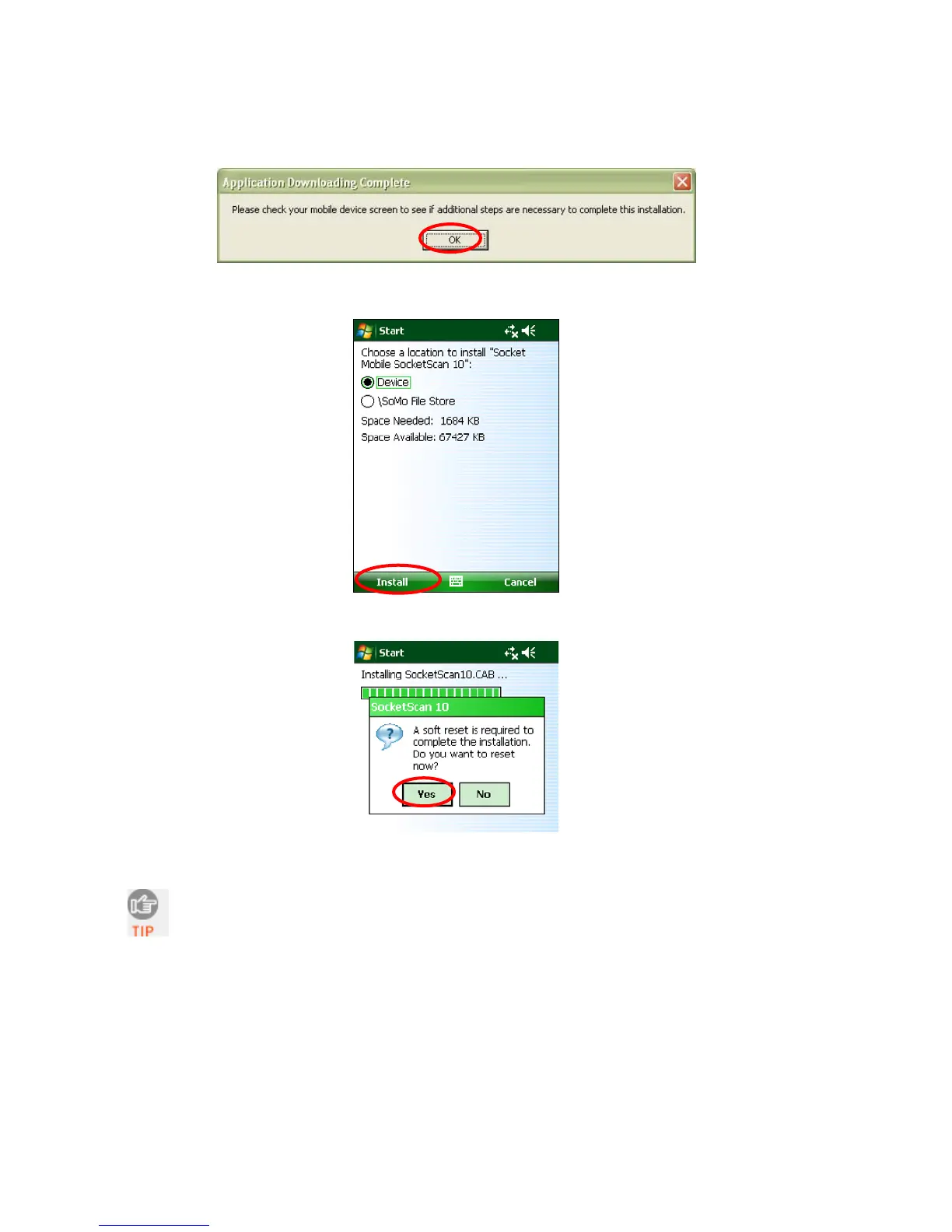
6. Your computer will instruct you to check your mobile device for additional installation
steps. Click OK. In the last screen of the wizard, click Finish.
7. Choose where you would like to install the software. Tap Install.
8. If prompted to soft reset, tap Yes.
9. After the soft reset, SocketScan 10 will automatically launch.
If SocketScan 10 reports that Bluetooth needs to be enabled, turn on Bluetooth on
your PDA and tap Retry.
CHAPTER 4: SETUP FOR WINDOWS MOBILE 41















 To Next Page