CHAPTER 4: SETUP FOR ANDROID 27
OPTION 2: USING THE CHS IN SPP MODE
To install the software and configure your device:
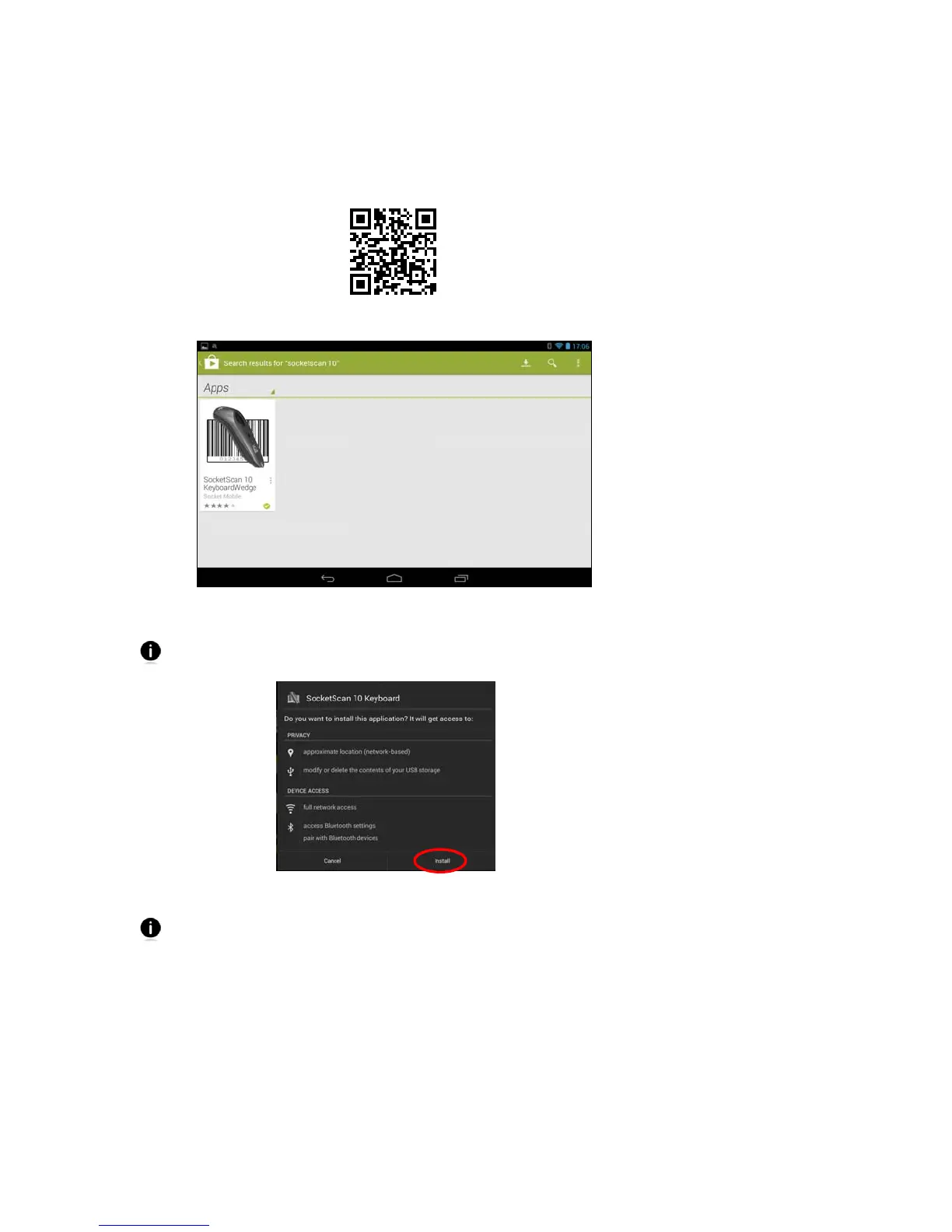
1. If you installed barcode scanning software for your phone camera, scan this barcode to
launch the SocketScan 10 Keyboard Wedge page in Play Store.
Alternatively, you can open Play Store and search for SocketScan 10 Keyboard Wedge.
2. On the SocketScan 10 page in Play Store, tap Install.
If prompted, allow the application to access Bluetooth connections and settings
and/or modify USB storage / SD card contents.
3. Follow the onscreen instructions to download and install SocketScan 10 software.
If installation does not automatically begin after the download is complete, swipe
down the Downloads icon
. In the downloads list, touch SocketScan10.apk.















 To Next Page