28
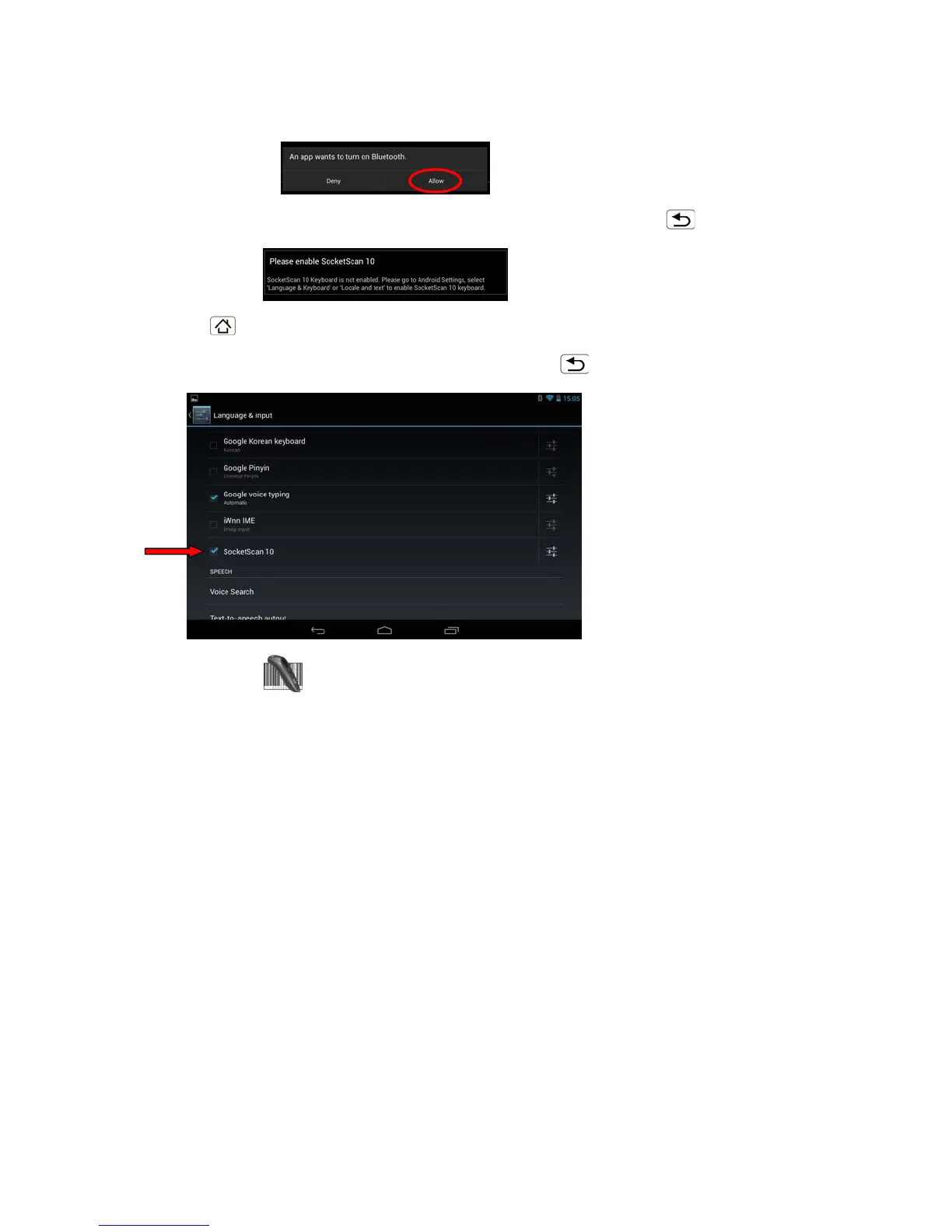
4. After software installation, if Bluetooth is not enabled, SocketScan 10 will prompt you to
turn on Bluetooth. Touch Allow.
5. You will be prompted to enable SocketScan 10 as your keyboard language. Touch Back
.
6. Touch Home
| Apps | Settings | Language & input.
7. Under Keyboard & Input Methods, select SocketScan 10. Touch Back
.
8. Open SocketScan 10
.
For some devices, the icon will appear on the Home screen. For other devices, touch Menu to
access the Apps or Programs list.















 To Next Page