CHAPTER 4: SETUP FOR ANDROID 39
Language Selection
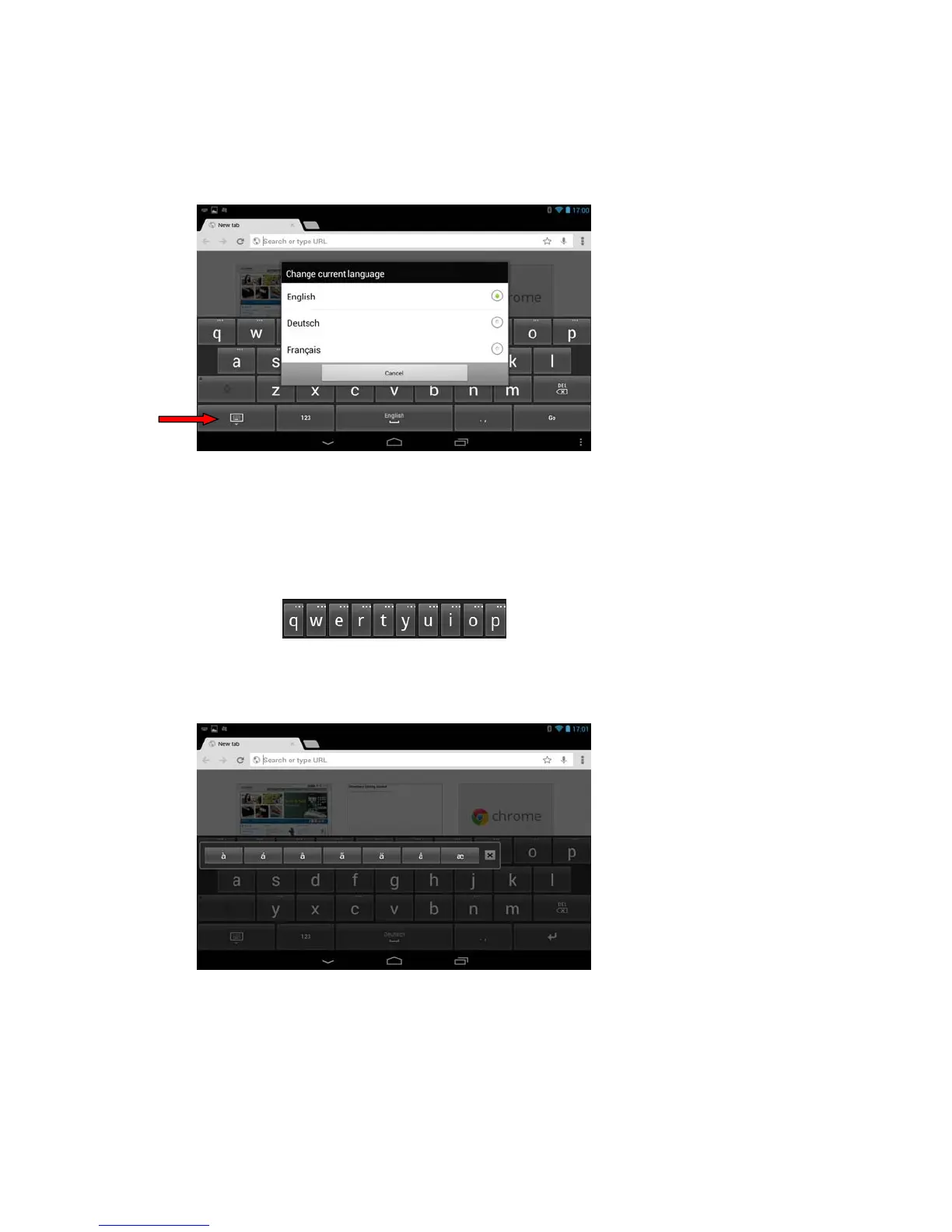
To check your current language selection:
1. Open an internet browser.
2. Touch any input field to bring up the keyboard.
3. Touch and hold the keyboard key to bring up the language selection menu.
The screen will indicate your current language selection. To change your language
selection, select another language and the menu will close.
Accented Characters in the Keyboard
Special characters such as accented letters are hidden from the default keyboard view.
Find them by touching and holding keys that have extra dots on top.
To access the additional characters represented by each key:
1. Touch and hold the key. A menu of additional characters will appear.
2. Select the accented character and the menu will close.
Keyboard key















 To Next Page