58
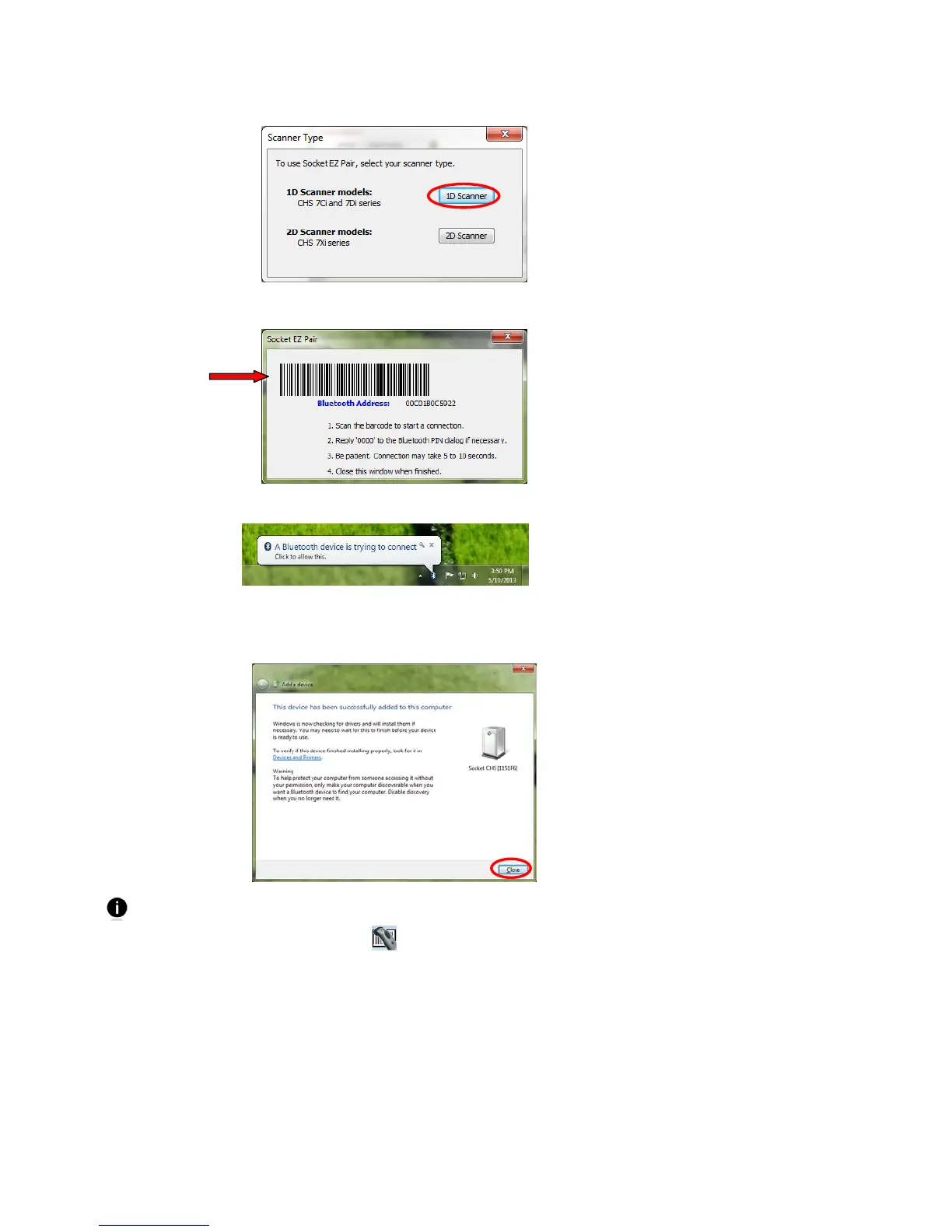
6. Click 1D Scanner.
7. Scan the barcode on your screen. The CHS will beep 3 times. Click X to close Socket EZ Pair.
8. A notification balloon will inform you that a Bluetooth device is trying to connect. Click
on the notification.
9. If prompted to enter a pairing code, enter 0000 (four zeroes) and click Next.
10. The next screen will report that the device has been successfully added to your computer.
Click Close.
The CHS will beep once when it has connected and is ready to scan barcodes. The LED
will also blink blue once every 3 seconds. A notification balloon will report that the
device is ready to use, and a CHS icon
will appear in the system tray.















 To Next Page