90
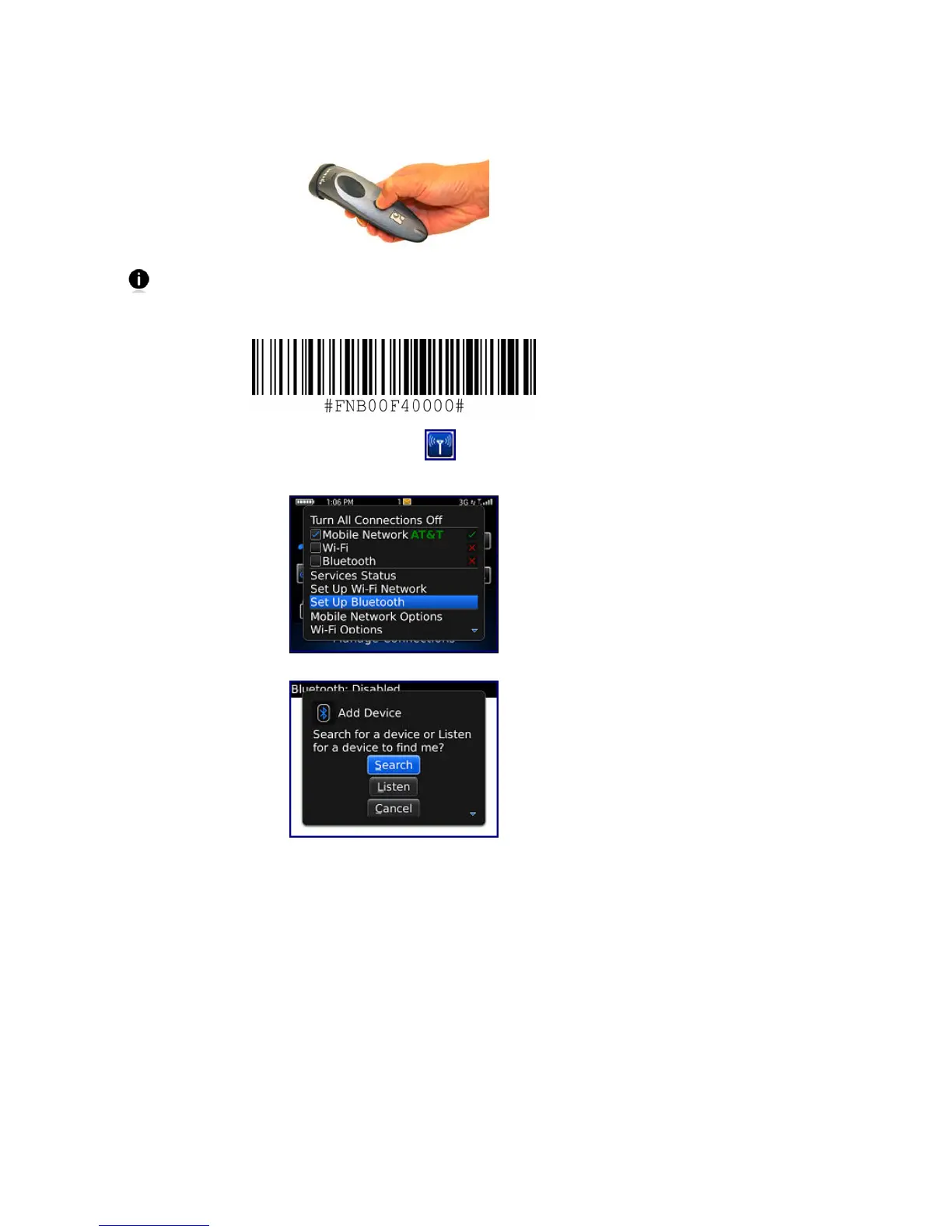
1. Power on the CHS. Press and hold the small power button until the LED turns blue and
the CHS beeps twice (low-high).
The LED blinks blue once per second to show that the Bluetooth radio is on but
not connected.
2. Scan this barcode to change the CHS to SPP mode. Afterwards, the CHS will beep 3 times.
3. In the Home Screen, click Manage Connections
.
4. Click Set Up Bluetooth.
5. Click Search.
6. In the list of found devices, click Socket CHS [xxxxxx].















 To Next Page