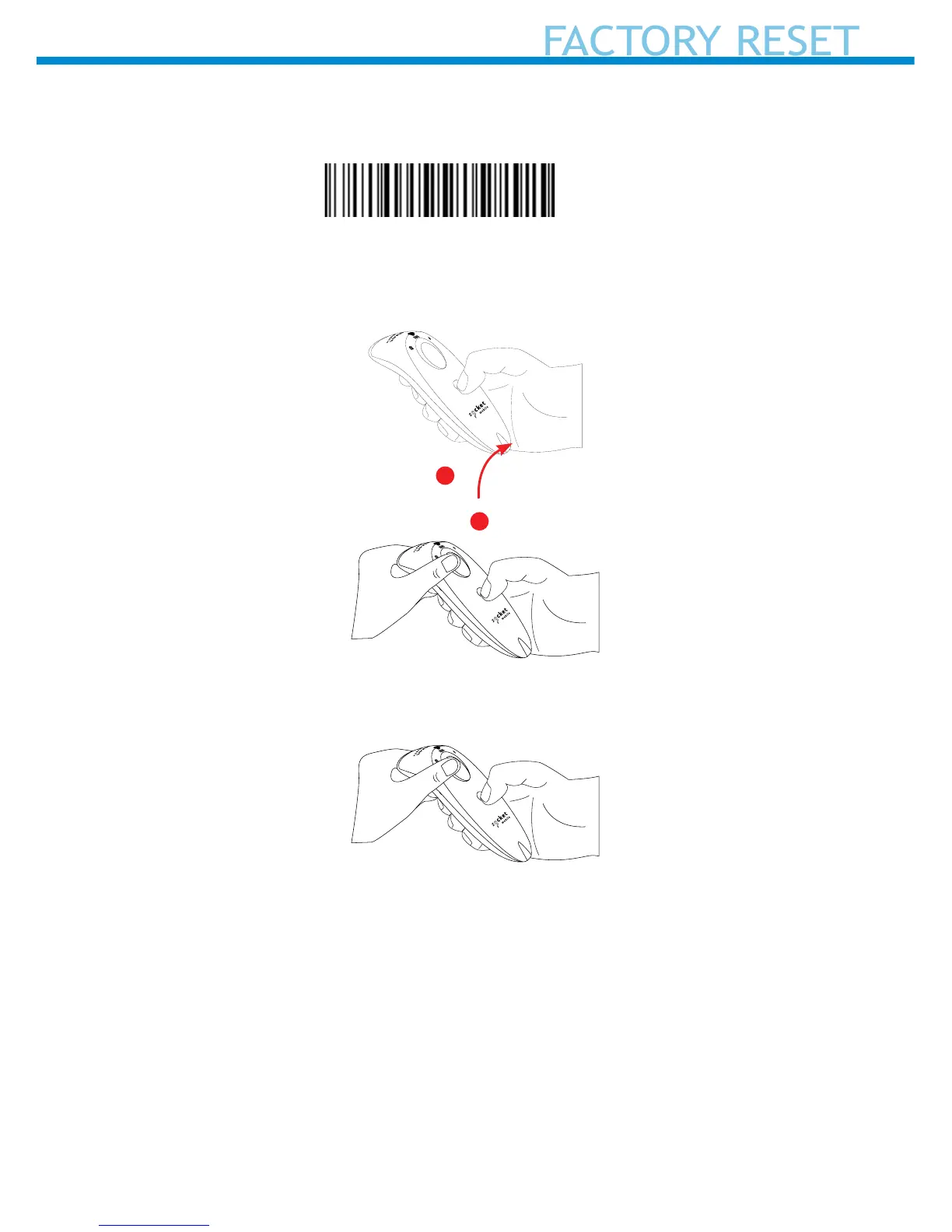
Factory Reset will restore the SocketScan to Factory Default settings
(congured as shipped).
Scan this barcode or follow the Factory
Reset (button) sequence:
1. Power ON the reader.
2. Press and hold the scan button.
3. Tap the power button once while continuing to press the trigger.
4. Keep holding the scan button until you hear a beep
(about15 seconds).
When you release the scan button you will hear 5 conrmation beeps.
The next time you power on the S700, it will take longer to start up. After
it nishes powering on, it will have factory default settings (HID mode).
Note: If you follow this sequence but release the scan button too early,
the Factory Reset will fail.
Quickly press and release
the power button
1
2















 To Next Page