35
Chapter 6 Manual Operation
Turn the mode selection switch (5) to the manual mode and press the PUMP ON/OFF button to start
the pump. Now the machine is ready in manual.
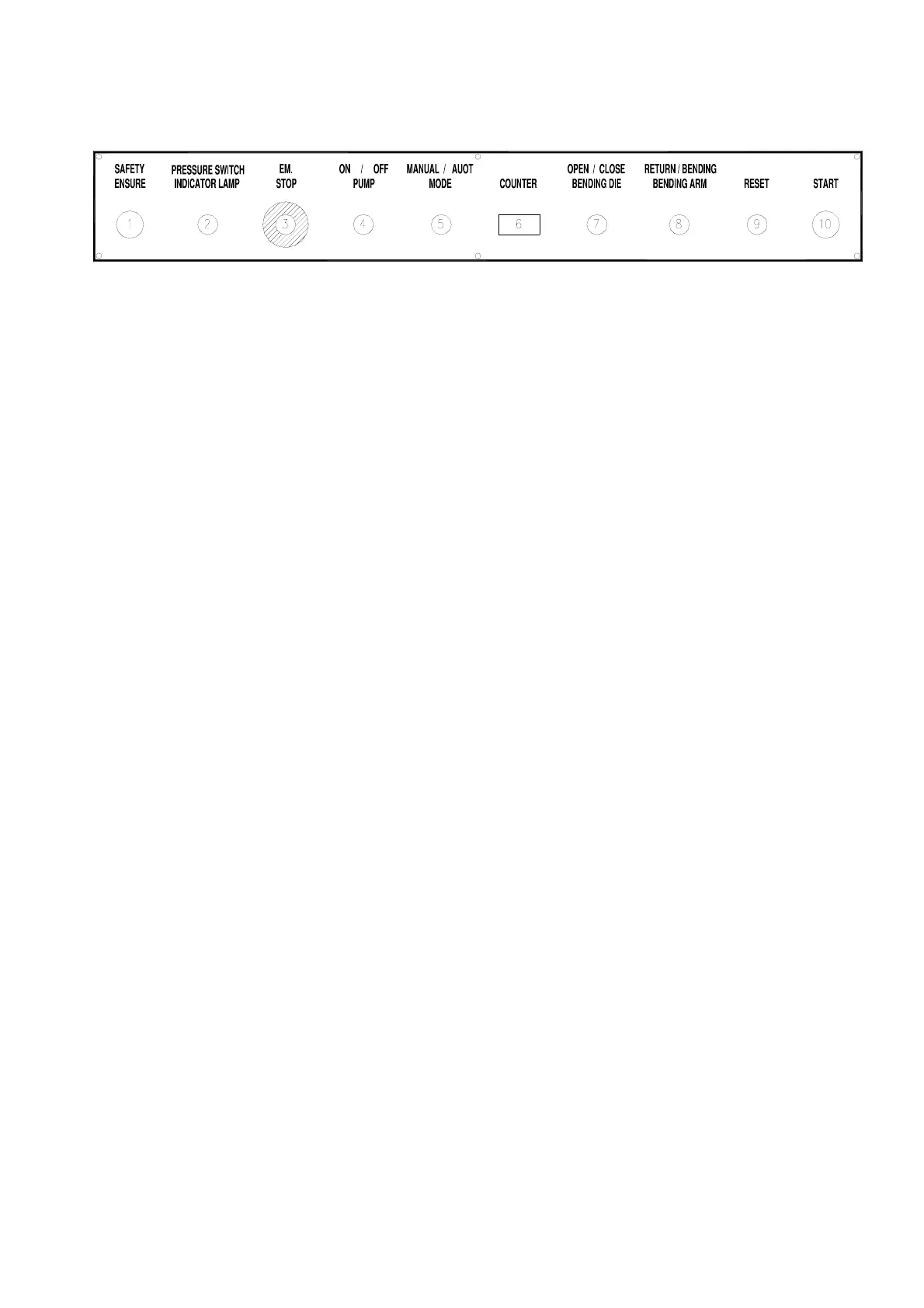
The function of each button is described as below:
1. SAFETY ENSURE button:
For safety other functional buttons will act only when the safety ensure button is pressed at the
same time.
2. PRESSURE SWITCH INDICATOR LAMP:
When the hydraulic pressure reaches the setting value of the pressure switch, the lamp is on.
3. E.M. STOP button:
Press the emergency button immediately and turn off the power switch when abnormal
phenomenon or malfunction happens on the machine
4. PUMP ON/OFF button:
press this button to start the pump. If press this button again, the pump is off.
5. MANUAL/AUTO MODE selecting switch:
Switch to manual mode, then the machine is in manual. If switch to auto mode, the machine is
in auto.
6. COUNTER:
In auto mode, when the workpiece is finished, the value of the counter is plus one.
7. OPEN/CLOSE BENDING DIE selecting switch:
Turn this switch to the open position and press the safety ensure button at the same time. The
bending die will move upward. If turn the switch to the close position and press the safety
ensure button at the same time. The bending die will move downward.
8. RETURN/BENDING BENDING ARM selecting switch:
Turn this switch to the return position and press the safety ensure button at the same time. The



 To Next Page