
 Need help?
Do you have a question about the socomec DIRIS A-40 and is the answer not in the manual?
Details risks of electric shock, burns, or explosion associated with the device.
Outlines precautions to prevent device damage during operation and installation.
Defines user responsibilities for assembly, connection, and safe use of the device.
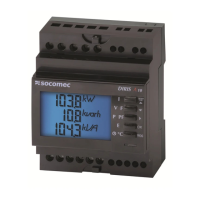
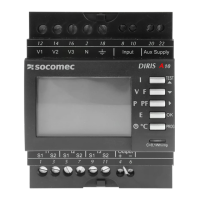
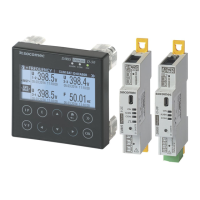
Overview of the DIRIS A-40's capabilities, format, and key features.
Describes the range of compatible current sensors (TE, TR, iTR, TF) for the DIRIS A-40.
Safety and environmental recommendations for installing the DIRIS A-40.
Procedure for fitting the DIRIS A-40 unit onto a panel or door.
Instructions for mounting TE solid-core sensors using various accessories.
Guidance for mounting TR split-core sensors, including cable mounting.
Steps for mounting flexible TF sensors, including casing and cable installation.
Procedure for connecting the 5A adapter to the current transformer.
Diagrams and details for connecting the DIRIS A-40 to power and sensors.
Configuring connections based on network type (single, two, three-phase).
Overview of Modbus RTU communication protocols and network configuration.
Guidelines for using RS485 shielded twisted pair cables and repeaters.
References to communication tables for Modbus and Profibus protocols.
Steps for configuring the device using the Easy Config software.
Methods for configuring the DIRIS A-40 directly via its screen interface.
Detailed breakdown of the DIRIS A-40's menu hierarchy and options.
Navigating through the 'MEASUREMENTS' menu to access all data.
Using shortcut keys (IP, E, VF) for quick access to measurements.
Saving and accessing frequently viewed screens using the Favourites function.
How instantaneous and mean values are displayed numerically or graphically.
Configuring alarms based on exceeded thresholds or input status changes.
Automatic alarms generated for installation errors or device faults.
Methods for identifying and acknowledging alarms (LED, outputs, inputs).
Detailed specifications of the DIRIS A-40 unit itself.
Specifications for various types of compatible current sensors.
Performance class specifications according to IEC 61557-12 for measurements.
Power supply quality evaluation metrics and performance classes.
 General
| Brand | socomec |
|---|---|
| Model | DIRIS A-40 |
| Category | Measuring Instruments |
| Language | English |






 To Next Page
