EasyManua.ls Logo

Software House SWH-4200 - User Manual

Software House SWH-4200
21 pages
Print Icon
To Next Page IconTo Next Page
Loading...
1
DRAFT
Tyco CONFIDENTIAL
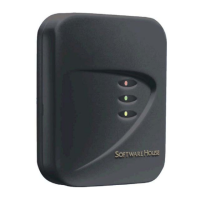
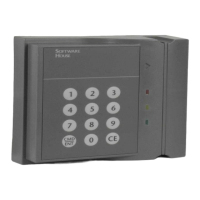
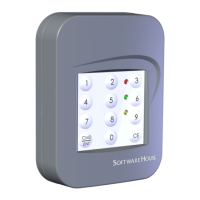
Model SWH-4100
and 4200 Contactless Multi-
Technology 125 KHz and 13.56
MHz Reader Installation Guide
Version H0
Part Number UM-090
May 2012

Questions and Answers

  • A
    Ashley YoungAug 4, 2025
    What to do if the Software House SWH-4200 doesn't open the door and the green LED doesn't light?
    • B
      Brian PhillipsAug 4, 2025
      If the door doesn't open and the green LED doesn't light when you present a valid access card, make sure the door strike and green LED are correctly wired. Also, ensure the access card has been entered into the host system and that the Software House Card Reader is configured correctly within that system.
  • D
    Deborah CainAug 9, 2025
    Why does my Software House Card Reader unlock the door but the green LED doesn't light up?
    • M
      Matthew PatelAug 9, 2025
      If the green LED on your Software House Card Reader isn't lighting up when you present a valid card, but the door still unlocks, check the door strike wiring. Consult the wiring diagram in your controller manual. Try disconnecting the wire from pin 7 (green LED) and connecting it to pin 2 (ground). If the LED lights up, the reader is fine, and the connection is faulty. If it doesn't light up, the reader needs replacement.
  • R
    Robert CampbellAug 14, 2025
    How to troubleshoot Software House SWH-4200 Card Reader when none of the LEDs are on?
    • M
      Mrs. Jennifer Smith MDAug 14, 2025
      If none of the LEDs on your Software House Card Reader are on, check the power connections to the reader. Verify the reader supply voltage at connector pin 3, and make sure the ground connection at pin 2 is secure and well connected.
  • M
    Michelle ByrdAug 19, 2025
    Why does the door not open and the green LED not light when presenting a valid credential on my Software House Rfid Systems?
    • J
      John WernerSep 12, 2025
      If the door doesn't open and the green LED doesn't light when you present a valid credential, check that the door strike and green LED are correctly wired. Also, ensure the access credential has been entered and that the reader has been properly configured in the host system.
  • S
    Sophia HillAug 25, 2025
    What to do if the green LED doesn't light but the door unlocks with a valid credential on Software House Rfid Systems?
    • E
      Erin RodriguezAug 25, 2025
      If the green LED doesn't illuminate, but the door unlocks with a valid credential, first verify that the door strike is correctly wired according to the wiring diagram in your controller manual. Next, disconnect the wire from pin 7 (green LED) and connect pin 7 to pin 2 (ground). If the green LED now illuminates, the reader is functioning correctly, and the connection to the reader is defective. If the green LED remains off, replace the reader.
  • B
    brownemmaAug 29, 2025
    How to troubleshoot Software House Rfid Systems when none of the LEDs are on?
    • M
      Morgan FowlerAug 29, 2025
      If none of the LEDs are on, check the power connections to the reader and verify the reader supply voltage at connector pin 3. Also, ensure that the ground connection at pin 2 is secure.

Summary

Introduction

Model SWH-4100 & 4200 Proximity (125 KHz) Formats Supported

Model SWH-4100 & 4200 Smart Card (13.56 MHz) Formats Supported

Features

PIV-I Support

Supports reading PIV-I cards and outputs the full UUID.

PIV-C Support

Supports reading PIV-C (PIV-Credentials) cards.

CAC 5.5 Support

Supports reading the new CAC card from Oberthur and outputs FASC-N.

MIFARE 7-byte CSN Support

Distinguishes legacy MIFARE Classic from next-gen cards based on CSN.

Mounting

Installation Considerations

Wiring

Installation Notes

Configuration Notes

Flash Upgrade Notes

Troubleshooting

Model SWH-4100 and SWH-4200 Technical Specifications

FCC Digital Device Limitations

Canadian Radio Emissions Requirements

UL Standards Compliance

CE Marking

Copyrights and Trademarks

Software House SWH-4200 Specifications

General IconGeneral
BrandSoftware House
ModelSWH-4200
CategoryCard Reader
LanguageEnglish

Related product manuals