Chapter Five: Printer Operation Instructions
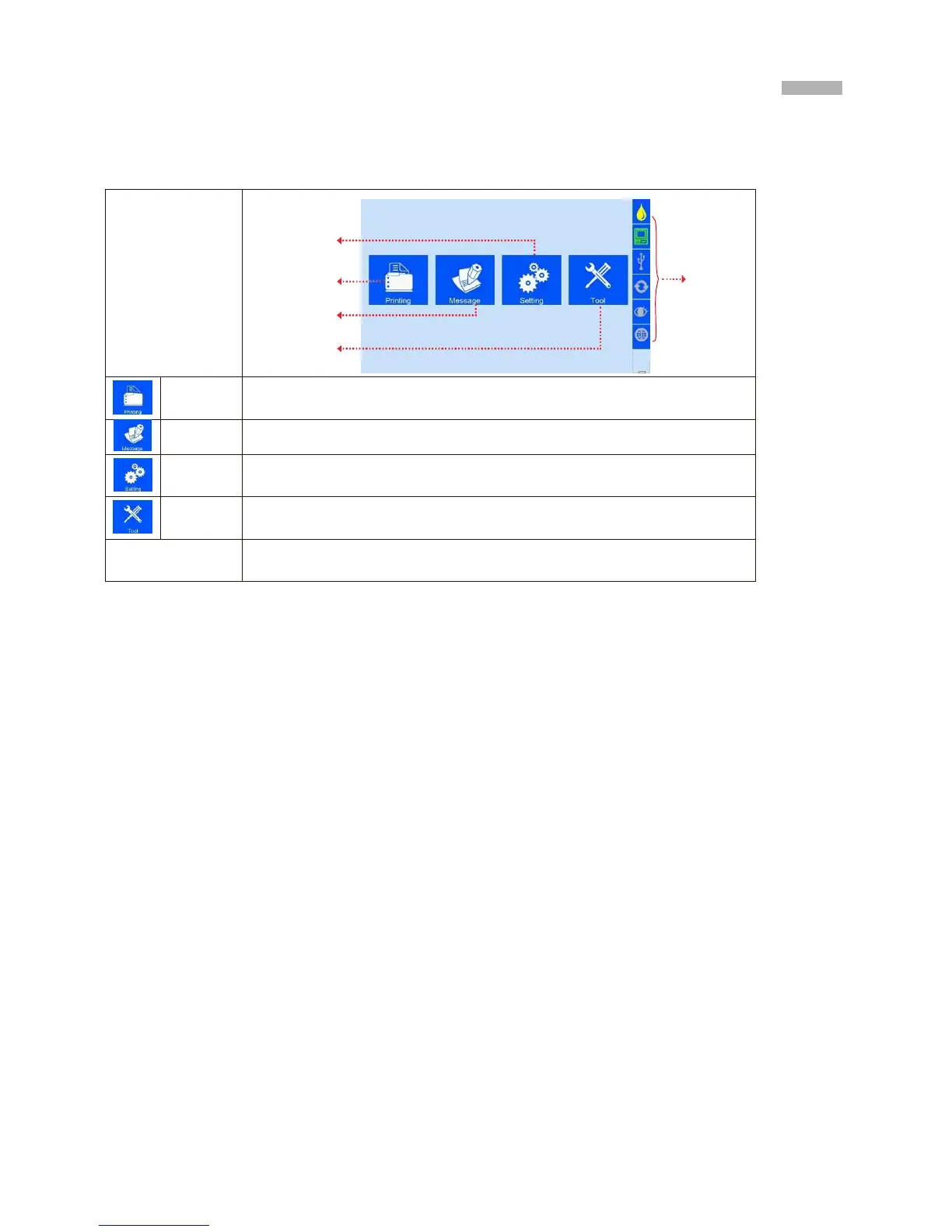
This chapter explains how to operate printer interface, including Printing Management, Data Man-
agement, System Management, Tools Management, and Status Bar.
5.1 Main Interface
Settin
g
Management
Printin
g
Management
Data
Management
Tools
Management
To find and preview data, start/stop printing, set printing delay value, and set
printing initial values (see Section 5.2).
To Find/Preview, File-new, Edit, Delete data (see Section 5.3).
To manage system setting, editing options, printing options, user authority, and
screen correction setting (see Section 5.4).
To manage image logo, system upgrade, system backup, system record, equip-
ment default restoring, system resetting (see Section 5.5).
Display information of ink, equipment, USB, encoder, external photocell, and
Ethernet status (see Section 5.7).



 To Next Page