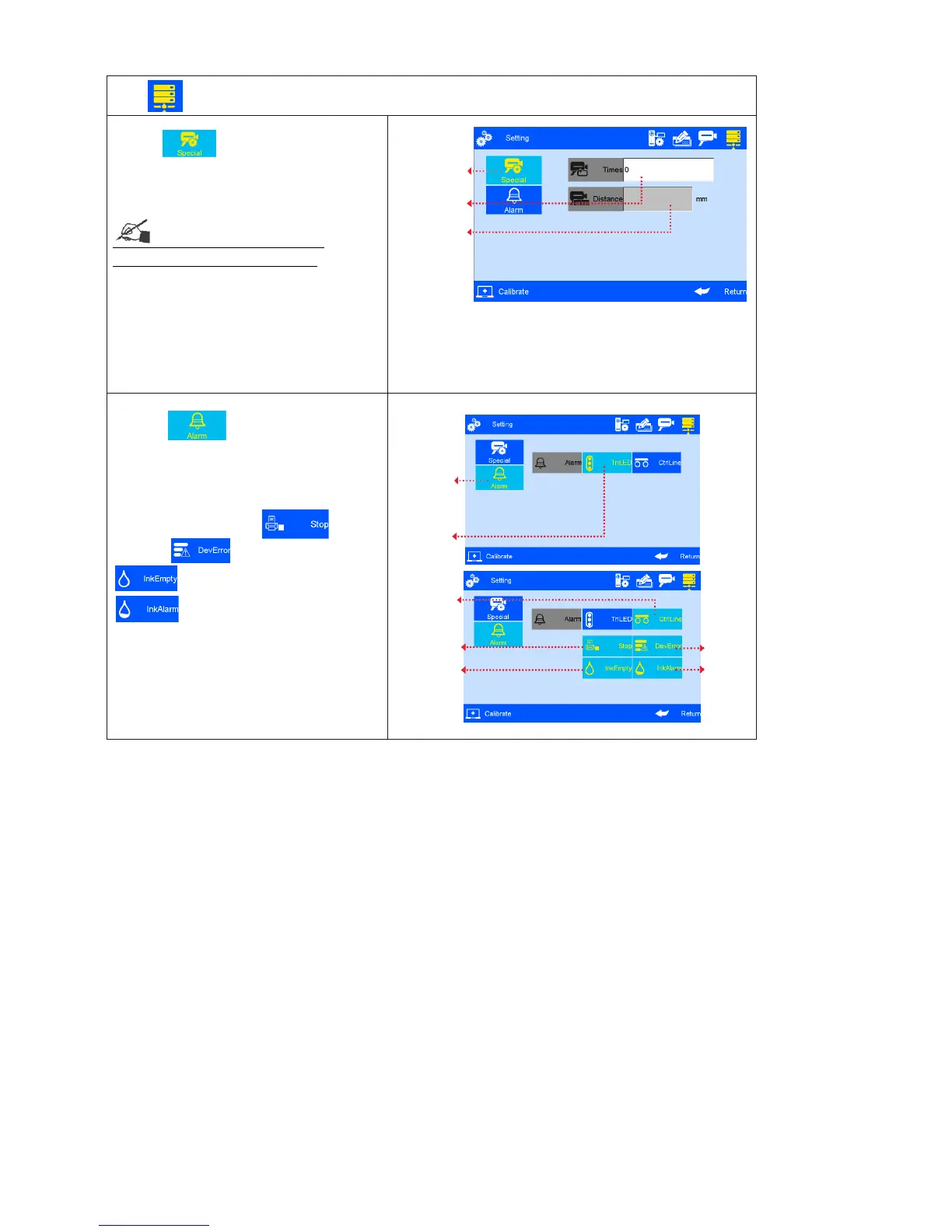
B. Click to do Alarm settings.
User can choose Alarm Light or Production
Line Control.
Alarm Light: operation please refer to
above picture.
Production Line Control: Stop
Printing; Device Abnormal;
Ink Use-up;
Ink Alarm;
These options can be multi-selected.
When the above situation happen, printer
will transfer the error signal to the
production line via DB15 ports, user can
set the production line reaction like stop or
etc.



 To Next Page