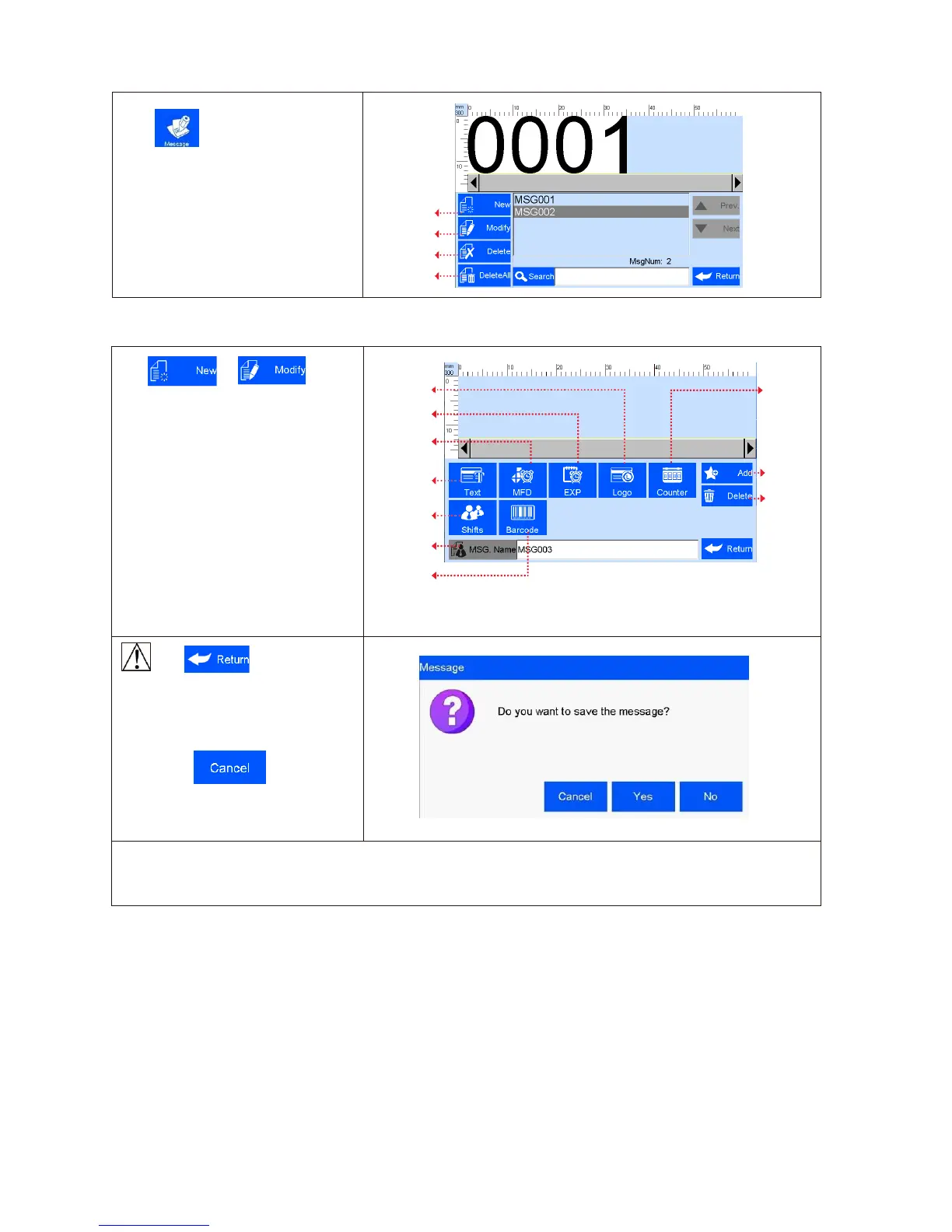
Click on main interface to
enter data management interface .
Click or on Data
Management interface to enter data
edit interface (see Figure 7).
A. New: text, counter, shift, production
date, expiration date, image logo,
barcode.
B. Edit: data in printing process cannot
be edited.
C. File name: maximum 15 characters,
empty file name or repeated file name
not allowed.
Image Logo
Counter
Expiration
date
Production
date
Add
Text
objects
Delete
objects
Shift code
File name
barcod
e
(Figure 7)
Click to save data
when finish editing, a check box
appears to ask “Are you sure you want
to save the message? Cancel, Yes,
No” (see Figure8).
If you click “ ”, the machine
will remain on editing interface.
Note: “MSG001” is default data in system, not editable and not erasable.
The system allows maximum 500 files of data (including default MSG001).
The system does not save empty data.



 To Next Page