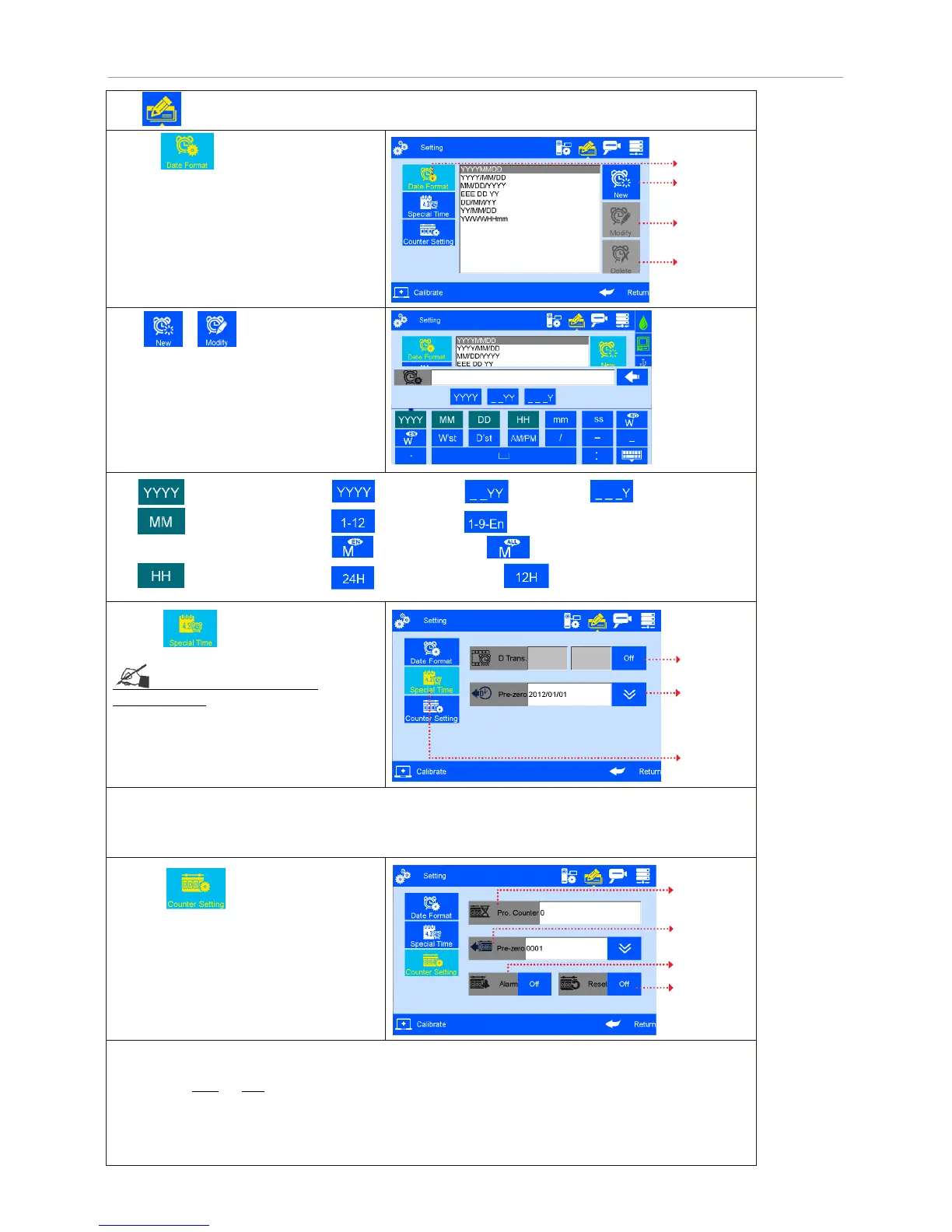
Click on system management interface to enter edit options setting interface.
A. Click to enter production date
and expiration date format setting.
Note: six common date formats default,
forty-four more formats addable for user.
The six default date formats not editable
Click or in date format setting
interface, new or edit date format, date
format edit interface appears.
1. Year, options are: ---4-digit, ---last 2 digit, ---last 1 digit
2. Month, options are: ---digit, ---Jan to Sep is 1-9, and then O/N/D,
---abbreviations, ---full English
3.
Hour, options are:
--24 hours system, ---12 hours system
B. Click to enter special time
see Appendix 1: Terms and
Definitions 4, 5.
1) Date transition time setting: system default normal zero o’clock as date transition time to next date,
users can set different time as date transition time.
2) Pre-zero in date/time: four options: OFF, empty preposition, empty postposition, centered without zero.
(e.g. 2012/05/09, 2012/_5/_2, 2012/5_/2_, 2012/5/2).
C. Click to enter counter
setting .
1) Production counter: setting extent: 0~99999999.
2) Pre-zeros: four options: OFF, empty preposition, empty postposition, centered without zero
(e.g. 0001, 1, 1 , 1).
3) Counter alarm: ON or OFF option. When counter alarm is turned ON, the machine will stop printing,
sound alarm and prompt message that print number reaches maximum value.
4) Counter reset: ON or OFF option. All counters will start from initial values if the counter reset is turned
ON. The printing value will continue with the last one if the counter reset is turned OFF.



 To Next Page