Need help?
Do you have a question about the Sokkia iM-50 Series and is the answer not in the manual?
Explains the conventions and symbols used throughout the manual for clarity and consistency.
Provides guidelines on manual conventions, illustrations, and terminology for better user understanding.
Defines the meaning of warning, caution, and other symbols used to highlight important safety information.
Outlines general safety warnings and cautions related to instrument handling, sun observation, and carrying.
Details safety precautions for handling batteries, chargers, and power connections to prevent hazards.
Provides safety guidelines for setting up, carrying, and using the tripod to prevent accidents and injuries.
Highlights safety warnings related to using Bluetooth near hospitals, aircraft, and automatic devices.
Advises on proper battery charging procedures, temperature ranges, and the use of specified chargers.
Warns against aiming the telescope at the sun to prevent internal instrument damage.
Explains how to secure the instrument to the tribrach and handle for safe operation and transport.
Details precautions for maintaining water and dust resistance, including closing covers and checking seals.
Instructs on releasing clamps fully during rotation to ensure accuracy and prevent damage.
Covers precautions for interface hatches, temperature changes, protecting the instrument, and storage.
Provides guidelines for cleaning the instrument, lenses, and carrying case to ensure longevity.
Classifies the instrument as a Class 3R Laser Product according to relevant safety standards.
Warns against misuse of controls, following safety instructions, and intentional beam pointing.
Advises on checks, power off procedures, and avoiding reflections or hazardous positions.
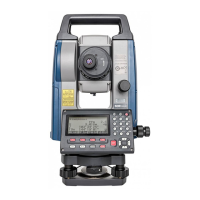
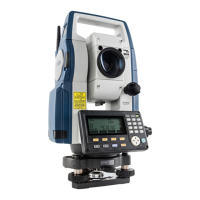
Identifies and labels the various parts and functions of the iM-50 series instrument.
Diagrammatically explains the instrument's different modes and navigation keys.
Details Bluetooth functionality, regulations, and precautions for radio interference.
Explains fundamental key operations like power, illumination, mode switching, and target type selection.
Describes the information displayed on the Status screen, OBS mode screen, and Measuring screen.
Details operations and settings available in the Starkey mode for common measuring tasks.
Provides a procedure and guidelines for safely charging the instrument's battery.
Details the procedure for correctly mounting and dismounting the battery in the instrument.
Explains how to center the instrument over a survey point using the optical or laser plummet.
Details the procedure for levelling the instrument using circular and electric circular levels.
Describes the steps to power on the instrument, including self-check and password entry.
Explains how to power off the instrument and details the reset button function.
Guides on setting up Bluetooth communication between the iM and a companion device.
Explains how to establish and manage Bluetooth communication sessions.
Details the procedure for connecting the instrument to external devices using an RS232C cable.
Provides a step-by-step guide for manually sighting targets using the instrument's optics.
Explains how to measure the included horizontal angle between two points using the 0SET function.
Details how to reset the horizontal angle to a specific value or hold the current angle.
Describes the procedure for performing repetition measurements for higher angle precision.
Explains how to measure angles and output the data to a computer or peripheral equipment.
Guides on checking the reflected light intensity from prisms for accurate distance measurements.
Explains how to perform simultaneous distance and angle measurements.
Details how to recall and display the most recently measured distance and angle data.
Explains how to measure distance and output the data to a computer or peripheral.
Describes how to measure coordinates and output the data to external devices.
Explains the REM (Remote Measurement) function for measuring heights of inaccessible points.
Details the process of entering instrument station data, including coordinates and azimuth angle.
Explains how to determine instrument station coordinates using resection measurement.
Describes the procedure for measuring target coordinates using instrument and backsight station data.
Explains how to set out points based on input coordinates using horizontal angle and distance.
Details setting out points using horizontal angle and distance from the reference direction.
Describes how to perform REM measurement for setting out points where direct installation is difficult.
Explains how to define a baseline by inputting coordinates or observing two points.
Details finding required point coordinates by inputting length and offset based on the baseline.
Describes how to measure points relative to a baseline, including offset and cut/fill calculations.
Explains how to define an arc by inputting parameters or observing points.
Details finding coordinates of points along an arc by inputting arc length and offset.
Explains how to define a baseline for point projection measurements.
Details projecting points onto a defined baseline and calculating distances.
Guides on setting observation parameters like measurement patterns, RL observation, and backsight checks.
Describes the procedure for conducting topography observations in R and L directions.
Explains finding points by entering horizontal distance from target to offset point.
Details finding target points using included angles and measuring distance to offset points.
Describes measuring target points using distances to two offset points.
Explains measuring distance and coordinate of a plane edge by sighting three points.
Details finding coordinates and distance to the center of a column by measuring circumscription points.
Explains measuring distances and angles between multiple points using observation or input coordinates.
Describes how to change the last measured point to the next starting position for missing line measurements.
Guides on calculating area by observing points that enclose an area.
Explains area calculation using previously registered coordinate data.
Details various intersection calculation methods like 1 pt, Azimuth, 2 pt Angle, 4-point, and 2 Circles.
Explains finding intersection points by specifying length or azimuth angle of reference points.
Outlines the process of measuring and calculating traverse points, including automatic route search.
Explains different methods for distributing traverse errors like Compass, Transit, and Angular adjustments.
Details setting the instrument station as a reference point for route surveying.
Explains calculating coordinates for center and width pegs for straight lines.
Guides on finding center and width peg coordinates for circular curves using BC and IP points.
Details calculating center and width pegs for spiral (clothoid) curves using reference points.
Explains calculating center and width pegs for parabolic curves using reference points.
Describes finding coordinates of cardinal, centerline, and width pegs from 3 points and curve properties.
Explains calculating intersection angles and azimuths using BP and IP points.
Guides on inputting intersection points (IPs) for route calculation setup.
Details inputting curve parameters like radius, offset, and clothoid parameters.
Explains automatic calculation of cardinal points based on input curve properties.
Describes finding coordinates of arbitrary points on calculated curves.
Explains finding route widths and coordinates using inverse width peg calculation.
Guides on presetting curve type and BP point for subsequent calculations.
Explains measuring and setting out points along a cross-section using route surveying.
Details setting a baseline by defining coordinates of two points for point-to-line measurements.
Guides on measuring target points relative to a defined baseline.
Explains how to store instrument station coordinates, point name, and other parameters.
Details storing backsight station data, including azimuth angle and coordinates.
Describes how to record angle measurement data, including target height and point name.
Explains how to store distance measurement results, including target height and point name.
Details storing coordinate measurement results, including target height, point name, and code.
Explains storing both distance and coordinate data simultaneously for the same point.
Guides on entering and recording textual notes associated with measurements.
Explains how to display and search recorded data within the current JOB.
Details the procedure for deleting recorded data from the currently selected JOB.
Explains how to select the current JOB and the Coordinate Search JOB.
Details the procedure for clearing data within a designated JOB.
Covers registering and deleting known point coordinate data using key entry or external input.
Explains how to display all coordinate data within the current JOB.
Details saving, reading, and deleting codes in memory for observation data.
Guides on transferring JOB data, including measurements and settings, to a host computer.
Explains how to output code data to a host computer.
Details the procedure for inserting a USB flash drive into the instrument's port.
Explains how to select communication formats (T type or S type) for USB data transfer.
Guides on saving JOB data, including measurements and settings, to a USB flash drive.
Describes how to display file information, edit names, and delete files on the USB drive.
Explains how to format the USB flash drive using the quick format option.
Covers settings for tilt angle compensation, collimation correction, and vertical angle display.
Details distance measurement modes, display methods, and correction settings.
Explains settings for reflector type, sheet mode, and prism constant correction.
Covers inputting atmospheric conditions like temperature, pressure, and humidity for correction.
Details settings for input order, station ID increment, and intersection types.
Explains power-saving settings like auto cut-off, resume function, and EDM eco mode.
Covers settings for contrast, V manual mode, reticle illumination, and volume.
Details unit settings for temperature, pressure, angle, and distance measurements.
Guides on setting and changing the instrument's password for security.
Explains how to set the instrument's internal clock and calendar.
Describes how to assign functions to softkeys for efficient operation.
Explains methods for restoring the instrument's settings to factory defaults.
Lists and explains various warning and error messages encountered during instrument operation.
Details procedures for checking and adjusting the circular level for accurate measurements.
Explains how to check and cancel tilt zero point errors to ensure accurate angle measurements.
Guides on measuring and correcting collimation errors for accurate angular observations.
Provides procedures for checking and adjusting the optical plummet for precise centering.
Explains how to check and verify the additive distance constant for measurement accuracy.
Details procedures for checking and adjusting the laser plummet beam alignment.
Describes the reflecting prism system, including prism constants and accessories.
Explains the use of the instrument height adaptor for adjusting target height.
Describes the optional plumb bob accessory and its usage for centering.
Explains the use of the optional tubular compass for magnetic north indication.
Details the specifications of the optional telescope eyepiece lens.
Describes the optional diagonal eyepiece for convenient observations.
Explains the use of the optional solar filter to protect the instrument and operator's eyes.
Details the cables for connecting the instrument to a host computer or power source.
Lists the specifications for the instrument's telescope, including magnification and focus.
Details specifications for angle measurement, including circle type, units, and accuracy.
Covers specifications for the tilt sensor, minimum display, and compensation range.
Lists specifications for distance measurement, including method, signal source, and measuring ranges.
Explains the procedure for manually indexing the vertical circle for high-precision vertical angle measurements.
Details distance calculation formulas considering refraction and earth curvature corrections.
Provides FCC compliance information, warnings, and conformity statements for U.S.A.
Highlights warnings regarding Perchlorate Material (CR Lithium Battery) applicable in California.
Provides information on battery recycling regulations for California and New York, U.S.A.
States compliance with Canadian interference-causing equipment regulations (ICES-Class B).
Outlines EU compliance for EMC, WEEE, and Battery Directives, including disposal information.
Lists compliance information regarding China's environmental directive for electronic products.
Provides compliance information related to Taiwan's National Communications Commission (NCC) regulations.
 General
| IP Rating | IP66 |
|---|---|
| Angle Accuracy | 1" |
| Distance Range with Reflector | 5, 000 m |
| Protection class | IP66 |
| Communication | Bluetooth, USB |
| Operating Temperature Range | -20°C to +50°C |

 To Next Page