Position and Audio Control Module User Guide
Note: The Sound Card cable carries analog audio signals between the PAC module
and an operator position workstation, and uses the Line In and Line Out jacks to
connect to the audio card of the computer. Therefore, any operator position speakers
connected to the computer must use another audio device, such as USB speakers.
4.3 Pin Assignments
The following tables contain the pin assignments for the data interconnection cables
(labeled C, X, and Y in Figure 4).
4.3.1 PAC Module COM Operator Position Workstation COM (Cable C)
Pin Signal
1 Chassis GND
2 PAC Rx data
3 PAC Tx data
4 Unassigned
5 GND
6 Unassigned
7 Unassigned
8 Unassigned
9 Unassigned
Table 8: Cable C Pin Assignments
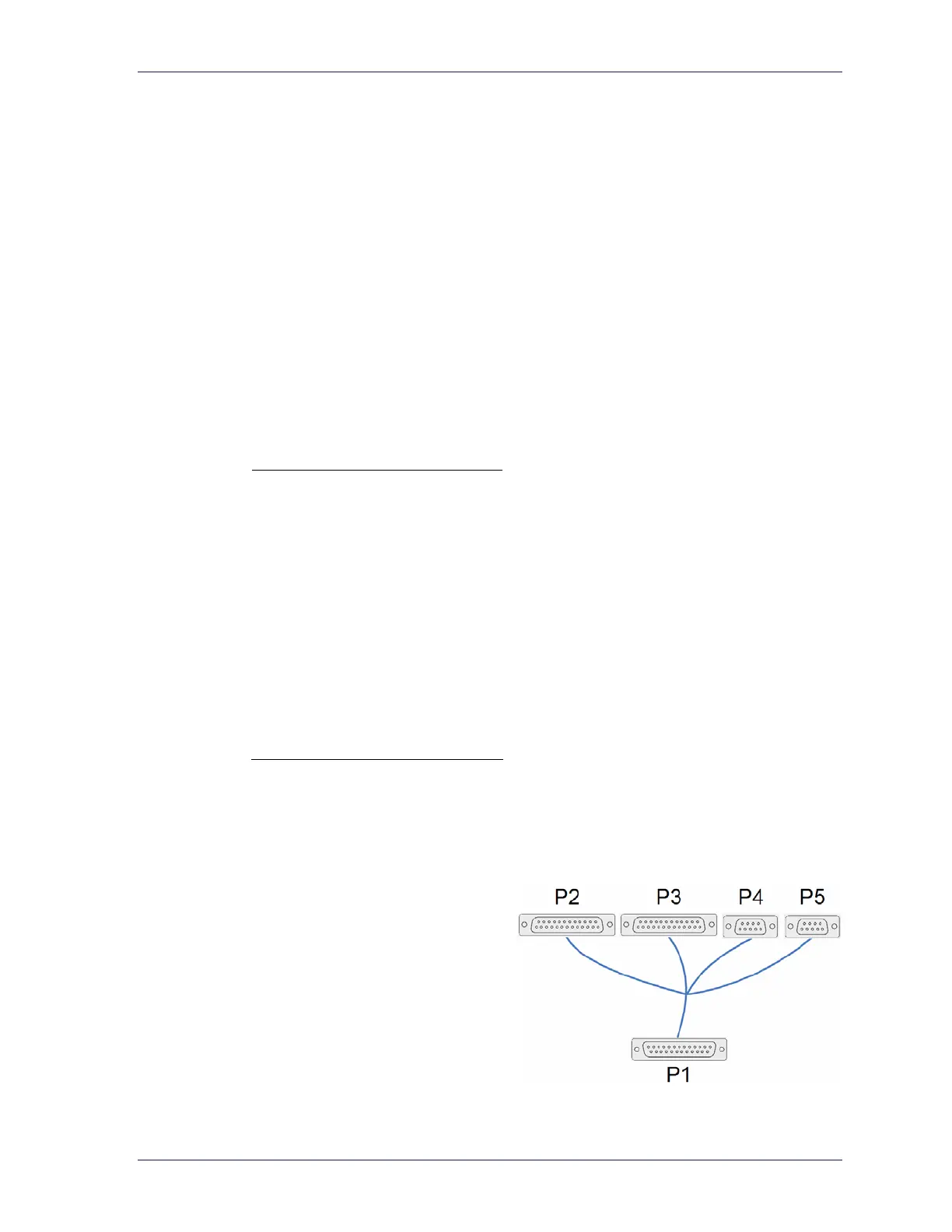
4.3.2 PAC Module AUDIO I/O Various (Cable X)
This cable contains five connectors:
• P1 “AUDIO I/F” (DB25)
• P2 “Radio Console” (DB25)
• P3 “Footswitch” (DB25)
• P4 “911 Audio” (DB9)
• P5 “Recorder” (DB9)
Figure 5: Radio Bypass Cable (X)
11



 To Next Page