12
E N
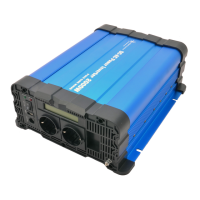
5. IN USE
Check that the cables are mounted correctly. Never use the inverter when the cables are
damaged.Set the power switch to “ON” position.
A warm housing is normal when the inverter is operating.
If you will not be using the inverter for a significant period (during winter storage for example), we
recommend disconnecting it from the battery.
5.1 LED indications
(
FS series
)
‘power’ (green) Battery connected and the on/off switch is in ‘on’ position
‘fault’ (red) Fault occurred on the input side or internal temperature
‘fault’ (red, blinking) Fault occurred on the output side.
In cause of a fault, consult the chapter ‘protections’ and the trouble shooter.
5.2 LED Indications (NK series)
“Level load” (3 colors) when loading with 20% rated power, led not light; when loading up to 20-
50% rated power, LED green; when loading up to 50-75% rated power, LED orange; when full load
up to 80-100%, LED red
“Status “ (2 colors) battery connected and the off/off switch is in “on “ position, LED green;
When inverter protection function occurred or fault occurred.
5.3 Dip Switcher (NK series only )
S4 - 50/60Hz adjustable (I on position means 60Hz, O off position means 50Hz)



 To Next Page