H EART RATE TARGET ZON ES
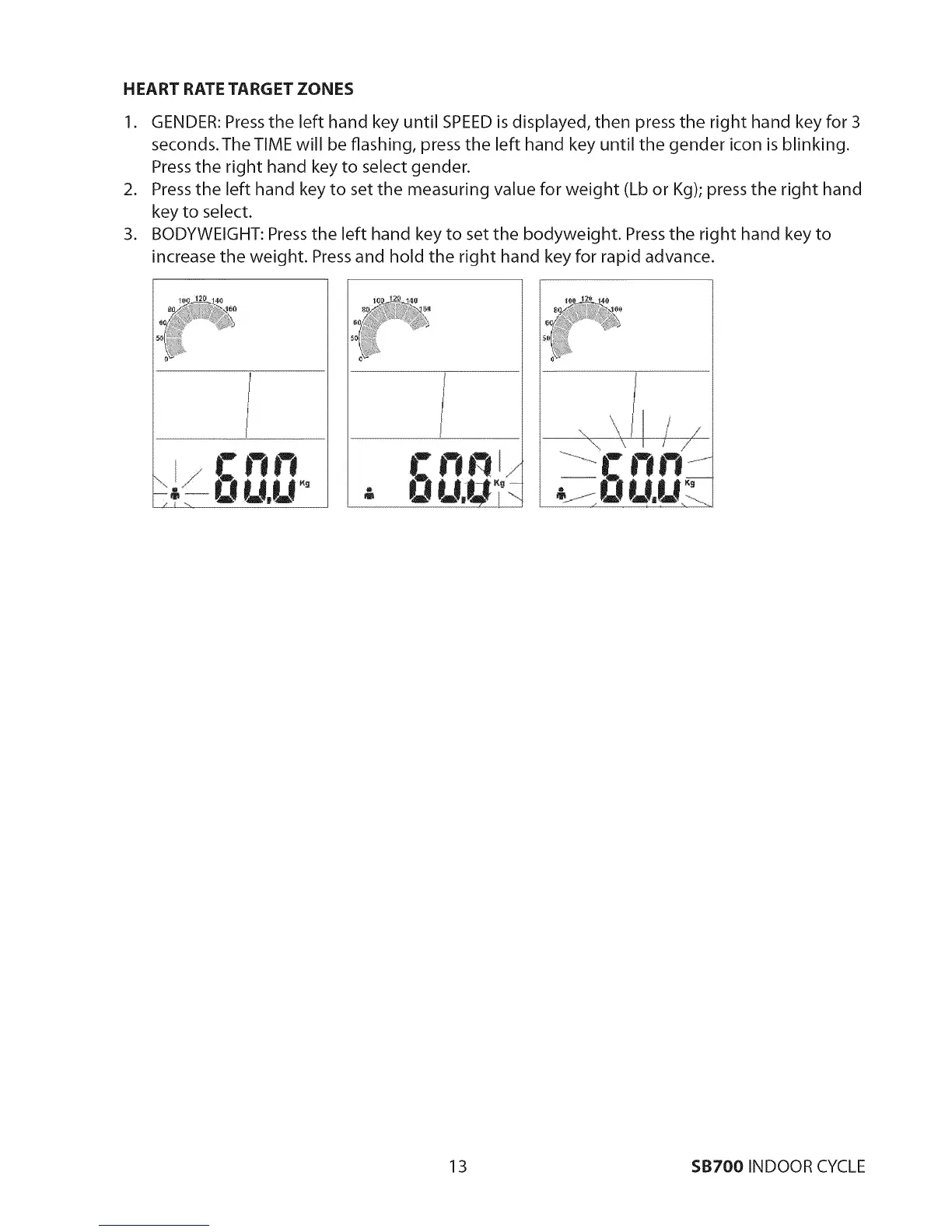
I. GENDER: Press the left hand key until SPEED is displayed, then press the right hand key for 3
seconds.The TIME will be flashing, press the left hand key until the gender icon is blinking.
Press the right hand key to select gender.
2. Press the left hand key to set the measuring value for weight (Lb or Kg); press the right hand
key to select.
3. BODYWEIGHT: Press the left hand key to set the bodyweight. Press the right hand key to
increase the weight. Press and hold the right hand key for rapid advance.
i
_,\ _ _ / /
13 $B700 INDOOR CYCLE


 To Next Page