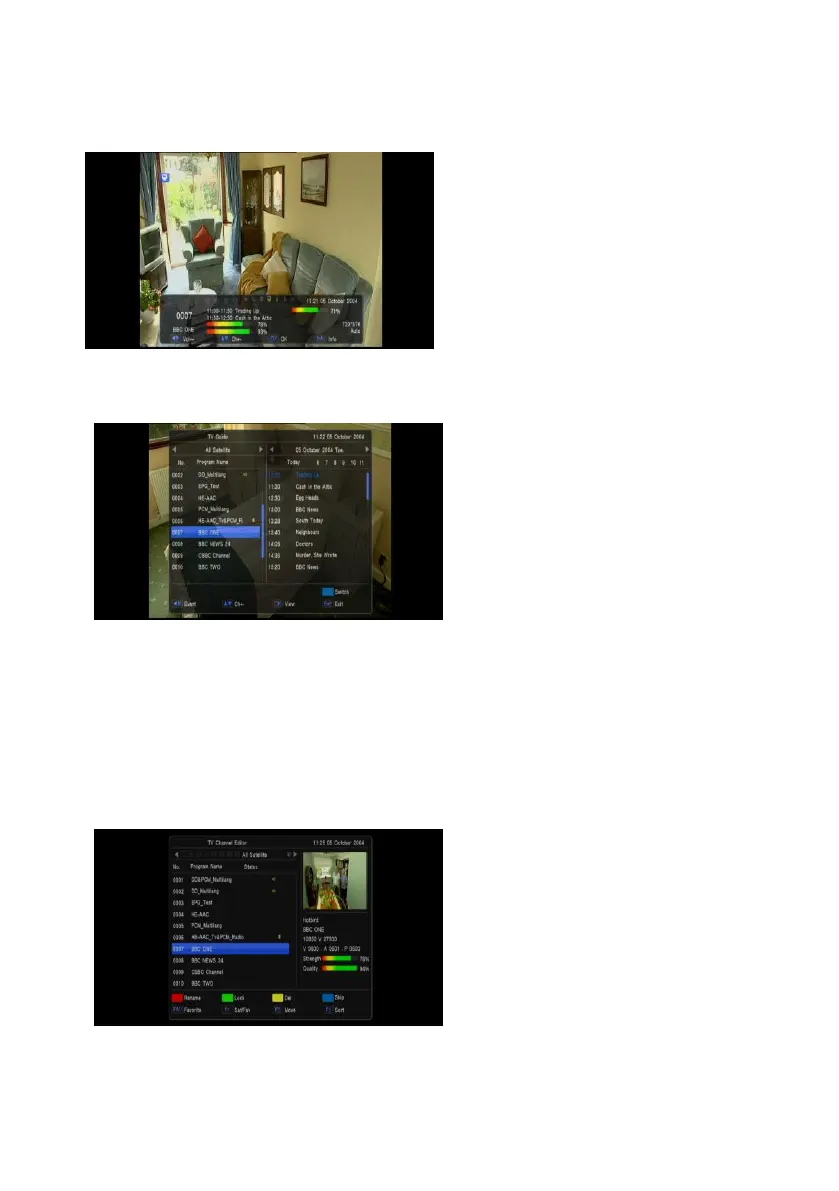
1.11 Information
In full screen, press [INFO] key can open information screen, in the window shows the parameters of
current channel.
1.12 EPG
1 The STB has an Electronic Program
Guide (EPG) to help you navigate
channels through all the possible viewing
options. The EPG supplies information
such as channel listings and starting and
ending times for all available channels.
2 Press [EPG] key to display EPG screen.
3 Press [OK] key in each item can see
more detail information and press [Exit]
key to cancel
4 Press [Vol +/-] to select “back/current
time/last program or last day/next day”.
Press [Ch Up/Dn] key to channel change.
5 Press [Green] key in EPG menu can open timer menu. Yo can save a timer as you want.
6 In EPG menu, press [Exit] to close EPG screen.
1.13 TV/RADIO
In TV mode, pressing [TV/RADIO] key can switch to Radio mode. In Radio mode, press [TV/RADIO]
key to switch to TV mode.
1.14 Channel List
1 In full screen, press [OK] key or
[CH.LIST] can enter “Channel List”.
2 Press [Vol +/-] key to change satellite.
3 Press [Ch Up/Dn] key to move highlight
and press [OK] key to play the
highlighted channel.
4 Press [Page +/-] key to page up and
page down.
5 Press [Exit] key to exit the channel list.


 To Next Page