12
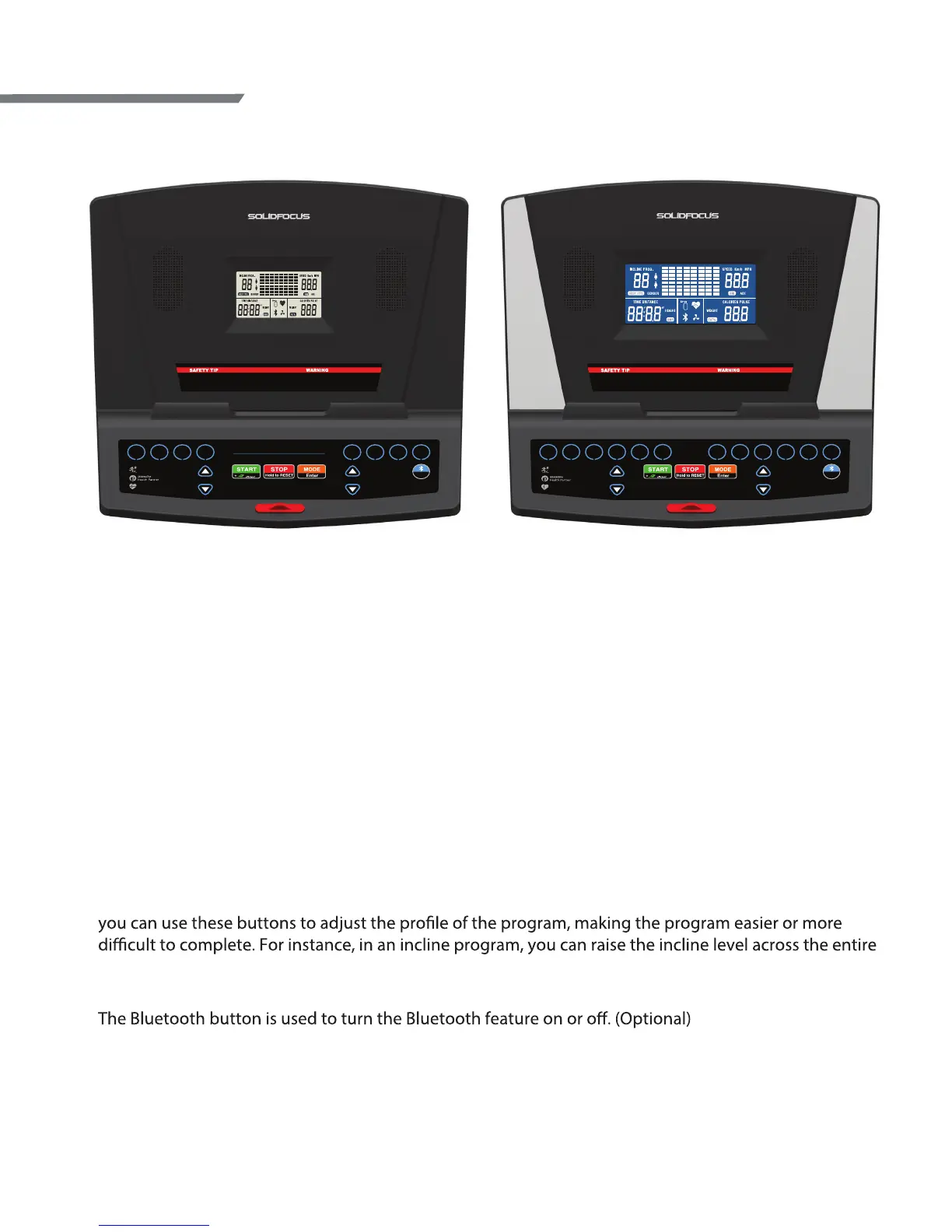
Display Console Overview
Console Buttons
Start / Stop:
• Press START button to begin a Manual workout without having a set any individual information. When
the program begins, your workout time will start counting up from 00:00 and you can manually adjust
the incline or speed as you workout.
• If you need to temporarily stop your workout, press the STOP button to pause. To restart the workout,
press the START button. After 90 seconds of no activity, the console will reset. The auto-reset can be
changed to 300 seconds by going into the engineering mode.
• If nothing is lit in the display, press the START button for 2 seconds to turn the display on.
MODE/Enter:
The Enter button is used to select each piece of information needed during program setup including
Program, Workout Level, Workout Time, and your Weight (which is used to more accurately calculate
calories burned). MODE is used to change between workout feedback displays.
Speed / Incline
:
The
and
buttons for speed and incline are used to modify the value of each selection during the
program setup process and to adjust the speed or incline during use. If you are using a preset program,
program by pressing the incline button.
Bluetooth:
Quick Selection Buttons:
There are 4 (TM5010) or 6 (TM5030/TM5050) quick buttons for speed and incline. These buttons allow
you to quickly jump directly to the desired speed or incline rather than requiring that you scroll to get
the value.
TM5010 TM5030/TM5050
Owner’s Manual
Remove safety key when not in use and
store out of reach of children.
Consult a physician before starting exercise program.
Keep children and pets away during use or folding.
S PEEDi ncli n e
Please read the owner’s manual completely before using.
CAUTION
(Optional feature)
Bluetooth
2 4 6 8 10 12 753 9 11 13
LEVEL LEVEL LEVEL LEVEL LEVEL LEVEL KPH KPH KPH KPH KPH KPH
energy
Heart Rate Control
Run on Map
Remove safety key when not in use and
store out of reach of children.
Consult a physician before starting exercise program.
Keep children and pets away during use or folding.



 To Next Page