Troubleshooting
Find Strongest Signal
Correct functioning:
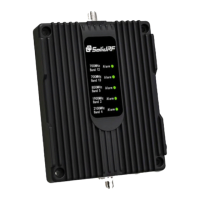
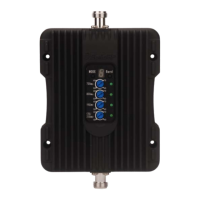
The lights on the control panel indicate the condition of the booster. Every time the booster is
powered on, all of the lights will be green in color for several seconds then off. This means the
booster has passed the self check and is in good condition.
Incorrect functioning:
• If any of the lights on the control panel are flashing in green, it means that self oscillation is
occurring. You must switch off the booster and check the outside and the inside antennas
immediately. Make sure you have followed the recommended installation process and check
each step carefully. Refer to Self Oscillation section for more details of minimum required
separation distance and antennas installation. See the control panel instruction: how to adjust
the gain (output power) to prevent possible self oscillation. If you can not fix the problem please
contact the technical support or the reseller.
• If the power light is flashing, please contact the technical support.
SolidRF Technical Support: Support@SolidRF.ca
Use Cell Phone Only:
• Check the signal indicator on the cell phone display, it takes up to 30 seconds to reset a new
reading. Or place calls from several locations outside the building.
• Read signal strength with numerical value (Smart Phone Only):
iPhone: Dial *3001#12345#* then tap the CALL button, a negative number in the upper left
corne r.
Android Phone: Go to Setting – About Phone – Status (SIM Status) – Signal Strength
It would a negative number instead of the five dots, the range is from -120 (weak) to -65 (strong)
Use Cell Phone During Test Installation:
• One person adjusts the outside directional antenna small angle at a time. Allow 30 seconds for
the phone to react with each turn.
• Second person read the signal strength on the cell phone inside the building.
See Test Installation Section for Find A Cell Tower Nearby


 To Previous Page