Update and Registration
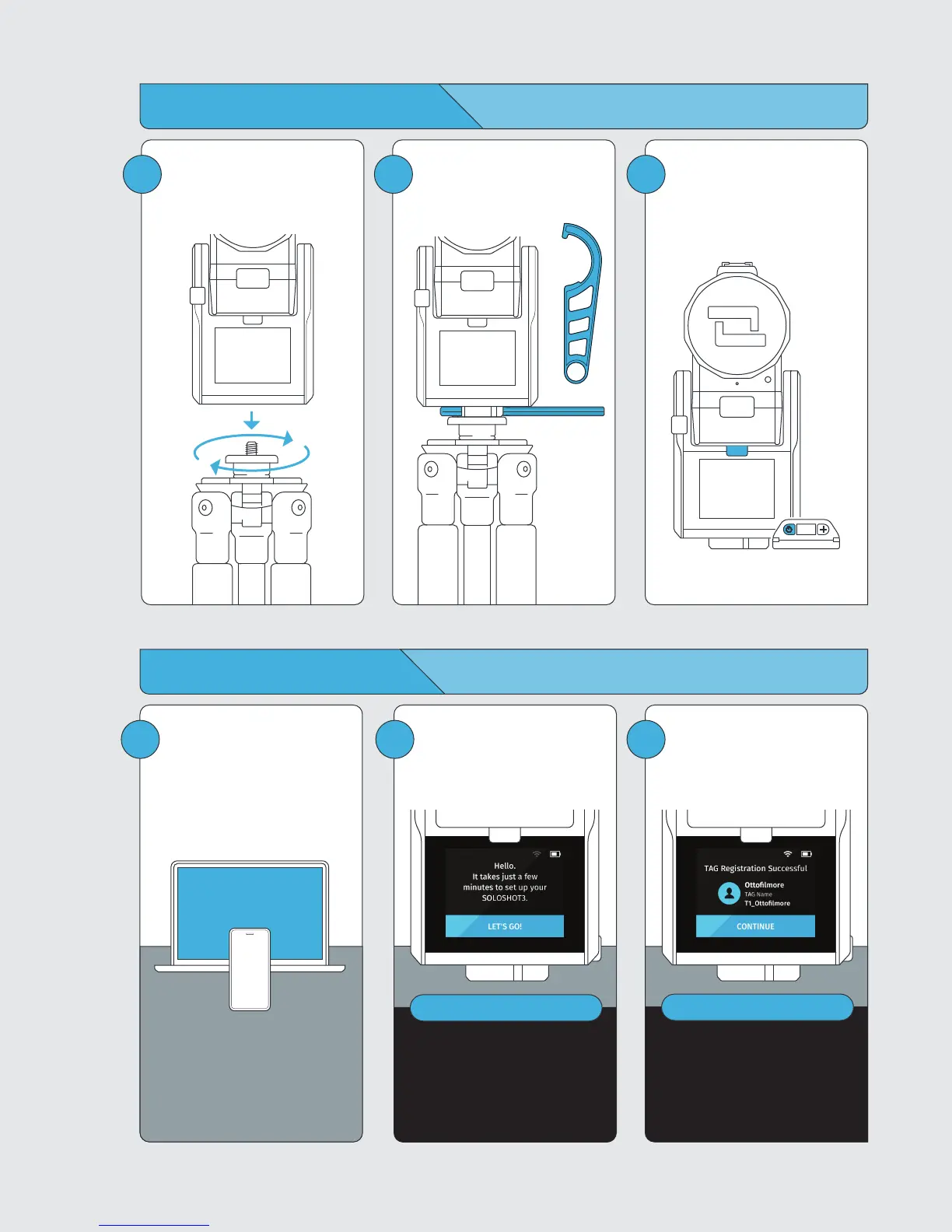
1
Create a SOLOSHOT account on
the web at:
soloshot.com/ss3setup
2
Power on Base and follow
on-screen instructions to update
your device.
IMPORTANT
Base must be charged or charging
to update. Screen will be blank for
up to 1 minute during certain steps
of update process. Do not power
down device during update.
3
Finish setup by registering your
Base and Tag(s) to your
SOLOSHOT account.
IMPORTANT
When initially paired to the Base,
Tags are set to Auto Track by
default. You will only need to enter
the Tag Manager to toggle on Tags
that have been set to Ask to Track.
Note: you must be connected to Wi-Fi to live stream.
Preparing your SOLOSHOT3
3
Attach the Base to the tripod by
aligning the two and turning
clockwise.
4
Tighten the connection of the
Base and tripod using the Tripod
Tool.
5
To power on Base, press and
hold the POWER button for
3 seconds. To power on Tag,
press the POWER button.



 To Next Page