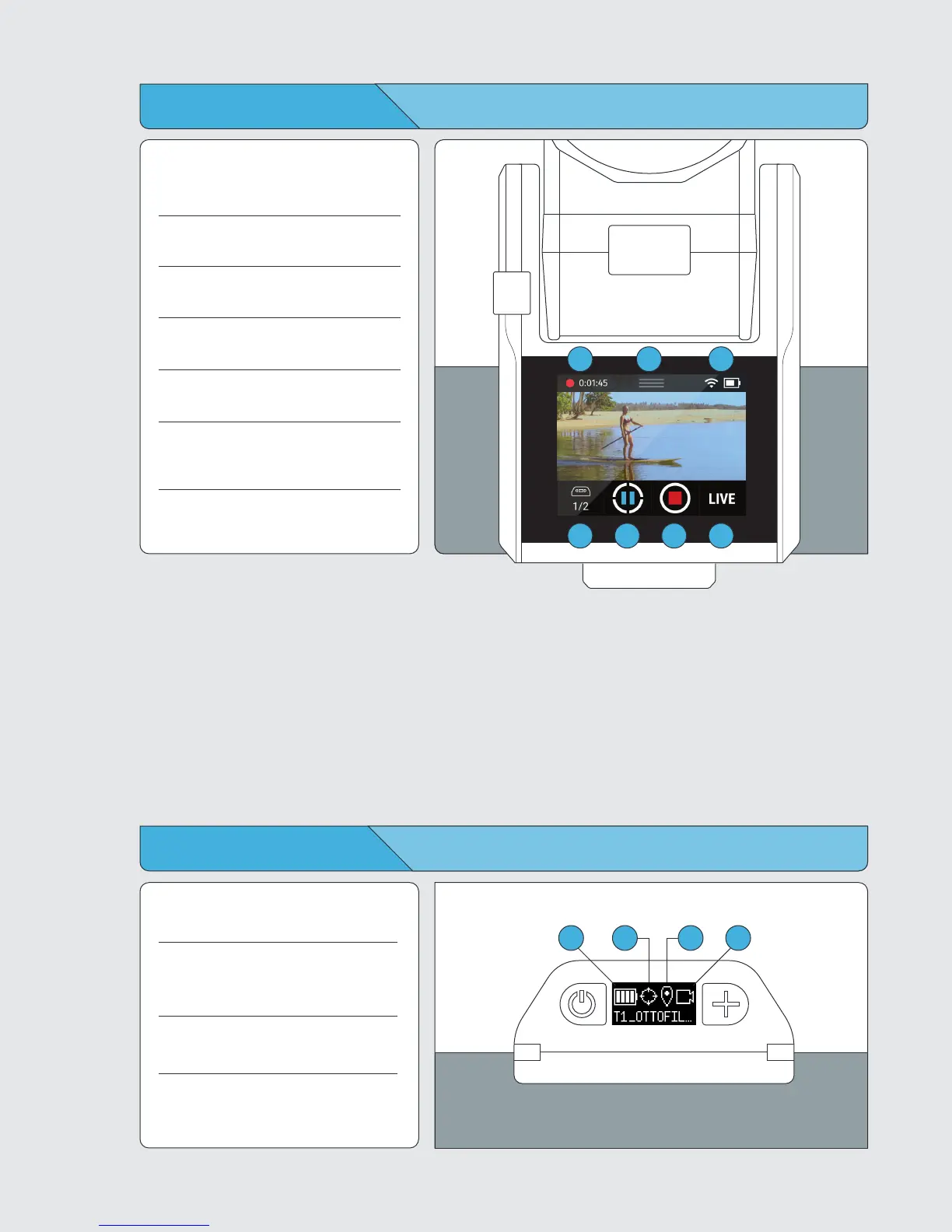
Using the Track App
1 Tag Manager
Displays how many Tags are being tracked.
Tap to navigate to the Tag Manager.
2 Track
Start or stop tracking.
3 Record
Start or stop recording.
4 LIVE
Start or stop live streaming.
5 Status Bar
Displays Wi-Fi strength and battery level.
6 Pulldown Menu
Access the home screen, Wi-Fi,
camera controls, and settings.
7 SD Card Indicator
Available SD Card Space and Record Time
7
1 2
3 4
56
Using the Tag Screen
1 Battery Level
Displays the remaining battery level.
2 Tracking Status
Displays whether the TAG would like
to be tracked.
3 GPS Status
Displays the status of the TAG’s GPS signal.
4 Record
Displays whether TAG would like to be
recorded.
2 3
4
1



 To Next Page