Managing Tags
2
21
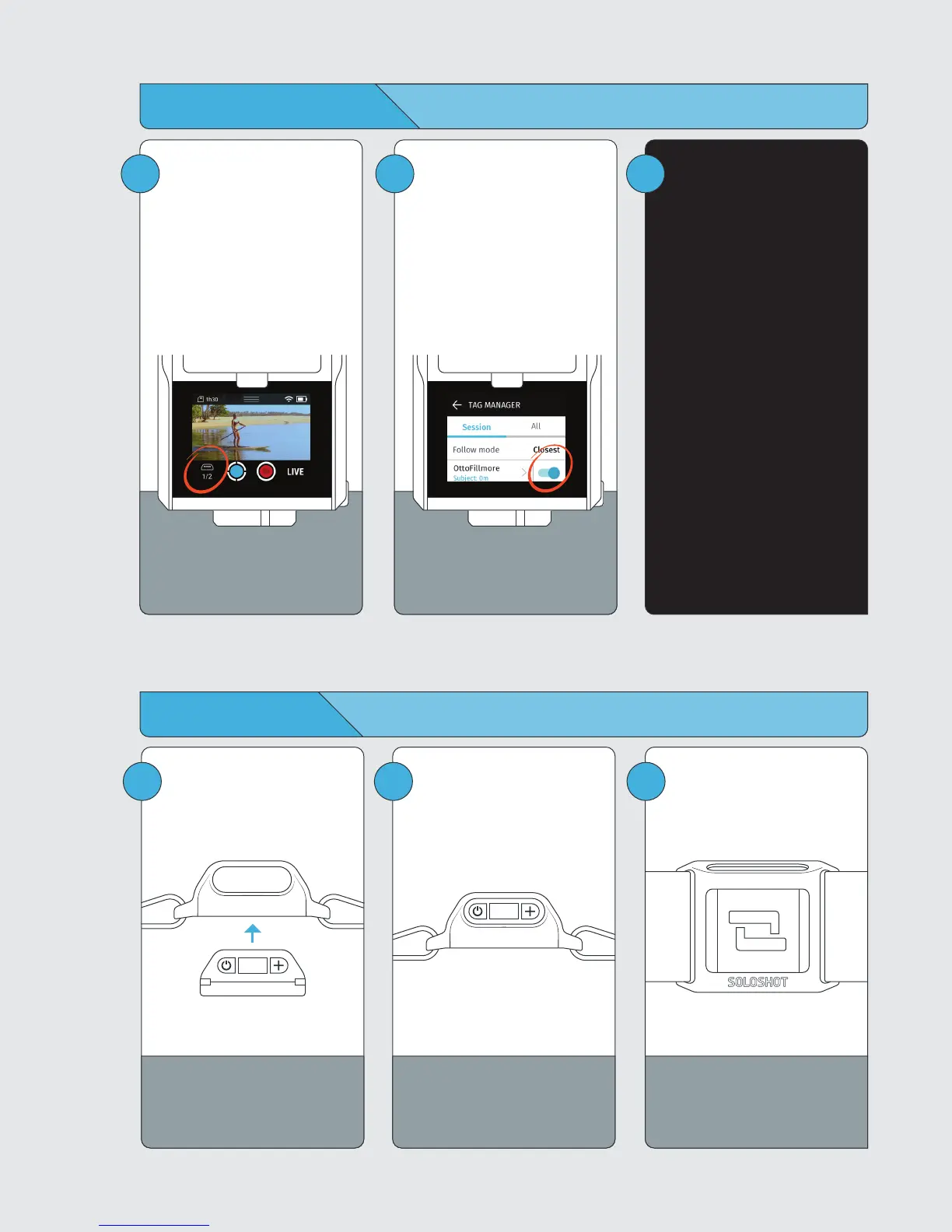
Tap the Tag icon to enter the
Tag Manager.
When initially paired to the
Base, Tags are set to Auto
Track by default. You will only
need to enter the Tag Manager
to toggle on Tags that have
been set to Ask to Track.
Toggle tracking on for your
Tag, then tap the back arrow
to exit the Tag Manager.
The TAG Manager can also be
accessed from the home
screen.
2
!
Multi Modes
When more than one Tag is
selected for tracking, your
Base will automatically switch
to multi tracking mode.
Default multi tracking mode is
Fastest until you change
modes.
1 2
Always wear the Tag with
button/screen side facing
upward.
3
Wearing the Tag
Always wear the Tag with
buttons facing upward.
Snap the Tag into the Armband
clip with the button side aligned
with the clip window.
You will hear a distinct click
when Tag is in place. Check the
alignment and adjust if
necessary.



 To Next Page