EasyManua.ls Logo

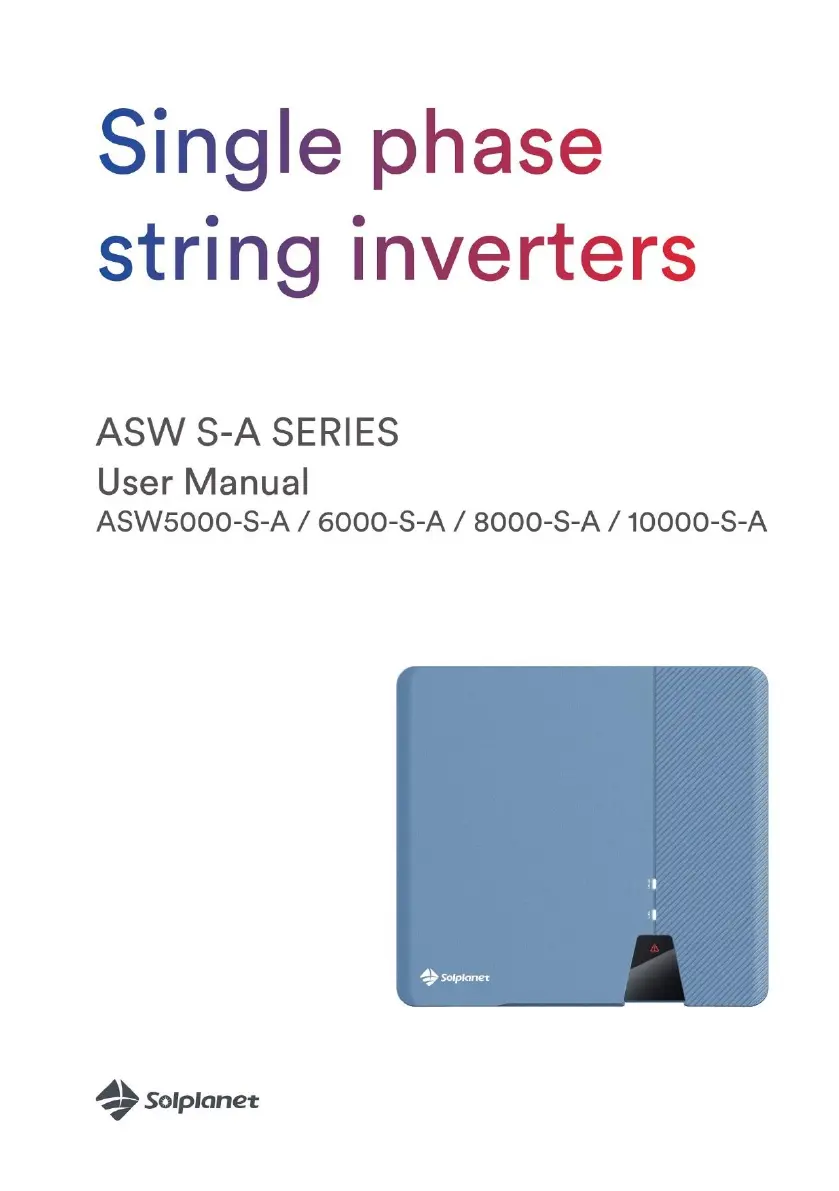
Solplanet ASW S-A Series - User Manual

Solplanet ASW S-A Series
55 pages
Print Icon
To Next Page IconTo Next Page
Loading...

Questions and Answers

  • L
    Louis BakerAug 13, 2025
    What to do if my Solplanet ASW S-A displays Error code 34?
    • R
      rgregoryAug 13, 2025
      If your Solplanet Inverter shows Error code 34, first check the grid voltage and grid connection on the inverter. Also, verify the grid voltage at the point where the inverter connects. Should the grid voltage fall outside the permissible range because of local grid conditions, consider adjusting the monitored operational limits after consulting with your electric utility company. If the grid voltage is within the correct range and the error persists, contact service.
  • C
    Claudia MuellerAug 17, 2025
    How to troubleshoot Error code 35 on a Solplanet Inverter?
    • S
      Stephanie LongAug 17, 2025
      If your Solplanet Inverter displays error code 35, begin by checking the fuse and the circuit breaker in the distribution box. Next, check the grid voltage and usability. Finally, check the AC cable and grid connection on the inverter.
  • T
    Terry ClarkAug 20, 2025
    What to do if Solplanet ASW S-A Inverter shows Error code 6?
    • N
      Nichole RitterAug 21, 2025
      If your Solplanet Inverter is showing Error code 6, check the open-circuit voltages of the strings, ensuring they are below the inverter's maximum DC input voltage. If the input voltage is within the allowed range and the error continues, the internal circuit may be broken and you should contact the service.
  • T
    Tina FrankAug 25, 2025
    How to fix Error code 36 on a Solplanet ASW S-A?
    • K
      Kyle LewisAug 25, 2025
      If your Solplanet Inverter is showing Error code 36, ensure the grounding connection of the inverter is reliable. Perform a visual inspection of all PV cables and modules. If the fault persists, contact the service.
  • A
    Anna WadeAug 27, 2025
    Why is my Solplanet Inverter showing Error code 40?
    • S
      sjohnsonAug 27, 2025
      If your Solplanet Inverter is showing Error code 40, check that the airflow to the heat sink is not obstructed. Also, check if the ambient temperature around the inverter is too high.
  • S
    shane58Aug 31, 2025
    What should I do if my Solplanet ASW S-A Inverter shows Error code 65?
    • T
      Taylor DiazAug 31, 2025
      If your Solplanet Inverter displays Error code 65, check if the ground line is connected to the inverter. Ensure the grounding connection of the inverter is connected and reliable. If this fault occurs often, contact the service.
  • J
    Jeffrey LarsonSep 4, 2025
    How do I resolve Error codes 41, 42, 43, 44, 45, 47 on a Solplanet Inverter?
    • P
      pjohnsonSep 5, 2025
      If your Solplanet Inverter is displaying Error codes 41, 42, 43, 44, 45, or 47, disconnect the inverter from the grid and the PV array, then reconnect it after 3 minutes. If the fault persists, contact the service.
  • C
    Cheryl RyanSep 8, 2025
    What to do for a Permanent Fault on a Solplanet ASW S-A Inverter?
    • B
      Benjamin KimSep 8, 2025
      If your Solplanet Inverter is displaying a Permanent Fault, disconnect the inverter from the utility grid and the PV array, and reconnect it after the LED turns off. If the fault continues to appear, contact the service.

Summary

Notes on this Manual

General Notes

Overview of the inverter's function and conversion process.

Area of validity

Specifies the inverters covered by the manual.

Target group

Identifies the intended audience and required qualifications.

Symbols used in this manual

Explains safety symbols and their meanings.

Safety

Intended use

Details the proper and intended applications of the inverter.

Important safety information

Crucial safety warnings and precautions for operation.

Symbols on the label

Explains the meaning of symbols found on the inverter's label.

Unpacking

Scope of delivery

Lists all components included in the inverter package.

Checking for transport damage

Instructions for inspecting the package for damage upon delivery.

Mounting

Ambient conditions

Specifies environmental requirements for inverter installation.

Selecting the mounting location

Guidelines for choosing a suitable and safe mounting position.

Mounting the inverter with the wall bracket

Step-by-step procedure for attaching the inverter using its bracket.

Electrical Connection

Safety

Critical safety precautions related to electrical connections.

System Layout without Integrated DC Switch

Illustrates the system configuration with external DC switches.

Overview of Connection Area

Identifies and describes the various connection ports on the inverter.

AC Connection

Details the procedures for connecting the inverter to the AC grid.

AC Connection Conditions

Specifies cable requirements and design for AC connection.

AC Terminal Connection

Step-by-step guide for connecting the AC power terminals.

Second Protective Grounding Connection

Instructions for establishing a secondary protective ground.

DC Connection

DC Connection Requirements

Outlines necessary prerequisites for connecting DC sources.

Assembling DC Connectors

Detailed steps for properly assembling DC connectors.

Disassembling DC Connectors

Procedure for safely removing DC connectors.

Connecting the PV Array

Guide on how to connect the PV array to the inverter.

Communication Equipment Connection

RS485 Cable Connection

Instructions for connecting RS485 communication cables.

Smart Meter Cable Connection

Steps for connecting a smart meter for data monitoring.

WiFi;4 G Stick Connection

Guide to connecting WiFi or 4G communication modules.

Communication

System Monitoring via WLAN;4 G

How to monitor the system using wireless communication.

Active Power Control with Smart Meter

Using a smart meter to manage active power output.

Demand Response Modes (DRED)

Explains demand response features and modes.

Third-Party Device Communication

Connecting the inverter with external devices using Modbus.

Earth Fault Alarm

Information on earth fault monitoring and alarms.

Commissioning

Electrical Checks

Performing essential electrical tests before operation.

Mechanical Checks

Verifying physical installation and integrity.

Safety Code Check

Procedures for safety code configuration.

Start-Up

Steps for initiating inverter operation after installation.

Operation

Panel Overview

Description of the inverter's front panel indicators.

LED Indicators

Detailed explanation of the status LEDs and their meanings.

Disconnecting from Voltage Sources

Technical Data

DC Input Data

Specifications related to the DC input parameters.

AC Output Data

Specifications for the inverter's AC output.

General Data

Various general specifications and characteristics of the inverter.

Safety Regulations

Overview of safety standards and compliance.

Tools and Torque

Lists required tools and torque specifications for installation.

Power Reduction

Explanation of how and why the inverter reduces power output.

Troubleshooting

Maintenance

Cleaning DC Switch Contacts

Procedure for annual cleaning of DC switch contacts.

Cleaning Heat Sink

Instructions for cleaning the inverter's heat sink.

Recycling and Disposal

EU Declaration of Conformity

Warranty

Contact

Solplanet ASW S-A Series Specifications

General IconGeneral
BrandSolplanet
ModelASW S-A Series
CategoryInverter
LanguageEnglish

Related product manuals